





Question: Here is the code I have so far: Customer.vb: Imports Microsoft.VisualBasic Public Class Customer Public Property CustomerID As Integer Public Property Name As String Public
 Here is the code I have so far: Customer.vb: Imports Microsoft.VisualBasicPublic Class Customer Public Property CustomerID As Integer Public Property Name As

String Public Property Address As String Public Property City As String Public
Here is the code I have so far:

Customer.vb:

Imports Microsoft.VisualBasic

Public Class Customer Public Property CustomerID As Integer Public Property Name As String Public Property Address As String Public Property City As String Public Property State As String Public Property ZipCode As String Public Property Phone As String Public Property Email As String End Class

CustomerDisplay:

Sportes Pro

Sports Management software for sports enthusiast


&nbsp

Web.config:

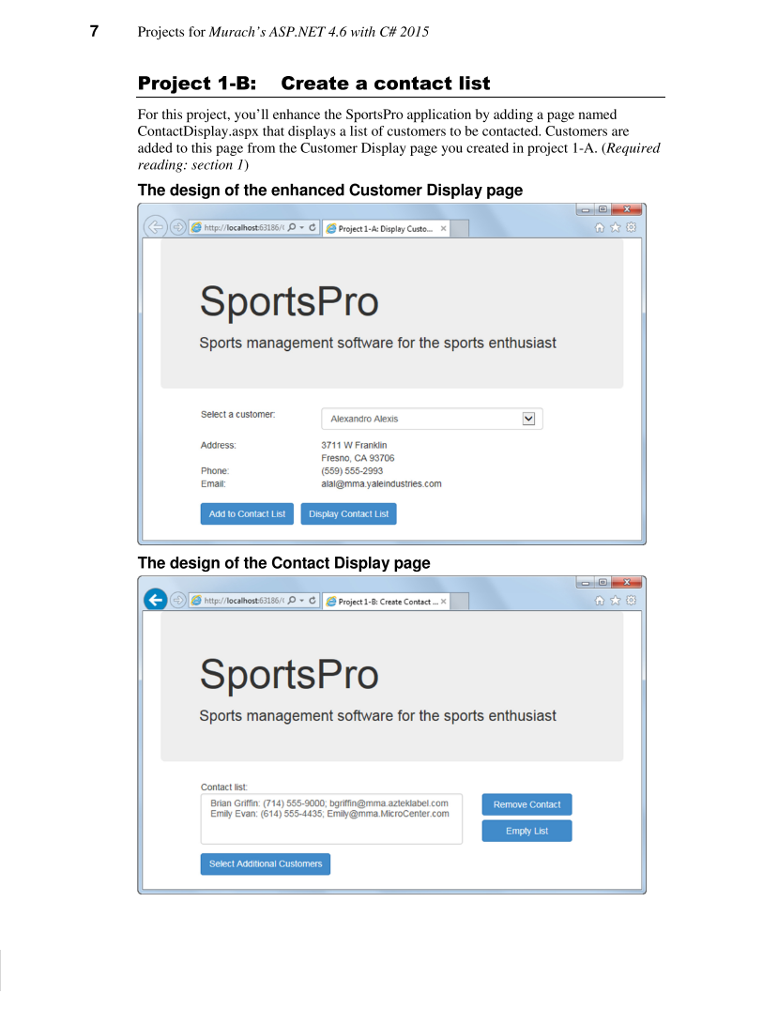
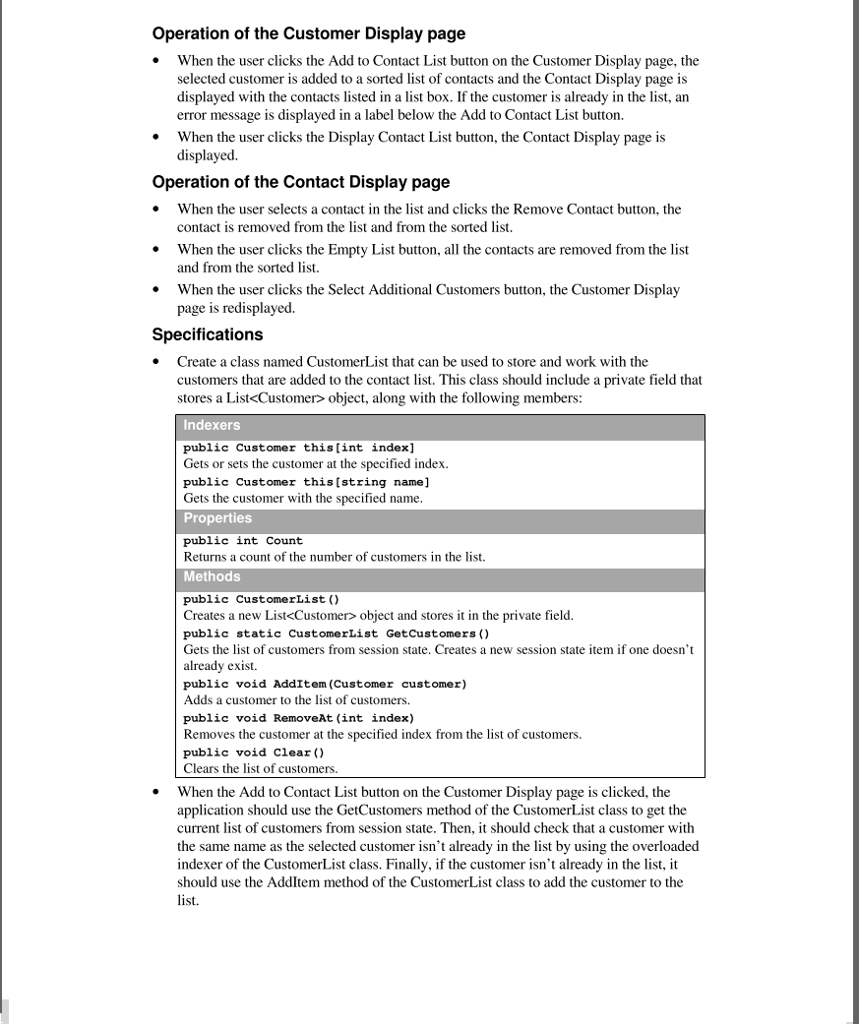
7 Projects for Murach's ASP.NET. 4.6 with C# 2015 Project 1-B: Create a contact list For this project, you'll enhance the SportsPro application by adding a page named ContactDisplay.aspx that displays a list of customers to be contacted. Customers are added to this page from the Customer Display page you created in project 1-A. (Required reading: section I) The design of the enhanced Customer Display page e Project 1-A:Display Custo.. x SportsPro Sports management software for the sports enthusiast Select a customer Alexandro Alexis 3711 W Franklin Fresno, CA 93706 (559) 555-2993 Address Phone Email Add to Contact List Display Contact List The design of the Contact Display page http://localhost63186/p e Project 1-B: Create Contact-.x SportsPro Sports management software for the sports enthusiast Contact list Brian Grifin: (714) 555-9000, bgriffin@mmaazteklabel.com Emily Evan: (614) 555-4435, Emily@mma. MicroCenter.com Remove Contact Empty List Select Additional Customers
&nbsp
&nbsp
&nbsp

Step by Step Solution

There are 3 Steps involved in it

1 Expert Approved Answer
Step: 1 Unlock blur-text-image

Question Has Been Solved by an Expert!

Get step-by-step solutions from verified subject matter experts

Step: 2 Unlock
Step: 3 Unlock

Students Have Also Explored These Related Databases Questions!