







Question: Here is the code provided. // This module slows down the 100 Mhz clock to a 2 second period. module slow_clock(Clk, Clk_Slow); input Clk; output
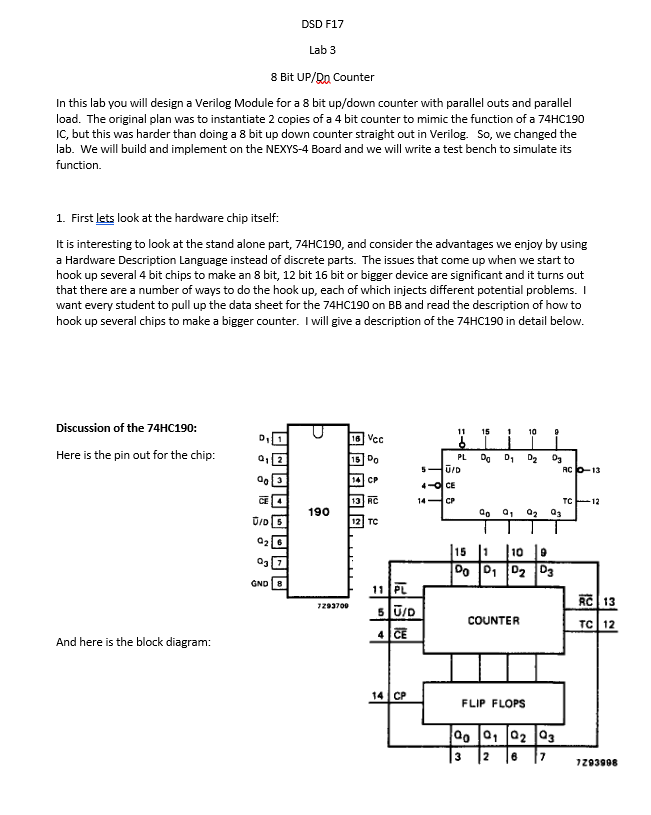
![Clk; output Clk_Slow; reg [31:0] counter_out; reg Clk_Slow; initial begin //Note this](https://dsd5zvtm8ll6.cloudfront.net/si.experts.images/questions/2024/09/66f3af4907ebe_15266f3af489f6bd.jpg)
Here is the code provided.
// This module slows down the 100 Mhz clock to a 2 second period.
module slow_clock(Clk, Clk_Slow);
input Clk;
output Clk_Slow;
reg [31:0] counter_out;
reg Clk_Slow;
initial begin //Note this wont synthesize but is needed for the simulation
counter_out
Clk_Slow
end
//this always block runs on the fast 100MHz clock
always @(posedge Clk) begin
counter_out
if (counter_out > 32'h05F5E100) begin
counter_out
Clk_Slow
end
end
endmodule
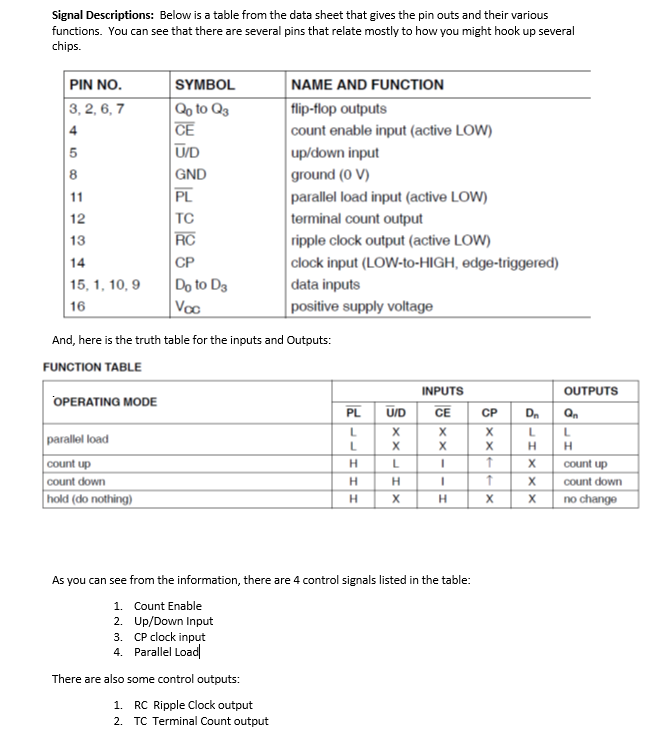
module counter_8bit( led, sw {lower case for REVB}, clk, btnR, btnU, btnD, btnL {buttons are all upper case for REVC});
output [15:0] led;
input [7:0] load;
input clk; //falling edge clock
input rstN; //reset or clear active low
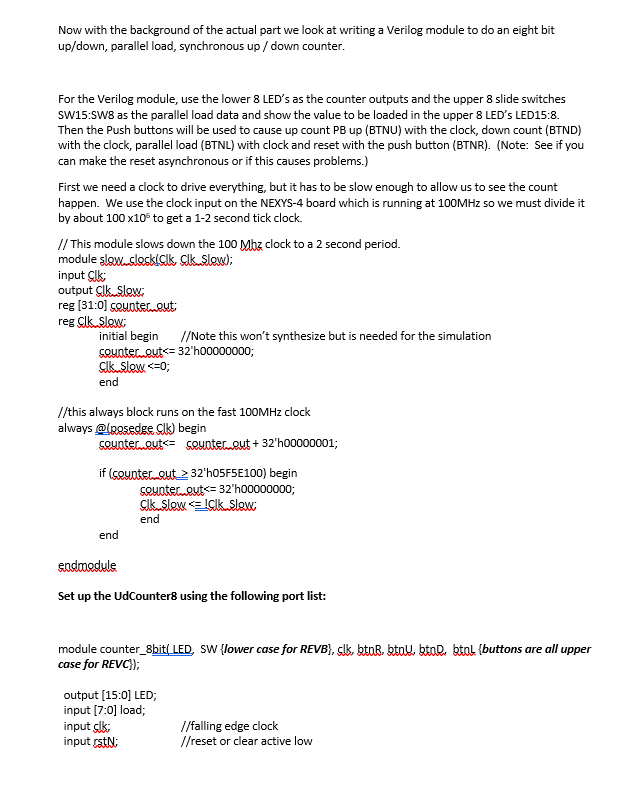
input up; // use active hi and then it will count when button is pushed
input down;
input plN; //parallel load active low
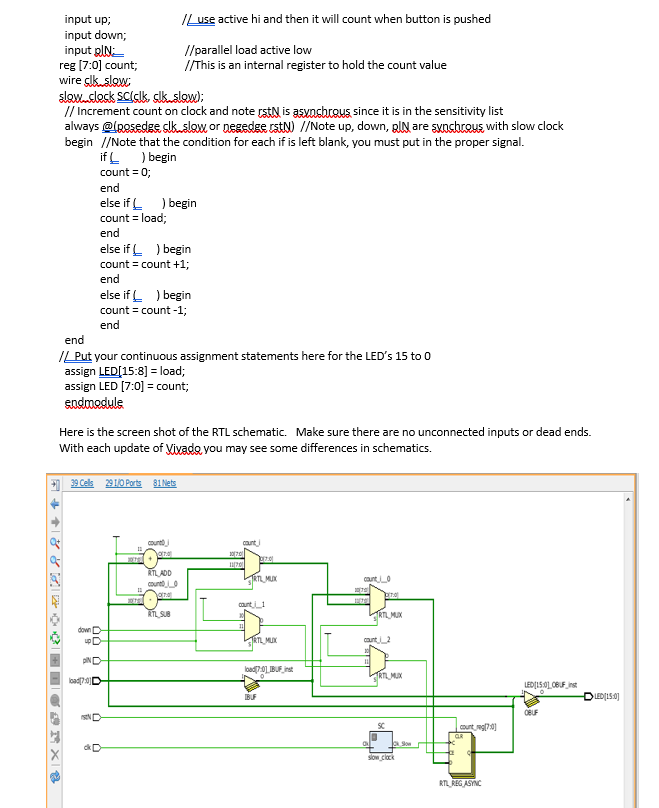
reg [7:0] count; //This is an internal register to hold the count value
wire clk_slow;
slow_clock SC(clk, clk_slow);
// Increment count on clock and note rstN is asynchrous since it is in the sensitivity list
always @(posedge clk_slow or negedge rstN) //Note up, down, plN are synchrous with slow clock
begin //Note that the condition for each if is left blank, you must put in the proper signal.
if ( ) begin
count = 0;
end
else if ( ) begin
count = load;
end
else if ( ) begin
count = count +1;
end
else if ( ) begin
count = count -1;
end
end
// Put your continuous assignment statements here for the LEDs 15 to 0
assign led[15:8] = load;
assign led [7:0] = count;
endmodule
Step by Step Solution
There are 3 Steps involved in it

Get step-by-step solutions from verified subject matter experts
 Study Help