







Question: Here is the Jquery function $(document).ready(function() { $(#pageColor).change(function(event) { //Retrieves the value of the user entered color var name= event.target.value; //Add code to set cookie
Here is the Jquery function
$(document).ready(function()
{
$("#pageColor").change(function(event)
{
//Retrieves the value of the user entered color
var name= event.target.value;
//Add code to set cookie
});
});
Here is the First Page HTML (Lab12)
Page 1
Validate HTML
Here is the second HTML
Page 2
Hi there!
Go back to page 1
Validate HTML
Thank you!
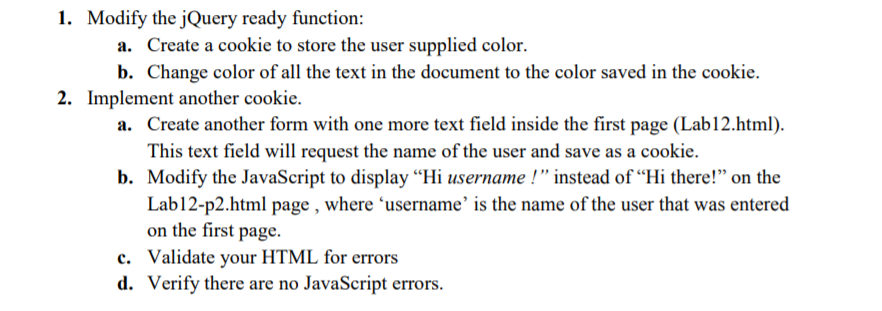
1. Modify the jQuery ready function: Create a cookie to store the user supplied color. Change color ofall the text in the document to the color saved in the cookie a. b. 2. Implement another cookie. Create another form with one more text field inside the first page (Lab12.html). This text field will request the name of the user and save as a cookie. Modify the JavaScript to display "Hi username!" instead of "Hi there!" on the Lab12-p2.html page, on the first page Validate your HTML for errors Verify there are no JavaScript errors. a. b. where 'username' is the name of the user that was entered c. dStep by Step Solution
There are 3 Steps involved in it
1 Expert Approved Answer
Step: 1 Unlock

Question Has Been Solved by an Expert!
Get step-by-step solutions from verified subject matter experts
Step: 2 Unlock
Step: 3 Unlock
 Study Help