







Question: Here is the original matlab code: % to z=dist using Fresnels equation % %******************** % Initialize % clear % clear all variables from memory lamda=.6328e-6;
Here is the original matlab code:
% to z=dist using Fresnels equation % %******************** % Initialize % clear % clear all variables from memory lamda=.6328e-6; % wavelength of light in meters n0=1.5; % index of refraction of the propagation medium N=100; % number of grid points in the x- and y-dimensions K=2*pi/lamda; % magnitude of the wave vector k0 w=5e-3; % diameter of the light beam at z=0 in meters D=10e-3; % size of the calculation field in meters dist=2; % distance z traveled in meters x=-D:D/N:D; % generate equally spaced x-grid points
y=x; % generate equally spaced y-grid points [X,Y]=meshgrid(x,y); % create a 2-D array of xy-grid points %******************** % Define the calculation grid in the kx-ky plane at z=0 % Find kz at each grid point using kz = sqrt( ko2 -kx2 -ky2) % kx=(pi/D)*(-N:N); % spacing between points is 2 pi/L, and L=2*D ky=kx; [KX,KY]=meshgrid(kx,ky); % generate 2D kx-ky grid KZ=sqrt(K*K-KX.2-KY.2); % calculte kz at each grid point %******************** % Define the 2D-profile of the electric field of the optical beam at z=0 % R=sqrt(X.2 + Y.2); % create a 2-D array R = distance from the center E0=exp(-(R/w).2); % define the Gaussian electric field at each point figure(1) % open a window for displaying figure #1 mesh(x,y,E0.2); % create a false-color 3D plot axis equal; view(0,90) % view the plot from above %******************** % Calculate the two-dimensional Fast Fourier Transform of the electric % field at z=0 and then shift the result so that the zero frequency % point is moved from the lower left corner of the plot to the center % of the plot % FE1=fftshift(fft2(E0)); %******************** % Propagate each component of the Fourier transform in the % z-direction by the distance dist % FE2=FE1.*exp(i*KZ*dist); %******************** % Shift the frequency components back so that zero frequency is % back in the lower left corner % FE3=ifftshift(FE2); %******************** % Perform an Inverse Fast Fourier Trasnform to get the electric field % in the xy-plane at z=dist % E=ifft2(FE3); %******************** % Plot the amplitude of the electric field at z=dist % figure(3) mesh(x,y,abs(E.2)); axis equal; view(0,90) TITL=[distance=,num2str(dist)]; title(TITL)
%******************** % Plot the profile of the cross section of the beam % figure(4); plot(x,abs(E(:,N+1)).2); title(TITL)
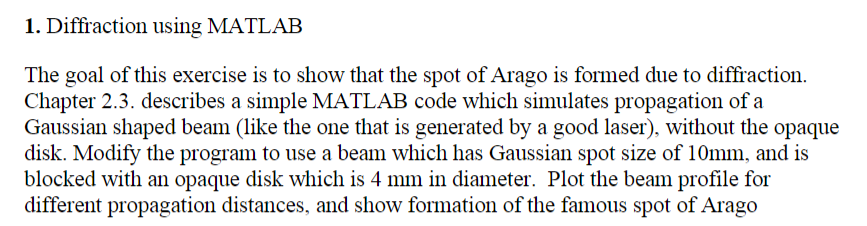
1. Diffraction using MATLAB The goal of this exercise is to show that the spot of Arago is formed due to diffraction. Chapter 2.3. describes a simple MATLAB code which simulates propagation of a Gaussian shaped beam (like the one that is generated by a good laser), without the opaque disk. Modify the program to use a beam which has Gaussian spot size of 10mm, and is blocked with an opaque disk which is 4 mm in diameter. Plot the beam profile for different propagation distances, and show formation of the famous spot of Arago 1. Diffraction using MATLAB The goal of this exercise is to show that the spot of Arago is formed due to diffraction. Chapter 2.3. describes a simple MATLAB code which simulates propagation of a Gaussian shaped beam (like the one that is generated by a good laser), without the opaque disk. Modify the program to use a beam which has Gaussian spot size of 10mm, and is blocked with an opaque disk which is 4 mm in diameter. Plot the beam profile for different propagation distances, and show formation of the famous spot of Arago
Step by Step Solution
There are 3 Steps involved in it

Get step-by-step solutions from verified subject matter experts
 Study Help