







Question: Here is the WordPlay code for this question: /JavaCS1/src/simpleguiapplication/WordPlay.java This version of WordPlay contains a JButton component called quit. When you click on the Quit
Here is the WordPlay code for this question: /JavaCS1/src/simpleguiapplication/WordPlay.java This version of WordPlay contains a JButton component called quit. When you click on the Quit button, your application should terminate the current running program. To accomplish this, you should use the statement System.exit(0) , which will kill the application. In the answer boxes below, provide appropriate code so that the Quit button will work correctly.
import java.awt.*; import javax.swing.*; import java.awt.event.*; 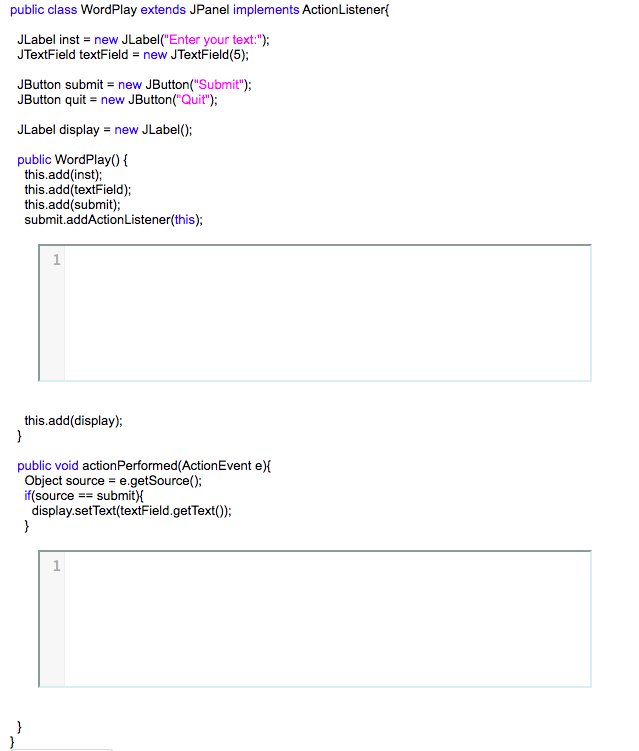
#2
Notice that we've added new code, so that WordPlay now contains JButton components called bigger and smaller. When you click on the "Bigger" button, your application makes the display font bigger. When the "Smaller" button is clicked, the size of the text on display is reduced by half. (The smallest you can go is 2 pt.) In the code we've provided, the "Smaller" button implementation is incomplete. In the answer boxes below, provide appropriate code so that the "Smaller" button will work correctly.
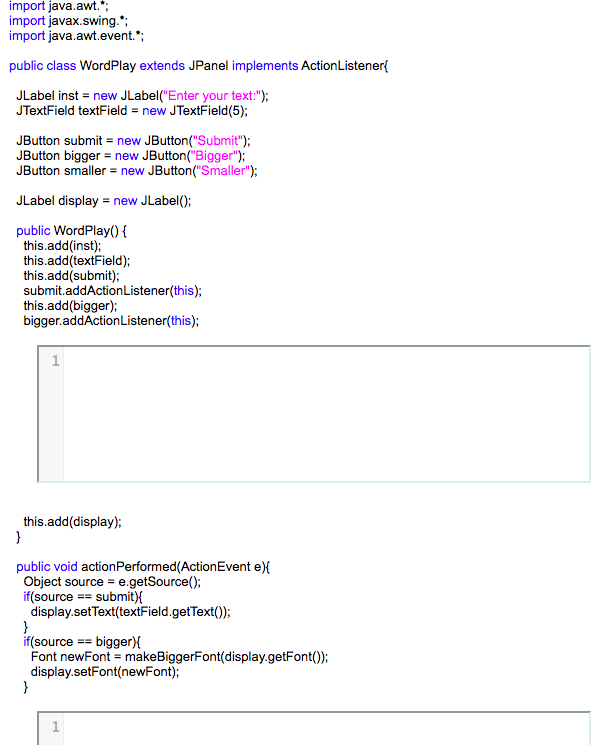
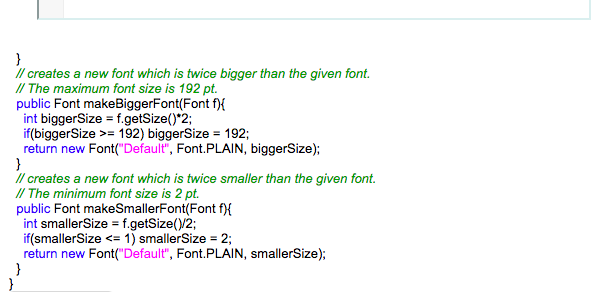
public class WordPlay extends JPanel implements ActionListener JLabel inst = new JLabel("Enter your text:"); JTextField textField = new JTextField(5); JButton submit = new JButton("Submit"); JButton quit = new JButton("Quit"); JLabel display = new JLabel(); public WordPlay)f this.add(inst) this.add(textField); this.add(submit); submit.addActionListener(this); this.add(display); public void actionPerformed(ActionEvent e) Object source- e.getSource); if(sourcesubmit) display.setText(textField.getText()
Step by Step Solution
There are 3 Steps involved in it

Get step-by-step solutions from verified subject matter experts
 Study Help