







Question: Here's the code which needs to be modified. _____________________________________ Calculate MPG use strict; var $ = function (id) { return document.getElementById(id); }; var calculateMpg =
Here's the code which needs to be modified.
_____________________________________
"use strict";
var $ = function (id) {
return document.getElementById(id);
};
var calculateMpg = function (miles, gallons) {
var mpg = (miles / gallons);
mpg = mpg.toFixed(1);
return mpg;
};
var processEntries = function () {
var miles = parseFloat($("miles").value);
var gallons = parseFloat($("gallons").value);
if (isNaN(miles) || isNaN(gallons)) {
alert("Both entries must be numeric");
} else {
$("mpg").value = calculateMpg(miles, gallons);
}
};
window.onload = function () {
$("calculate").onclick = processEntries;
$("miles").focus();
};
Calculate Miles Per Gallon
*
*
________________________________________________________________
body {
font-family: Times New Roman, Helvetica, sans-serif;
background-color: white;
margin: 0 auto;
width: 600px;
padding: 0 2em 1em;
border: 3px solid blue;
}
h1 {
color: blue;
margin-bottom: .25em;
}
label {
float: left;
width: 11em;
text-align: right;
}
input {
margin-left: 1em;
margin-right: .5em;
margin-bottom: .5em;
width: 11em;
}
span {
color: red;
}
_______________________________________
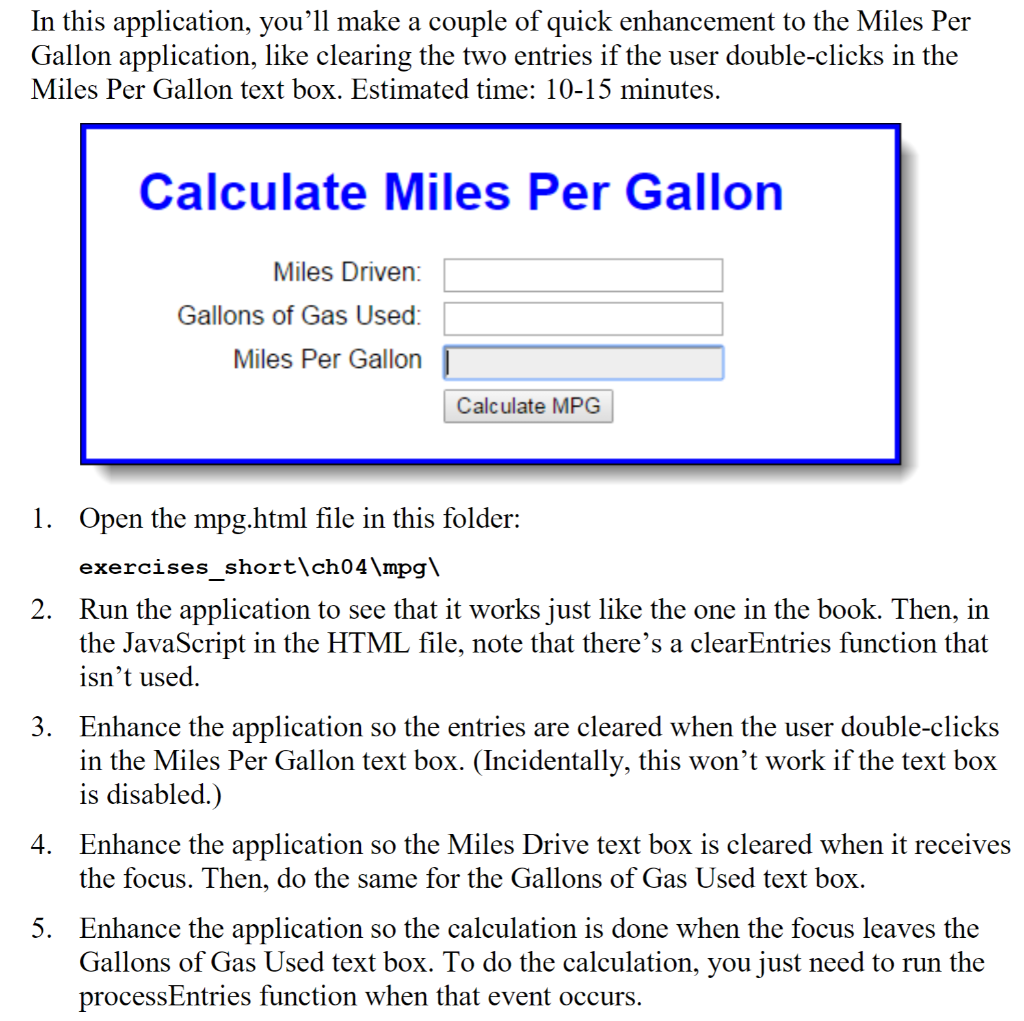
In this application, you'll make a couple of quick enhancement to the Miles Per Gallon application, like clearing the two entries if the user double-clicks in the Miles Per Gallon text box. Estimated time: 10-15 minutes, Calculate Miles Per Gallon Miles Driven: Gallons of Gas Used Miles Per Gallon Calculate MPG Open the mpg.html file in this folder: exercises short\ch04 mpg\ Run the application to see that it works just like the one in the book. Then, in the JavaScript in the HTML file, note that there's a clearEntries function that isn't use
Step by Step Solution
There are 3 Steps involved in it

Get step-by-step solutions from verified subject matter experts
 Study Help