







Question: Hi, assuming I have these 3 files? How do I do the steps it wants me too? I don't know where to start adding. Task
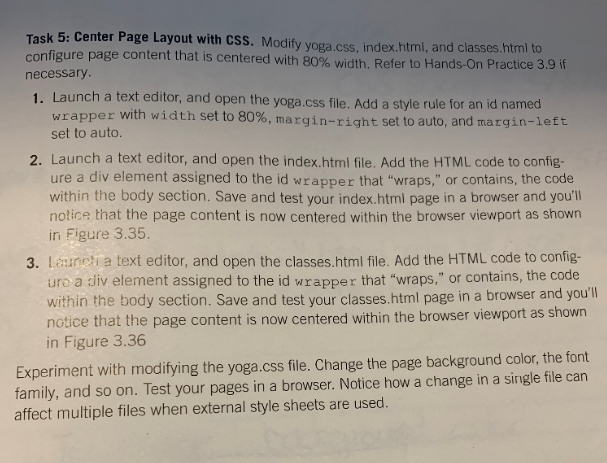
Hi, assuming I have these 3 files? How do I do the steps it wants me too? I don't know where to start adding.
Task 5: Center Page Layout with CSS. Modify yoga.css, index.html, and classes.html to configure page content that is c necessary entered with 80% width. Refer to Hands-On Practice 3.9 i 1. Launch a text editor, and open the yoga.css file. Add a style rule for an id named wrapper with width set to 80%, margin-right set to auto, and margin-left set to auto. 2. Launch a text editor, and open the index.html file. Add the HTML code to config ure a div element assigned to the id wrapper that "wraps," or contains, the code within the body section. Save and test your index.htmi page in a browser and you'll notice that the page content is now centered within the browser viewport as shown in Figure 3.35. 3. Launch a text editor, and open the classes.html file. Add the HTML code to config- uro a div element assigned to the id wrapper that "wraps," or contains, the code within the body section. Save and test your classes.html page in a browser and you'll notice that the page content is now centered within the browser viewport as shown in Figure 3.36 Experiment with modifying the yoga.css file. Change the page background color, the font family, and so on. Test your pages in a browser. Notice how a change in a single file can affect multiple files when external style sheets are used
Step by Step Solution
There are 3 Steps involved in it

Get step-by-step solutions from verified subject matter experts
 Study Help