







Question: Hi! I need help in the following Python Program Rubics Cube, which needs to be done in Turtle Graphics Program 2: Rubics Cube Name your
Hi! I need help in the following Python Program Rubics Cube, which needs to be done in Turtle Graphics
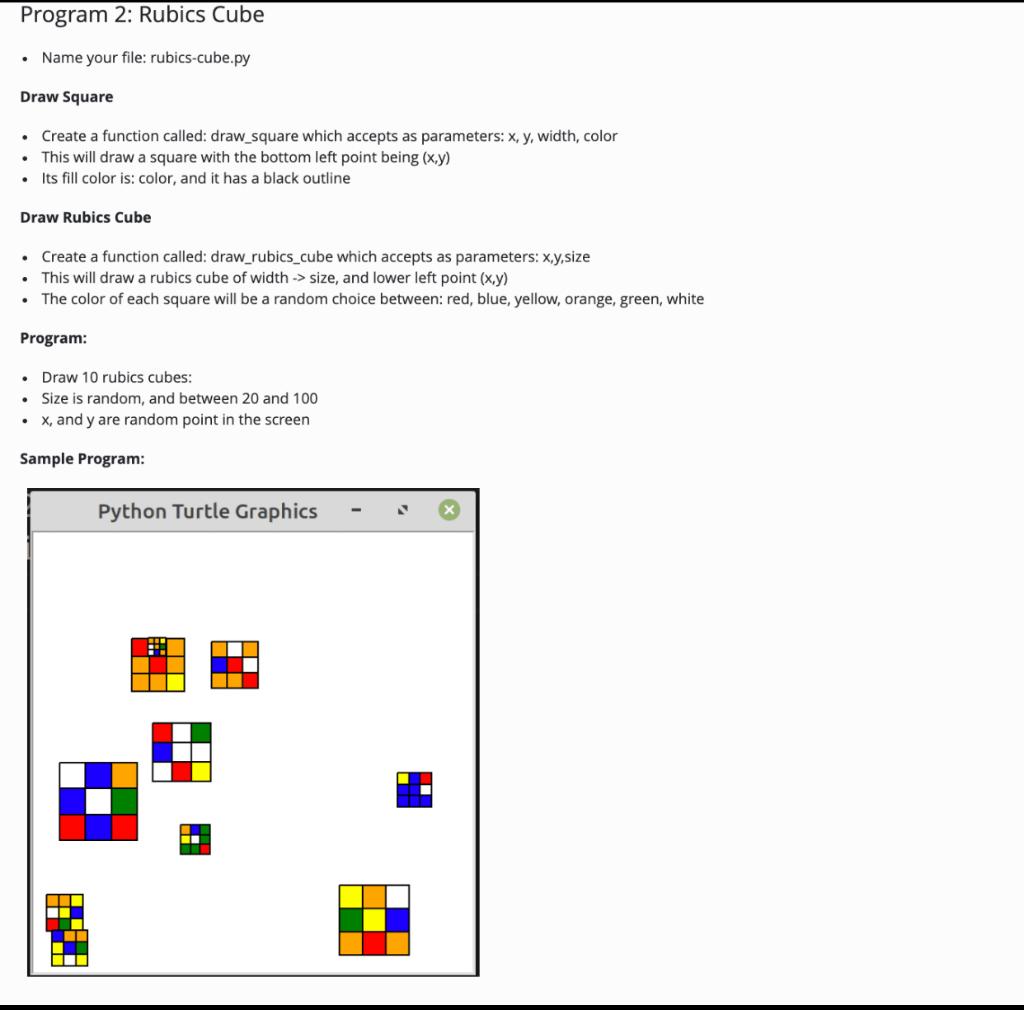
Program 2: Rubics Cube Name your file: rubics-cube.py Draw Square Create a function called: draw_square which accepts as parameters: x, y, width, color This will draw a square with the bottom left point being (x,y) Its fill color is: color, and it has a black outline Draw Rubics Cube Create a function called: draw_rubics_cube which accepts as parameters: x,y,size This will draw a rubics cube of width -> size, and lower left point (x,y) The color of each square will be a random choice between: red, blue, yellow, orange, green, white Program: Draw 10 rubics cubes: Size is random, and between 20 and 100 X, and y are random point in the screen Sample Program: Python Turtle Graphics
Step by Step Solution
There are 3 Steps involved in it

Get step-by-step solutions from verified subject matter experts
 Study Help