







Question: Hi, I need help with the table 1 and 2 of this experiment. Thank you very much! SIMULATION : https://media.pearsoncmg.com/bc/bc_0media_chem/chem_sim/calorimetry/Calor.php Pan' i Comparing Heat Quantities
Hi, I need help with the table 1 and 2 of this experiment. Thank you very much!
SIMULATION : https://media.pearsoncmg.com/bc/bc_0media_chem/chem_sim/calorimetry/Calor.php
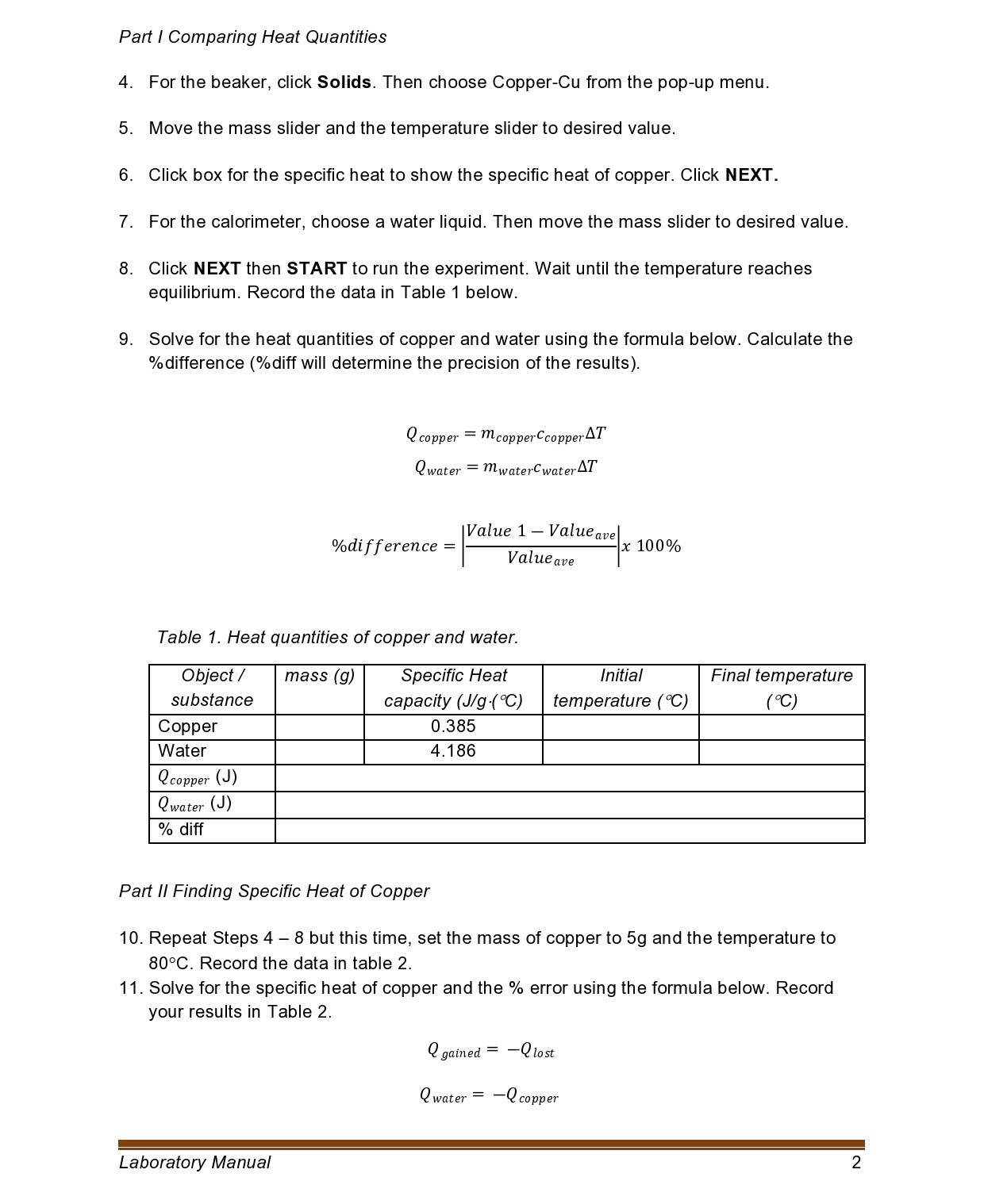
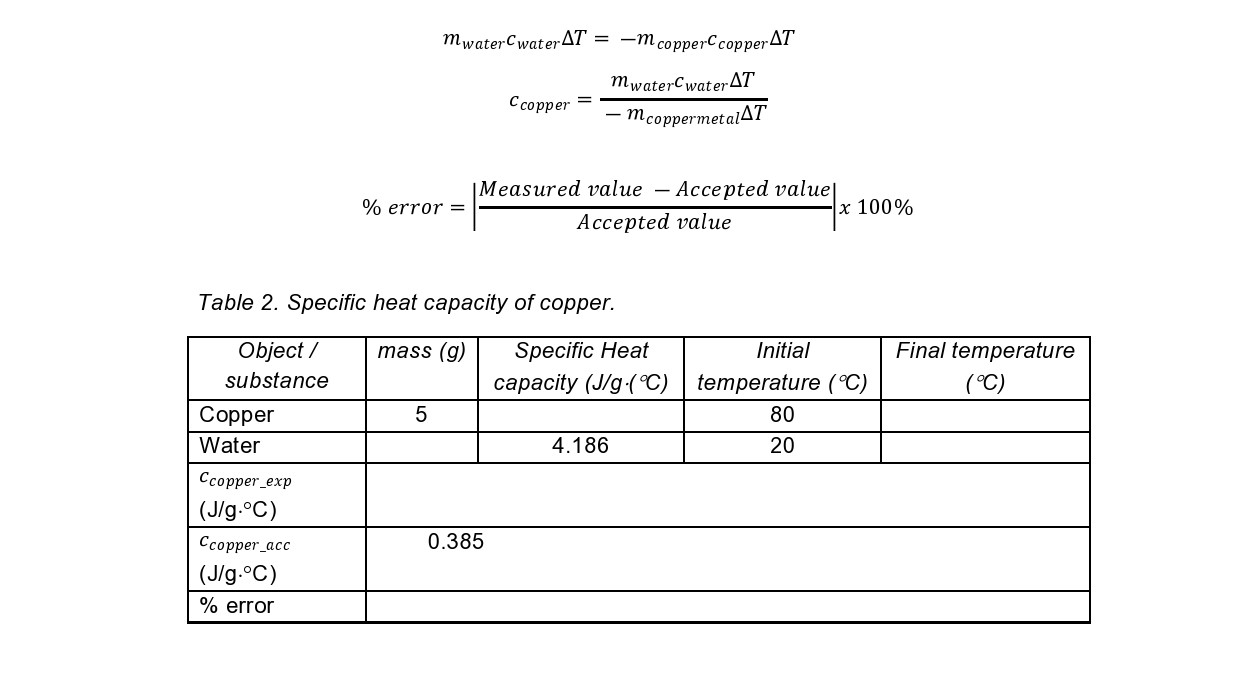
Pan' i Comparing Heat Quantities 4. For the beaker, click Solids. Then choose Copper-Cu from the pop-up menu. 5. Move the mass slider and the temperature slider to desired value. 6. Click box for the specific heat to show the specific heat of copper. Click NEXT. 7. For the calorimeter, choose a water liquid. Then move the mass slider to desired value. 8. Click NEXT then START to run the experiment. Wait until the temperature reaches equilibrium. Record the data in Table 1 below. 9. Solve for the heat quantities of copper and water using the formula below. Calculate the %difference (%diff will determine the precision of the results). Q copper = mcopperccoppei'AT Qwater : mwatercwaterAT Value 1 Valued\mwaterCwaterAT = -m copperCcopperAT mwaterCwaterAT Ccopper = - mcoppermetal AT Measured value - Accepted value % error = x 100% Accepted value Table 2. Specific heat capacity of copper. Object / mass (g) Specific Heat Initial Final temperature substance capacity (J/g .(C) temperature ( C) ( C) Copper 5 80 Water 4.186 20 Ccopper_exp (J/g. C) Ccopper_acc 0.385 (J/g.C) % error
Step by Step Solution
There are 3 Steps involved in it

Get step-by-step solutions from verified subject matter experts
 Study Help