



Question: Hi i need help with wamp server Hi i need help with php & my sql in wamp server Hi i need help with php

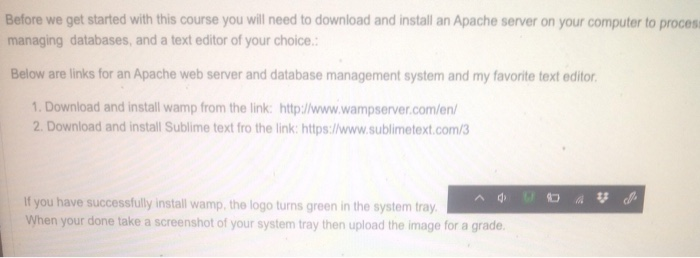
Before we get started with this course you will need to download and install an Apache server on your computer to process PHP scripts, a database management system for processing and managing databases, and a text editor of your choice: Below are links for an Apache web server and database management system and my favorite text editor 1. Download and install wamp from the link: http://www.wampserver.comien 2. Download and install Sublime text fro the link: https://www.sublimetext com 3 If you have successtully install wamp, the logo tums green in the system tray Before we get started with this course you will need to download and install an Apache server on your computer to process PHP scripts, a database management system for processing and managing databases, and a text editor of your choice Below are links for an Apache web server and database management system and my favorite text editor 1. Download and install wamp from the link: http://www.wampserver.com/en/ 2. Download and install Subme text fro the link https:/www.sublimetext com 3 If you have successtully install wamp, the logo tums green in the system tray Use the file below to create a database called 2019_songs and a table called top_100. Take a screenshot then upload for a grade. 2019 Top songs 17 January 2020, 12:08 AM Before we get started with this course you will need to download and install an Apache server on your computer to procesi managing databases, and a text editor of your choice. Below are links for an Apache web server and database management system and my favorite text editor 1. Download and install wamp from the link: http://www.wampserver.com/en/ 2. Download and install Sublime text fro the link: https://www.sublimetext.com/3 If you have successfully install wamp, the logo turns green in the system tray. When your done take a screenshot of your system tray then upload the image for a grade. Before we get started with this course you will need to download and install an Apache server on your computer to process PHP scripts, a database management system for processing and managing databases, and a text editor of your choice: Below are links for an Apache web server and database management system and my favorite text editor 1. Download and install wamp from the link: http://www.wampserver.comien 2. Download and install Sublime text fro the link: https://www.sublimetext com 3 If you have successtully install wamp, the logo tums green in the system tray Before we get started with this course you will need to download and install an Apache server on your computer to process PHP scripts, a database management system for processing and managing databases, and a text editor of your choice Below are links for an Apache web server and database management system and my favorite text editor 1. Download and install wamp from the link: http://www.wampserver.com/en/ 2. Download and install Subme text fro the link https:/www.sublimetext com 3 If you have successtully install wamp, the logo tums green in the system tray Use the file below to create a database called 2019_songs and a table called top_100. Take a screenshot then upload for a grade. 2019 Top songs 17 January 2020, 12:08 AM Before we get started with this course you will need to download and install an Apache server on your computer to procesi managing databases, and a text editor of your choice. Below are links for an Apache web server and database management system and my favorite text editor 1. Download and install wamp from the link: http://www.wampserver.com/en/ 2. Download and install Sublime text fro the link: https://www.sublimetext.com/3 If you have successfully install wamp, the logo turns green in the system tray. When your done take a screenshot of your system tray then upload the image for a grade
Step by Step Solution
There are 3 Steps involved in it

Get step-by-step solutions from verified subject matter experts