







Question: Hi I'm not familiar with using Microsoft Visual C# Express 2010. Please help me with this project and provide instructions. Intro to Visual Programming -
Hi I'm not familiar with using Microsoft Visual C# Express 2010.
Please help me with this project and provide instructions.
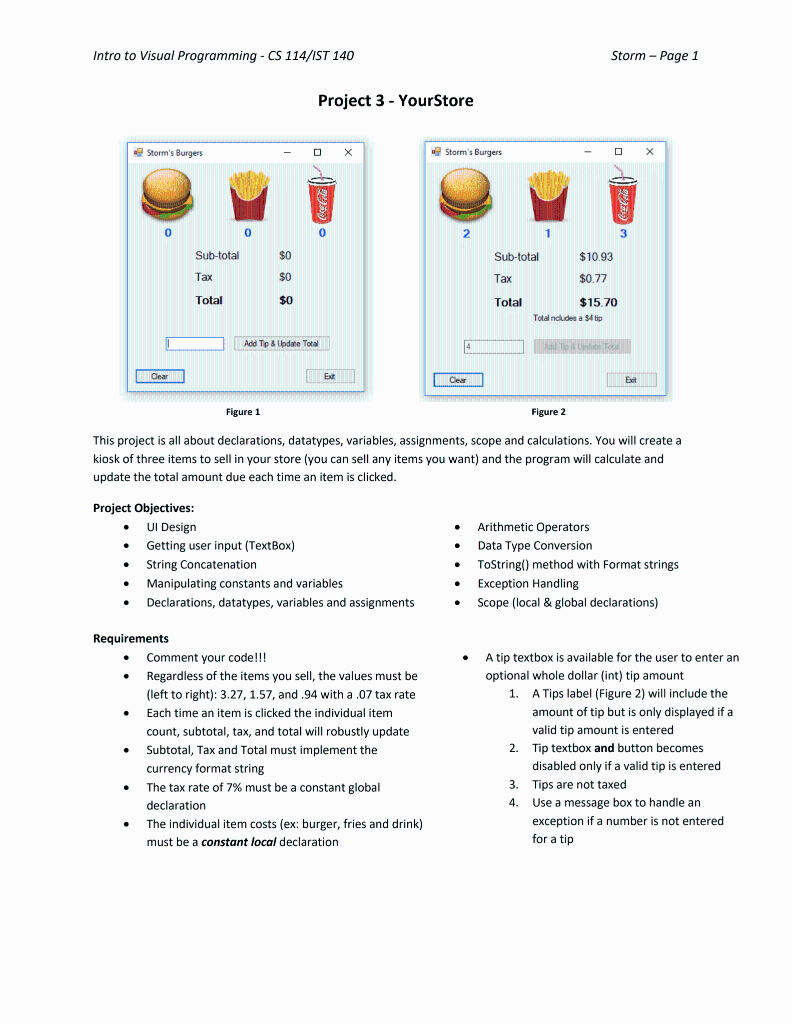
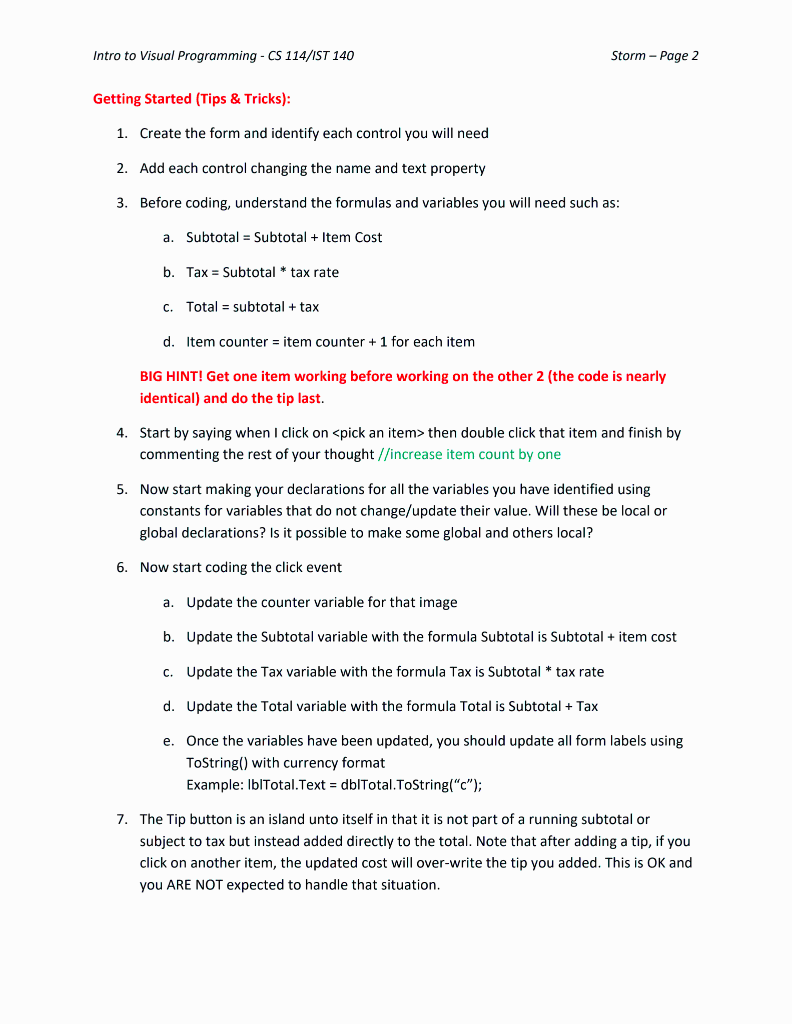
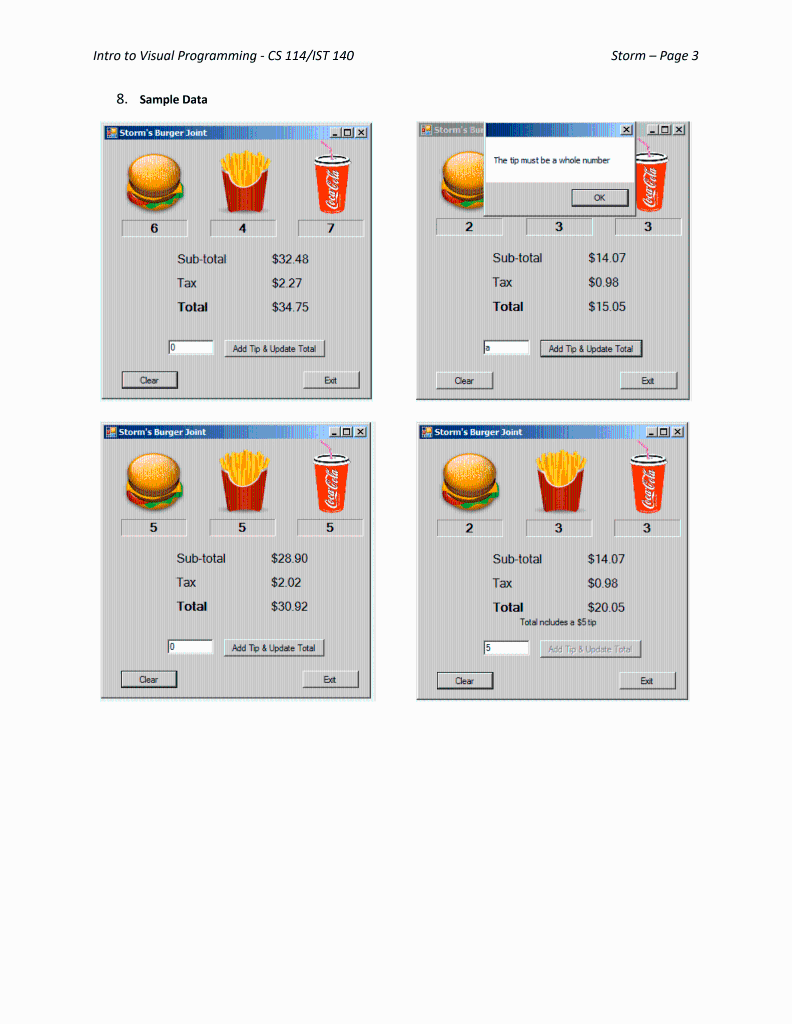
Intro to Visual Programming - CS 114/IST 140 Storm - Page 1 Project 3 - YourStore Figure 1 Figure 2 This project is all about declarations, datatypes, variables, assignments, scope and calculations. You will create a kiosk of three items to sell in your store (you can sell any items you want) and the program will calculate and update the total amount due each time an item is clicked. Project Objectives: - UI Design - Arithmetic Operators - Getting user input (TextBox) - Data Type Conversion - String Concatenation - Tostring() method with Format strings - Manipulating constants and variables - Exception Handling - Declarations, datatypes, variables and assignments - Scope (local \& global declarations) Requirements - Comment your code!!! - A tip textbox is available for the user to enter an - Regardless of the items you sell, the values must be optional whole dollar (int) tip amount (left to right): 3.27,1.57, and .94 with a .07 tax rate 1. A Tips label (Figure 2) will include the - Each time an item is clicked the individual item amount of tip but is only displayed if a count, subtotal, tax, and total will robustly update valid tip amount is entered - Subtotal, Tax and Total must implement the 2. Tip textbox and button becomes currency format string disabled only if a valid tip is entered - The tax rate of 7% must be a constant global 3. Tips are not taxed declaration 4. Use a message box to handle an - The individual item costs (ex: burger, fries and drink) exception if a number is not entered must be a constant local declaration for a tip 6. Now start coding the click event a. Update the counter variable for that image b. Update the Subtotal variable with the formula Subtotal is Subtotal + item cost c. Update the Tax variable with the formula Tax is Subtotal * tax rate d. Update the Total variable with the formula Total is Subtotal + Tax e. Once the variables have been updated, you should update all form labels using ToString() with currency format Example: IblTotal.Text = dblTotal.ToString (c "); 7. The Tip button is an island unto itself in that it is not part of a running subtotal or subject to tax but instead added directly to the total. Note that after adding a tip, if you click on another item, the updated cost will over-write the tip you added. This is OK and you ARE NOT expected to handle that situation. Intro to Visual Programming - CS 114/IST 140 8. Sample Data
Step by Step Solution
There are 3 Steps involved in it

Get step-by-step solutions from verified subject matter experts
 Study Help