







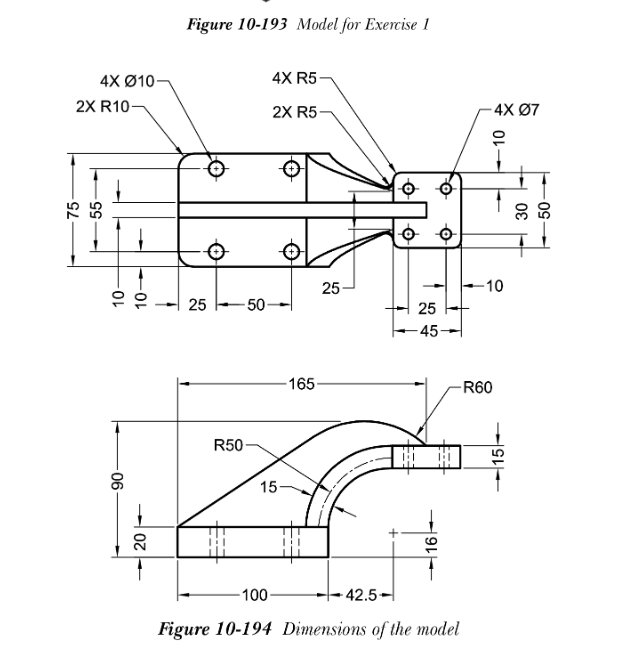
Question: Hide Assignment Information Instructions Complete Exercise 1 from Chapter 1 0 , page 3 3 0 from Solidworks 2 0 2 4 for Designers 2
Hide Assignment Information
Instructions
Complete Exercise from Chapter page from Solidworks for Designers nd edition. Submit the Part file and a Drawing file showing two orthographic views with hidden lines and a shaded isometric view.
Figure Model for Exercise
Figure Dimensions of the model. How do I sketch this on solidworks
Step by Step Solution
There are 3 Steps involved in it
1 Expert Approved Answer
Step: 1 Unlock

Question Has Been Solved by an Expert!
Get step-by-step solutions from verified subject matter experts
Step: 2 Unlock
Step: 3 Unlock
 Study Help