







Question: Hint: data = line.strip ( ) . split ( ? t ) #strip ( ) method removes spaces at the beginning and at the end
Hint:
data line.stripsplit
#strip method removes spaces at the beginning and at the end of the string. You can specify which characters to remove, if not, any whitespaces will be removed.
#split method splits a string into a list.
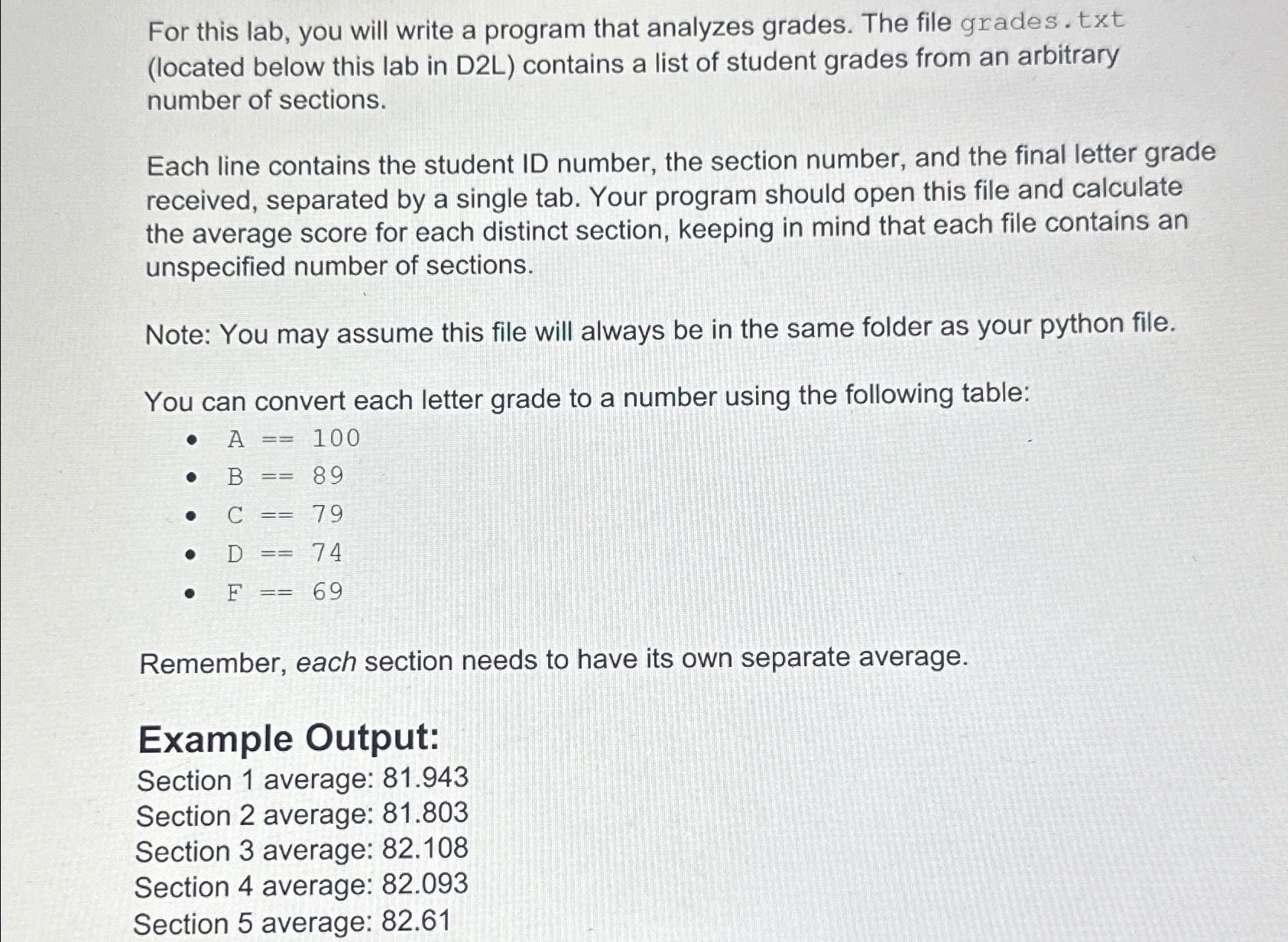
For this lab, you will write a program that analyzes grades. The file grades txt located below this lab in DL contains a list of student grades from an arbitrary number of sections.
Each line contains the student ID number, the section number, and the final letter grade received, separated by a single tab. Your program should open this file and calculate the average score for each distinct section, keeping in mind that each file contains an unspecified number of sections.
Note: You may assume this file will always be in the same folder as your python file.
You can convert each letter grade to a number using the following table:
Remember, each section needs to have its own separate average.
Example Output:
Section average:
Section average:
Section average:
Section average:
Section average: specify the separator, default separator is any whitespace.
Step by Step Solution
There are 3 Steps involved in it
1 Expert Approved Answer
Step: 1 Unlock

Question Has Been Solved by an Expert!
Get step-by-step solutions from verified subject matter experts
Step: 2 Unlock
Step: 3 Unlock
 Study Help