







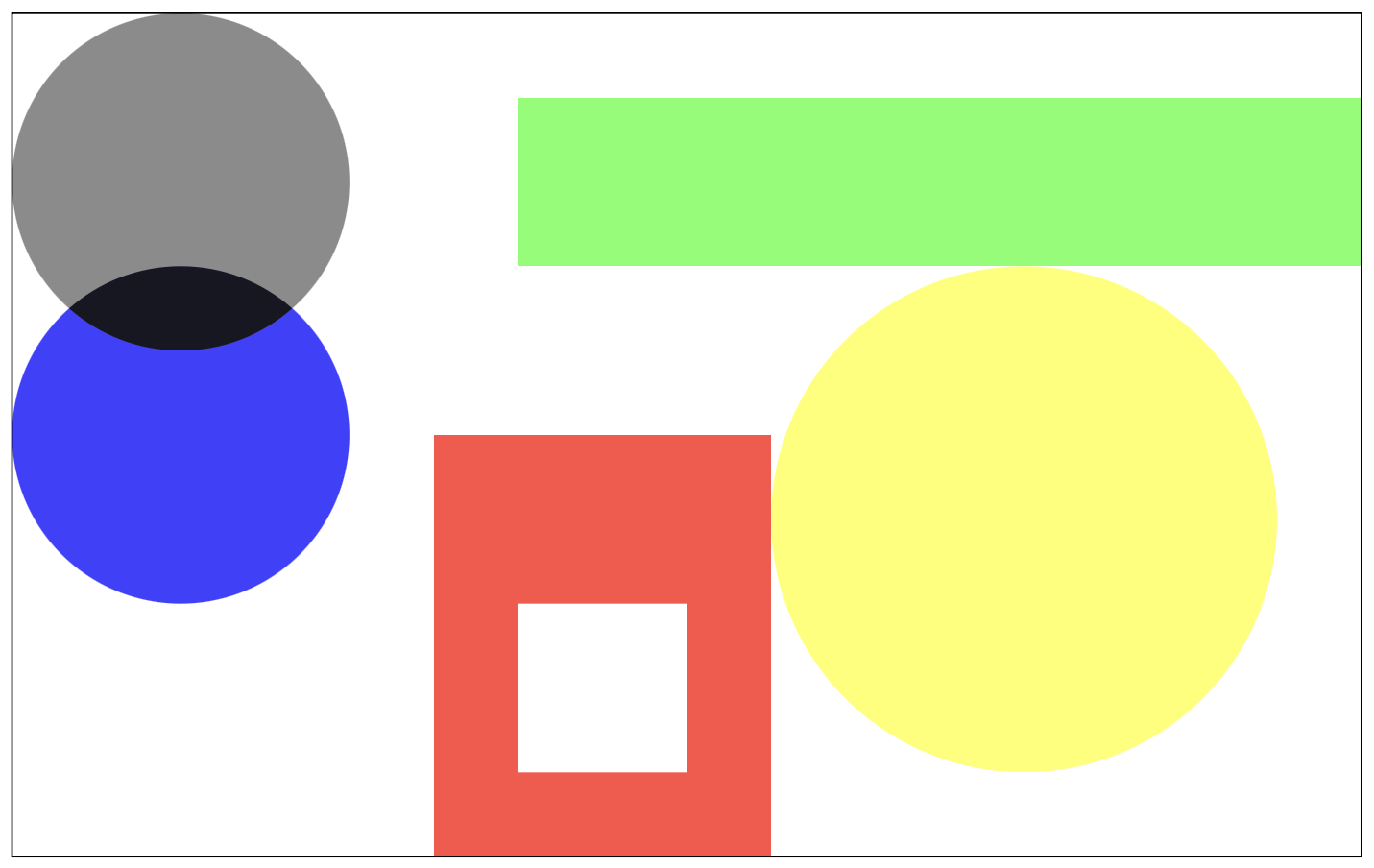
Question: Hover over each shape for tool tips with color information For this program you will be writing code that simulates throwing a dart randomly at
Hover over each shape for tool tips with color information
For this program you will be writing code that simulates throwing a dart randomly at the painting. To do this, you can repeatedly generate a random coordinate within the painting area and test to see which shape if any the dart falls into. Note that the twodimensional plane is units wide times units high and origin point is at the top left corner, so you will be generating coordinates within this range as part of your simulation. When you are finished you should calculate the chance of a dart hitting a particular shape.
Refer to the diagram below for the exact measurements of the painting and locations of shapes. As youre getting started, simulate just one dart toss and use the coordinate plane to determine if the dart has fallen into one of the colored regions. Begin with the red rectangle since it will be the simplest shape to work withhow can you write a statement to determine if a point falls within a rectangle?
From there, expand this logic and apply it to the other shapes. Hint: you can use the distance formula from assignment again to determine if a point falls within a circular region. Once you are confident that youve designed an effective algorithm, you can scale up and place your code inside a countcontrolled loop.
Step by Step Solution
There are 3 Steps involved in it
1 Expert Approved Answer
Step: 1 Unlock

Question Has Been Solved by an Expert!
Get step-by-step solutions from verified subject matter experts
Step: 2 Unlock
Step: 3 Unlock
 Study Help