



Question: How do I combine =Vlookup and =Left, Find functions on Excel? I've included snapshots Prepare the following in an Excel Model. You must use VLOOKUP
How do I combine =Vlookup and =Left, Find functions on Excel? I've included snapshots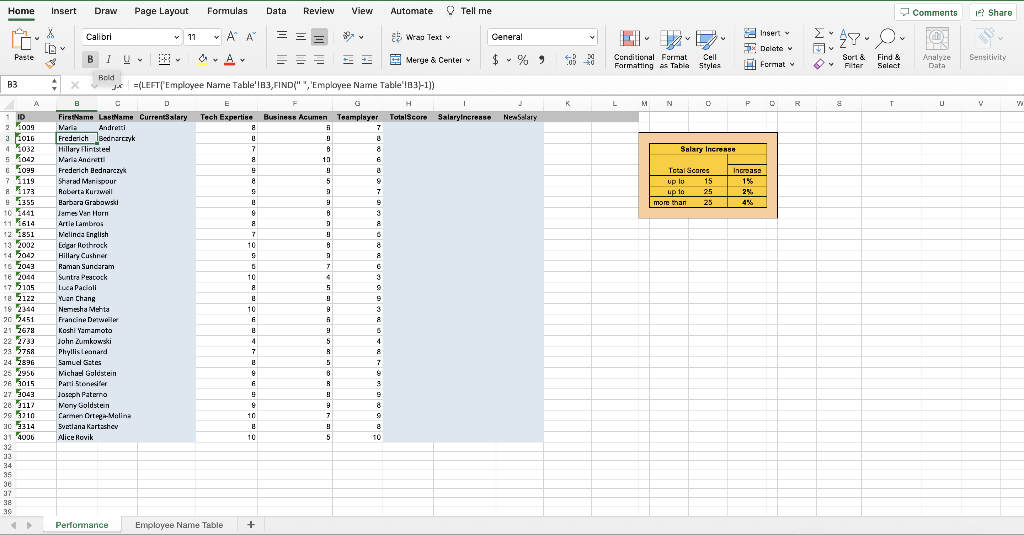
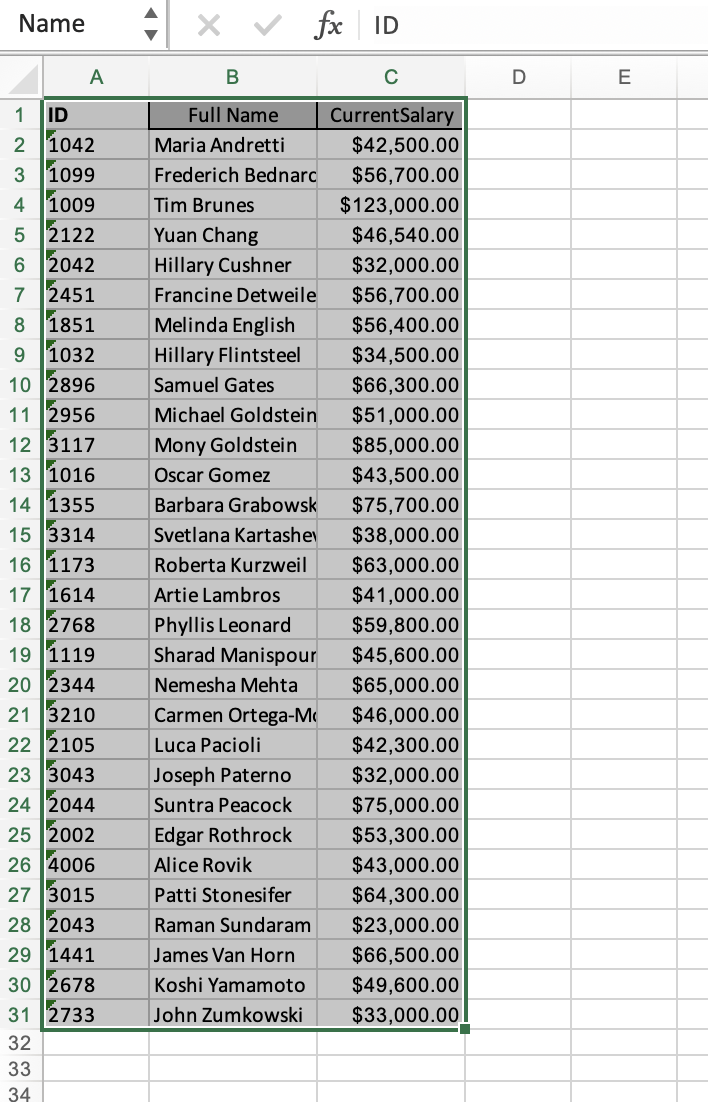

Prepare the following in an Excel Model. You must use VLOOKUP function and text manipulation (for the first name, last name, and current salary from data available in the Employee Name Table worksheet) and NESTEDIF function for the new salary using the salary increase table
Step by Step Solution
There are 3 Steps involved in it
1 Expert Approved Answer
Step: 1 Unlock

Question Has Been Solved by an Expert!
Get step-by-step solutions from verified subject matter experts
Step: 2 Unlock
Step: 3 Unlock