







Question: How do I do these two questions? 7. merge_dicts [20] The dictionary dict1. update(dict2) method is useful to add key/value pairs from a second dictionary
How do I do these two questions?
![How do I do these two questions? 7. merge_dicts [20] The dictionary](https://dsd5zvtm8ll6.cloudfront.net/si.experts.images/questions/2024/10/670ff1ceb911e_190670ff1cea1d2a.jpg)
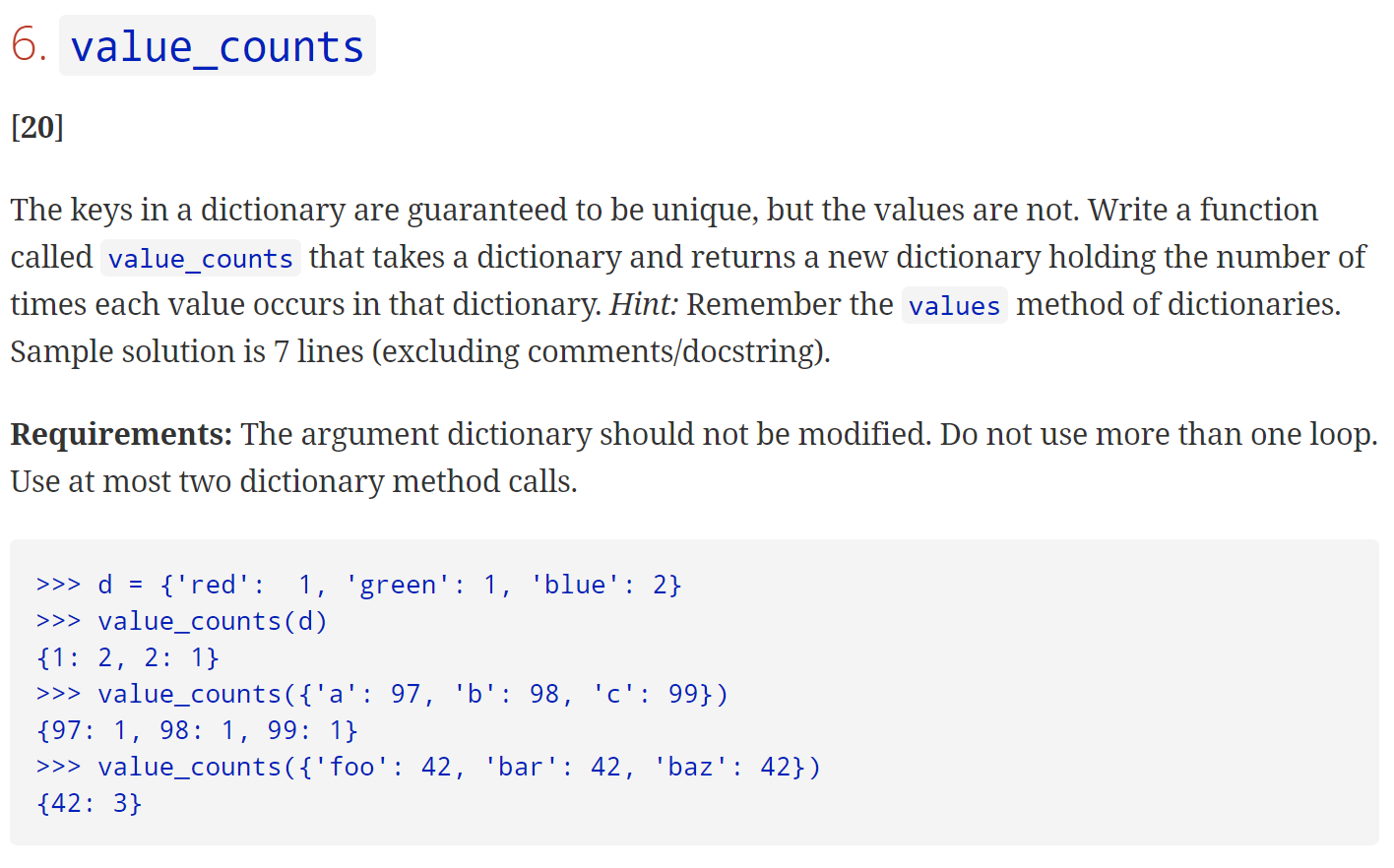
7. merge_dicts [20] The dictionary dict1. update(dict2) method is useful to add key/value pairs from a second dictionary into the first. However, for any keys that are shared by both dictionaries, the value for that shared key will be overwritten in dict1 using the value of dict2 for the key. Sometimes, we want to combine both values for the shared key. Write a function merge_dicts which takes two dictionaries and adds all key/value pairs from the second dictionary into the first. If both dictionaries share the key, the value for that key in the second dictionary should be added to the first dictionary's value for that key. For any keys that are only in the second dictionary, they should be added to the first dictionary with their corresponding value in the second dictionary. You may assume that combined values are compatible and can be added together with += . Sample solution is 6 lines (excluding comments/docstring). Requirements: The first dictionary should be modified as described above. The second dictionary should remain unchanged. Do not use more than one loop. Do not use any dictionary method calls.6. value_counts [20] The keys in a dictionary are guaranteed to be unique, but the values are not. Write a function called value_counts that takes a dictionary and returns a new dictionary holding the number of times each value occurs in that dictionary. Hint: Remember the values method of dictionaries. Sample solution is 7 lines (excluding comments/docstring). Requirements: The argument dictionary should not be modified. Do not use more than one loop. Use at most two dictionary method calls. > >> d = {'red': 1, 'green': 1, 'blue': 2} > >> value_counts(d) {1: 2, 2: 1} > >> value_counts ({'a' : 97, 'b': 98, 'c': 99}) {97: 1, 98: 1, 99: 1} > >> value_counts ( {' foo' : 42, 'bar' : 42, 'baz': 42}) {42: 3}
Step by Step Solution
There are 3 Steps involved in it

Get step-by-step solutions from verified subject matter experts
 Study Help