







Question: How do I do this in Python? Can you provide a step-by-step explanation? Thanks The image is cat.jpg Save all of the following code in
How do I do this in Python? Can you provide a step-by-step explanation? Thanks
The image is cat.jpg
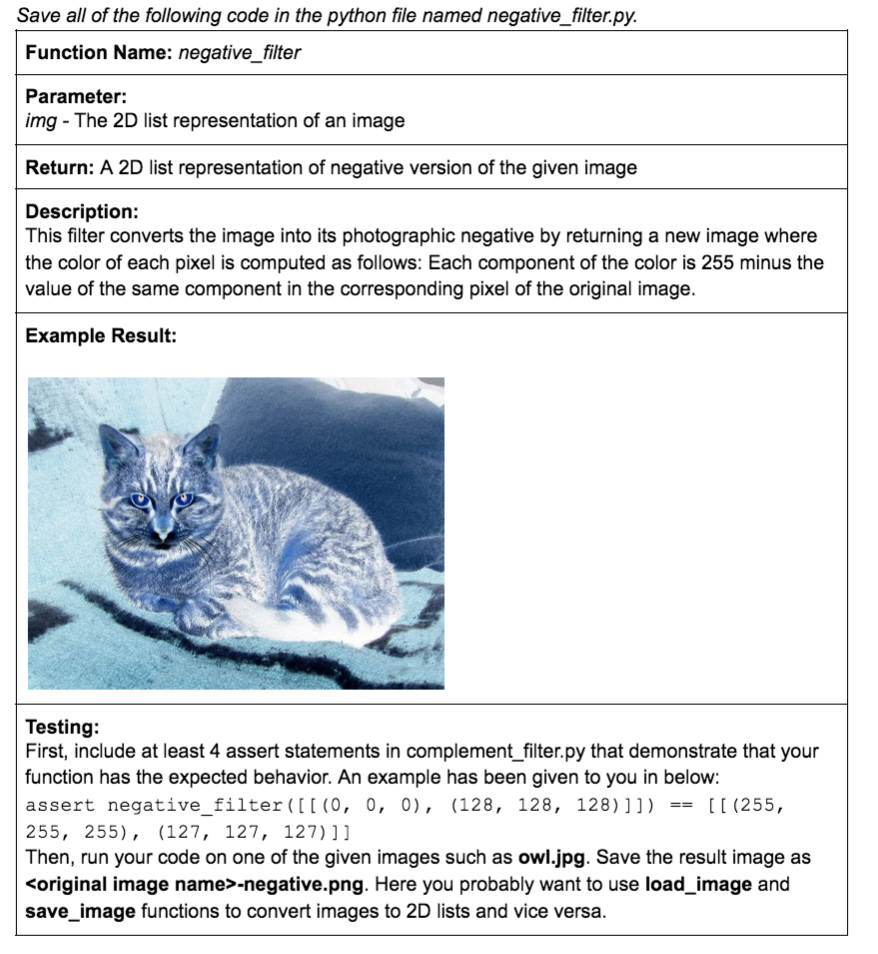
Save all of the following code in the python file named negative_filter.py. Function Name: negative_filter Parameter: img - The 2D list representation of an image Return: A 2D list representation of negative version of the given image Description: This filter converts the image into its photographic negative by returning a new image where the color of each pixel is computed as follows: Each component of the color is 255 minus the value of the same component in the corresponding pixel of the original image. Example Result: Testing: First, include at least 4 assert statements in complement_filter.py that demonstrate that your function has the expected behavior. An example has been given to you in below: assert negative_filter([[(0, 0, 0), (128, 128, 128)]]) == [[ (255, 255, 255), (127, 127, 127)]] Then, run your code on one of the given images such as owl.jpg. Save the result image as
Step by Step Solution
There are 3 Steps involved in it
To create a photographic negative filter for an image in Python follow these steps Step 1 Prepare Your Environment Install the Pillow library to handl... View full answer

Get step-by-step solutions from verified subject matter experts
 Study Help