







Question: How do I do this in Python? Please screenshot your code and provide a step-by-step explanation! the image is cat.jpg I have this so far:
How do I do this in Python? Please screenshot your code and provide a step-by-step explanation!
the image is "cat.jpg"
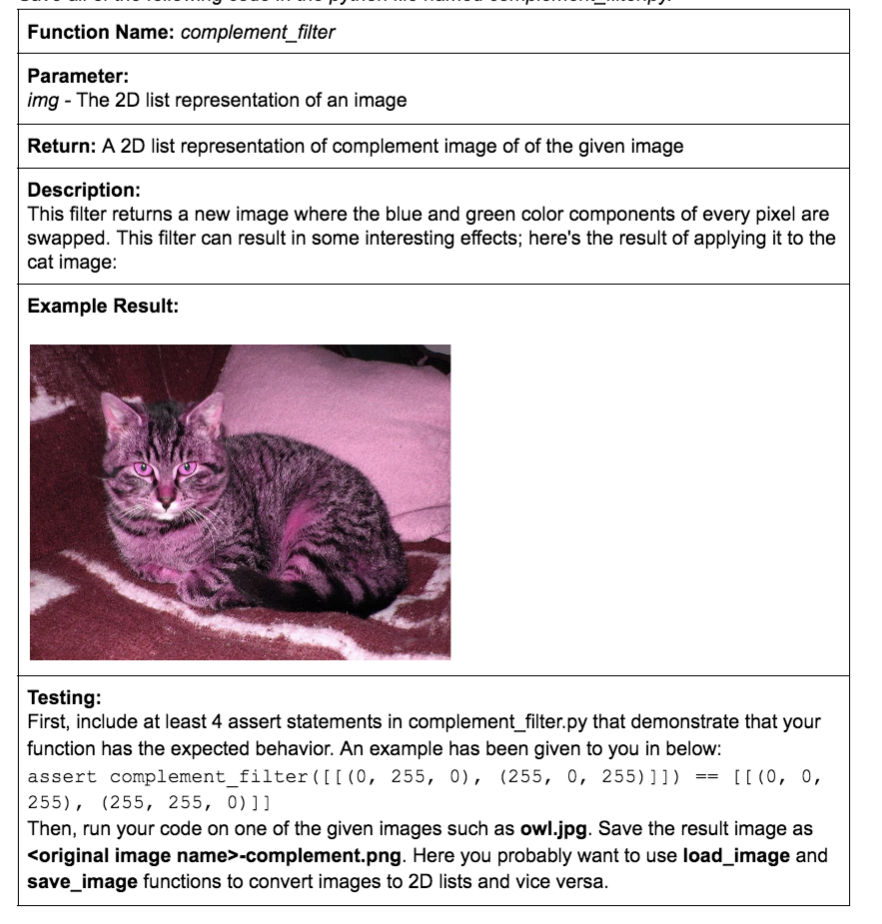
I have this so far:
def complement_filter(img): #lst = [] #for row in image: ##for pixel in row: ###red = pixel[0] ###blue = pixel[1] ###green = pixel[2] ###new_pixel = (red, green, blue) ###lst.append(new_pixel) ##return lst image = load_img("cat.jpg") save_img(complement_filter(image), "cat-complement.png")
I need to put the new tuple into the image but I don't know how
Function Name: complement_filter Parameter: img - The 2D list representation of an image Return: A 2D list representation of complement image of of the given image Description: This filter returns a new image where the blue and green color components of every pixel are swapped. This filter can result in some interesting effects; here's the result of applying it to the cat image: Example Result: Testing: First, include at least 4 assert statements in complement_filter.py that demonstrate that your function has the expected behavior. An example has been given to you in below: assert complement_filter([[(0, 255, 0), (255, 0, 255)]]) [[(0, 0, 255), (255, 255, 0]] Then, run your code on one of the given images such as owl.jpg. Save the result image as
Step by Step Solution
There are 3 Steps involved in it

Get step-by-step solutions from verified subject matter experts
 Study Help