







Question: How do you extract this specific table using the find_all() method in Jupyter Notebook? I know you have to use BeautifulSoup and inspect the element
How do you extract this specific table using the find_all() method in Jupyter Notebook? I know you have to use BeautifulSoup and inspect the element of the specific table, but I am getting all the tables in the entire page instead of the specific 'Historical Data'.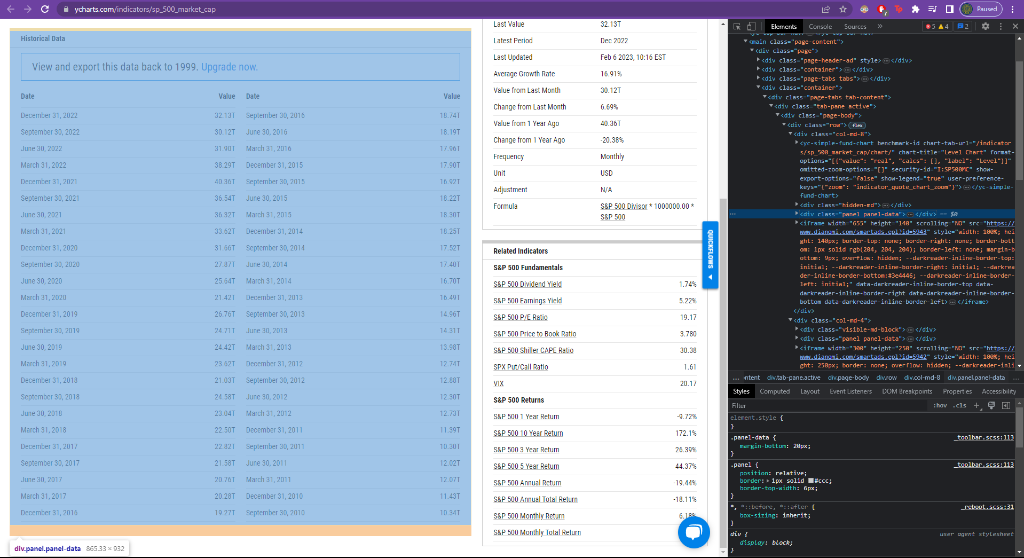
Step by Step Solution
There are 3 Steps involved in it
1 Expert Approved Answer
Step: 1 Unlock

Question Has Been Solved by an Expert!
Get step-by-step solutions from verified subject matter experts
Step: 2 Unlock
Step: 3 Unlock
 Study Help