







Question: how i can fix this problem in Virtualbox -SeedUbuntu. it was working good until this screen appeared help me please View Input Devices Help the
how i can fix this problem in Virtualbox -SeedUbuntu.
it was working good until this screen appeared
help me please 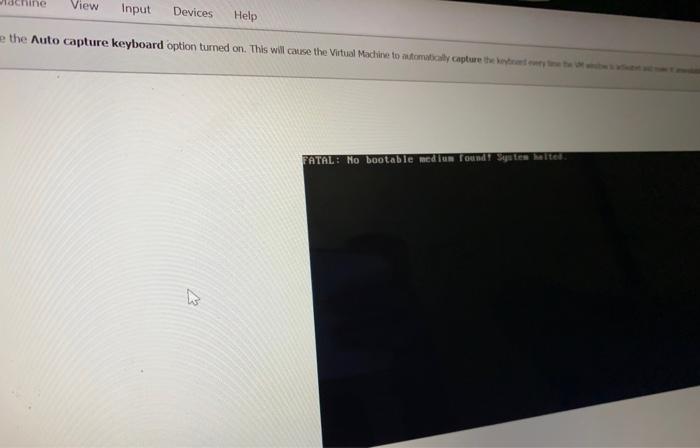
View Input Devices Help the Auto capture keyboard option turned on. This will cause the Virtual Machine to adomaly capture they FATAL: No bootable med un found Systemetet
Step by Step Solution
There are 3 Steps involved in it
1 Expert Approved Answer
Step: 1 Unlock

Question Has Been Solved by an Expert!
Get step-by-step solutions from verified subject matter experts
Step: 2 Unlock
Step: 3 Unlock
 Study Help