







Question: How to create trial balance this is acct 510 project for century redit a Firefox Case the Deha 1230 Firefox https://exp.cengage.com/activityservice/run/html5/handler Required: 1. The chart
How to create trial balance this is acct 510 project for century
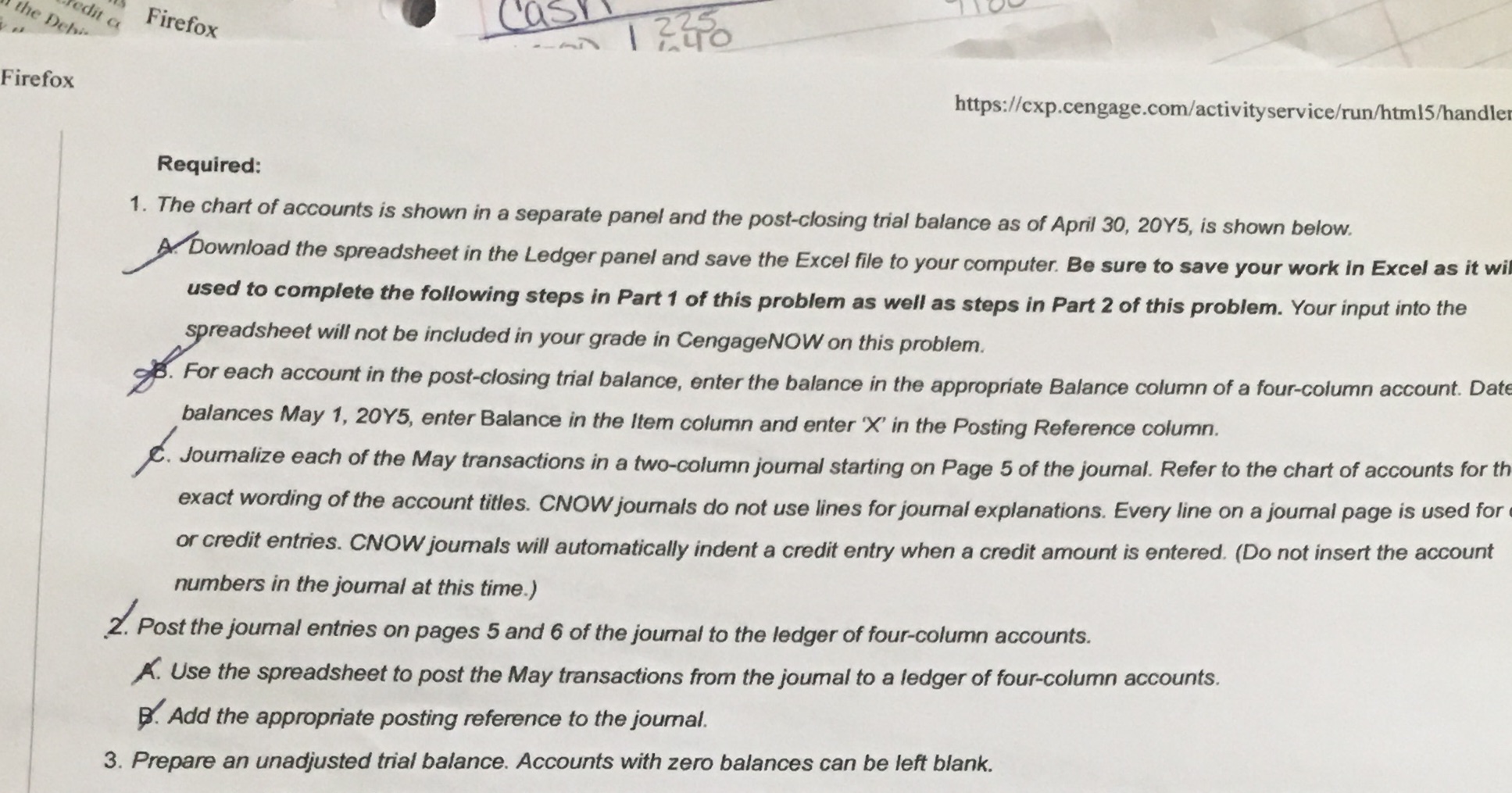
redit a Firefox Case the Deha 1230 Firefox https://exp.cengage.com/activityservice/run/html5/handler Required: 1. The chart of accounts is shown in a separate panel and the post-closing trial balance as of April 30, 20Y5, is shown below. A. Download the spreadsheet in the Ledger panel and save the Excel file to your computer. Be sure to save your work in Excel as it wil used to complete the following steps in Part 1 of this problem as well as steps in Part 2 of this problem. Your input into the spreadsheet will not be included in your grade in CengageNOW on this problem. B. For each account in the post-closing trial balance, enter the balance in the appropriate Balance column of a four-column account. Date balances May 1, 205, enter Balance in the Item column and enter 'X' in the Posting Reference column. C. Joumalize each of the May transactions in a two-column joumal starting on Page 5 of the journal. Refer to the chart of accounts for th exact wording of the account titles. CNOW journals do not use lines for journal explanations. Every line on a journal page is used for or credit entries. CNOW journals will automatically indent a credit entry when a credit amount is entered. (Do not insert the account numbers in the journal at this time.) 2. Post the journal entries on pages 5 and 6 of the joumal to the ledger of four-column accounts. A. Use the spreadsheet to post the May transactions from the joumal to a ledger of four-column accounts. B. Add the appropriate posting reference to the journal. 3. Prepare an unadjusted trial balance. Accounts with zero balances can be left blank
Step by Step Solution
There are 3 Steps involved in it

Get step-by-step solutions from verified subject matter experts
 Study Help