







Question: How to implement a currency converter using Java in Android Studio? 4:01 ON Currency Converter 3:59 Currency Converter Amount: From US dollar To Japanese yen
How to implement a currency converter using Java in Android Studio?
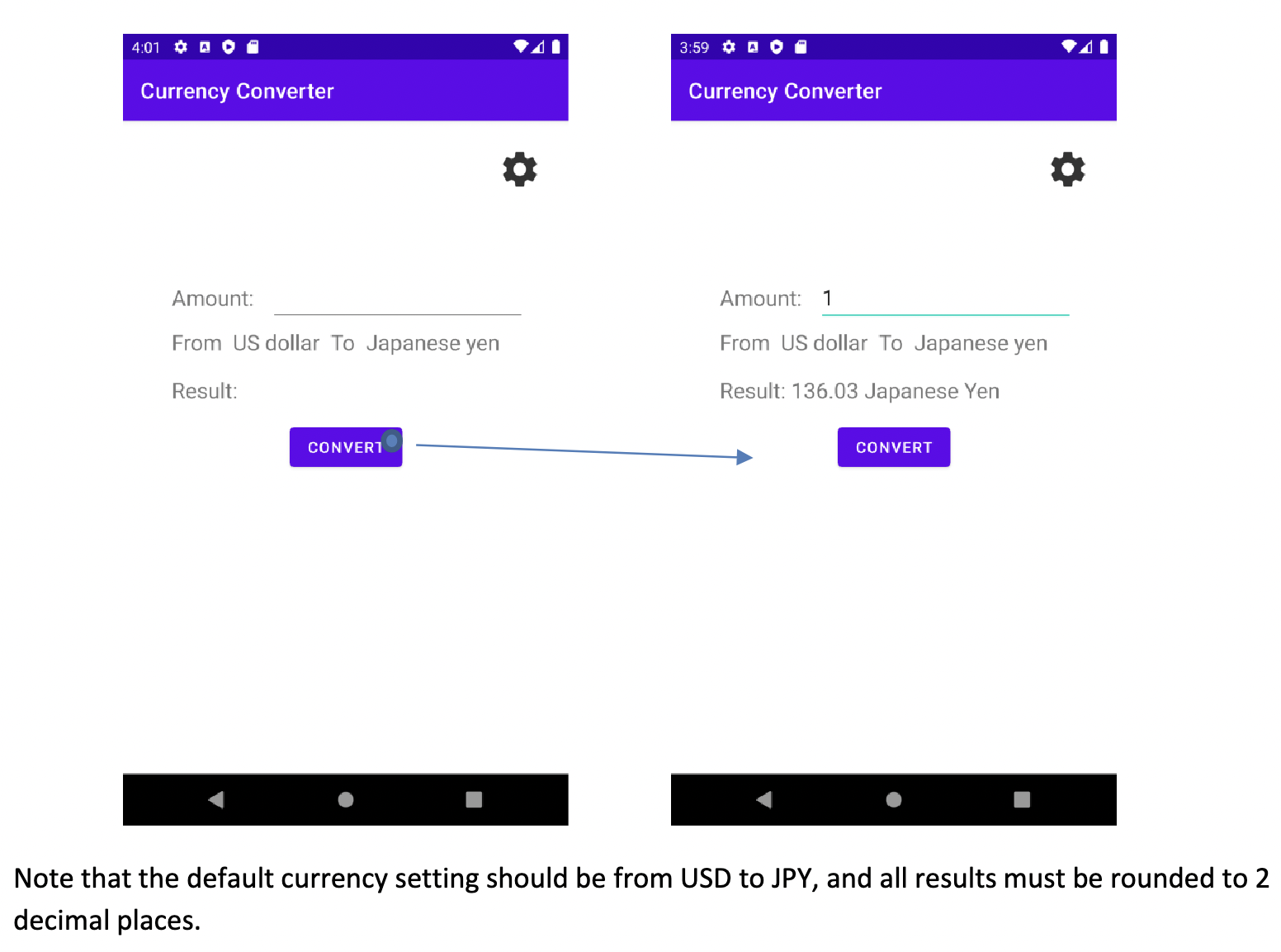
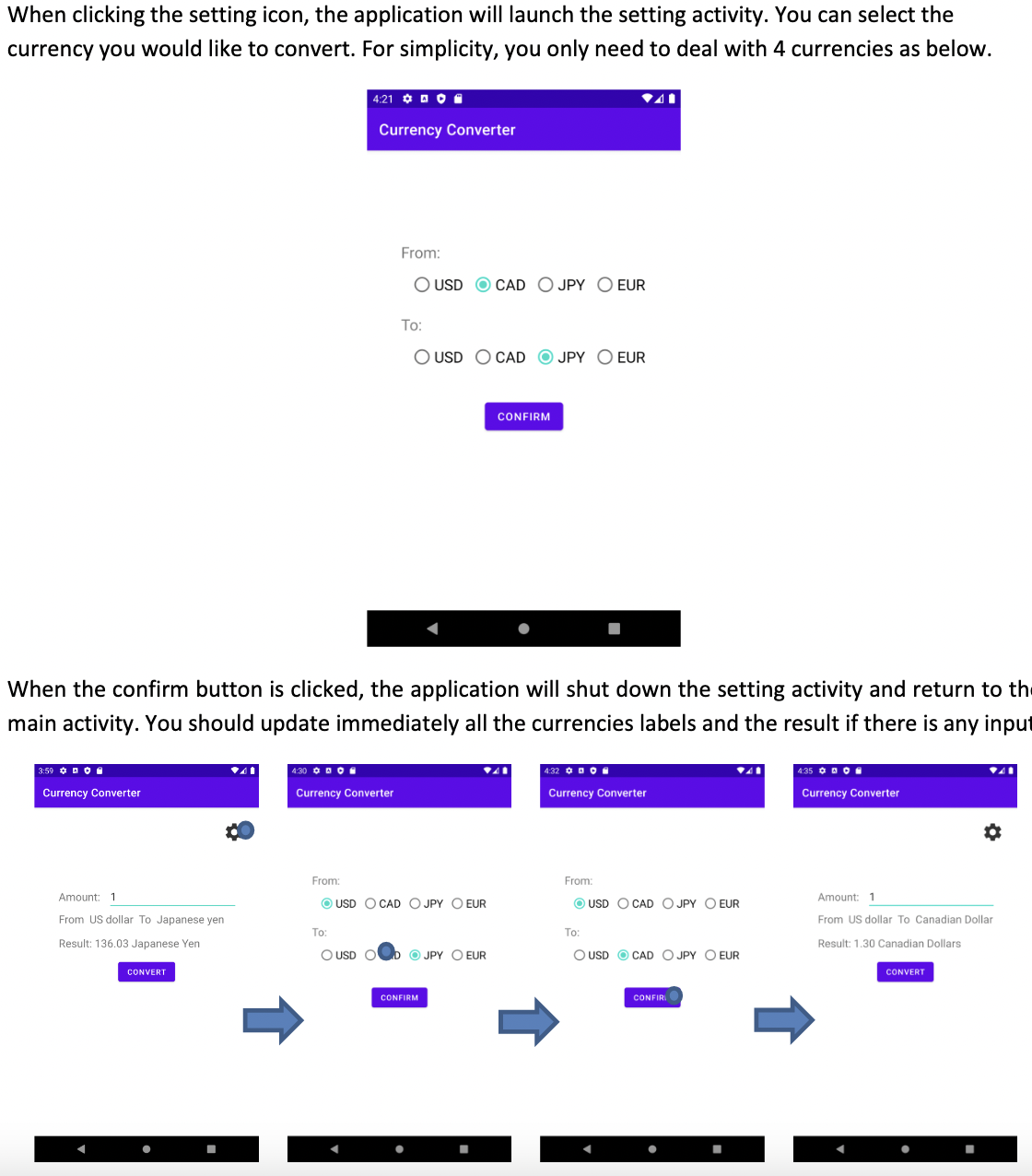
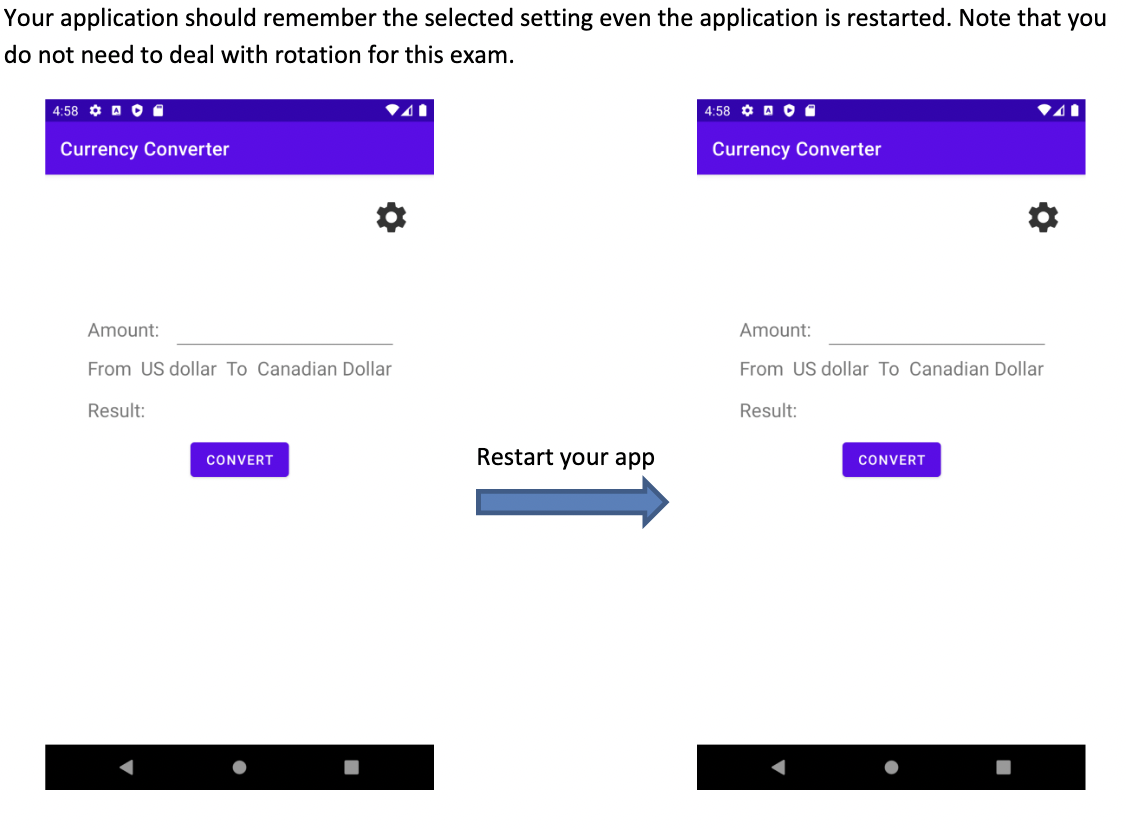
4:01 ON Currency Converter 3:59 Currency Converter Amount: From US dollar To Japanese yen Result: Amount: 1 From US dollar To Japanese yen Result: 136.03 Japanese Yen CONVERT CONVERT Note that the default currency setting should be from USD to JPY, and all results must be rounded to 2 decimal places.
Step by Step Solution
3.39 Rating (152 Votes )
There are 3 Steps involved in it
Create the main activity layout with input fields for amount and result along with buttons for conversion and settings Implement the main activity log... View full answer

Get step-by-step solutions from verified subject matter experts
 Study Help