







Question: How to write this matlab function without using interp1 function? In this question, you will write a function that performs linear interpolation. More precisely, write
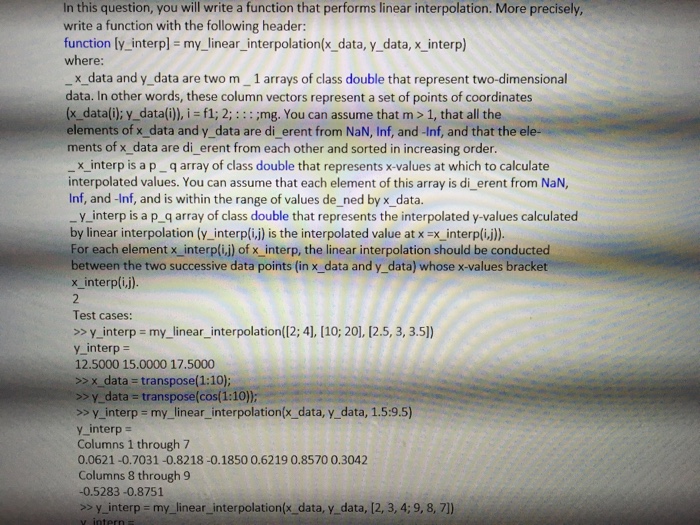
In this question, you will write a function that performs linear interpolation. More precisely, write a function with the following header: function [y_interp] = my_linear_interpolation(x_data, y_data, x_interp) where: _x_data and y_data are two m_1 arrays of class double that represent two-dimensional data. In other words, these column vectors represent a set of points of coordinates (x_data(i); y_data(i)), i = f1; 2;:::;mg. You can assume that m > 1, that all the elements of x_data and y_data are di_erent from NaN, Inf, and -Inf, and that the elements of x_data are di_erent from each other and sorted in increasing order. _x_interp is a p _ q array of class double that represents x-values at which to calculate interpolated values. You can assume that each element of this array is di_erent from NaN, Inf, and -Inf, and is within the range of values de_ned by x_data. _y_interp is a p_q array of class double that represents the interpolated y-values calculated by linear interpolation (y_interp (i, j) is the interpolated value at x = x_interp (i, j)). For each element x_interp (i, j) of x_interp, the linear interpolation should be conducted between the two successive data points (in x_data and y_data) whose x-values bracket x_interp(i, j). 2 Test cases: >> y_interp = my_linear_interpolation ([2; 4), (10; 20), (2.5, 3, 3.5)) y_interp = 12.5000 15.0000 17.5000 >> x_data = transpose(1:10); >> y_data = transpose(cos(1:10)); >> y_jnterp = my_linear_interpolation (x_data, y_data, 1.5:9.5) y_interp = Columns 1 through 7 0.0621 -0.7031 -0.8218 -0.1850 0.6219 0.8570 0.3042 Columns 8 through 9 -0.5283 -0.8751 >> y_interp = my_linear_interpolation(x_data, y_data, (2, 3, 4; 9, 8, 7])
Step by Step Solution
There are 3 Steps involved in it

Get step-by-step solutions from verified subject matter experts
 Study Help