



Question: How to write your report: Solve the questions in Matlab and produce a neat commented code. Prepare your report in MS Word or similar. Fully
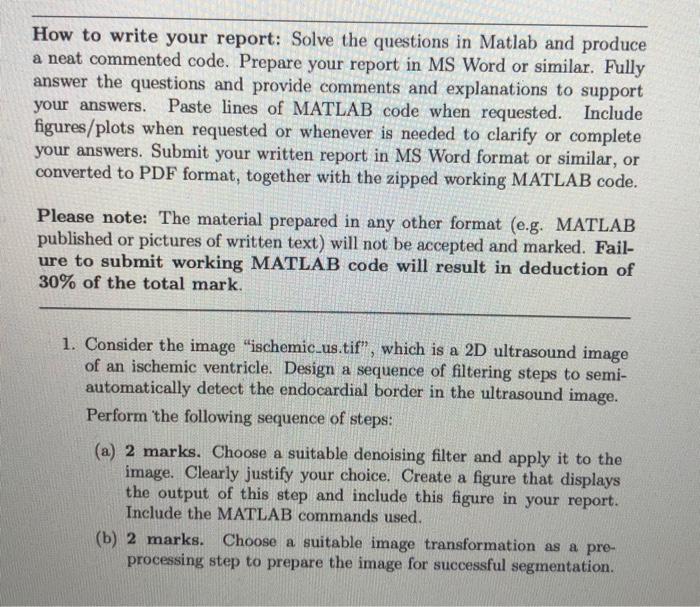
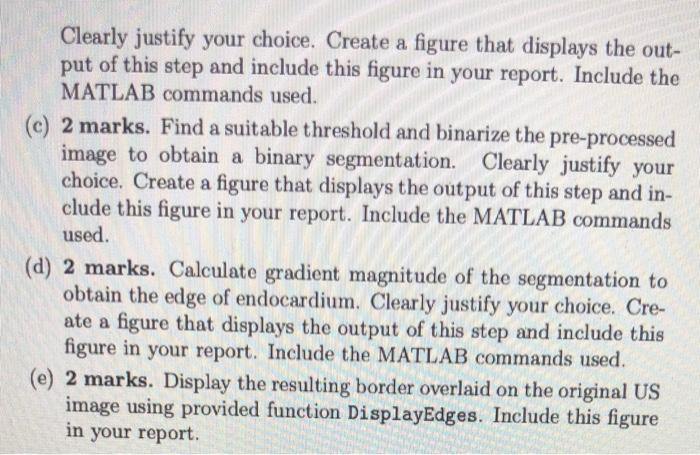
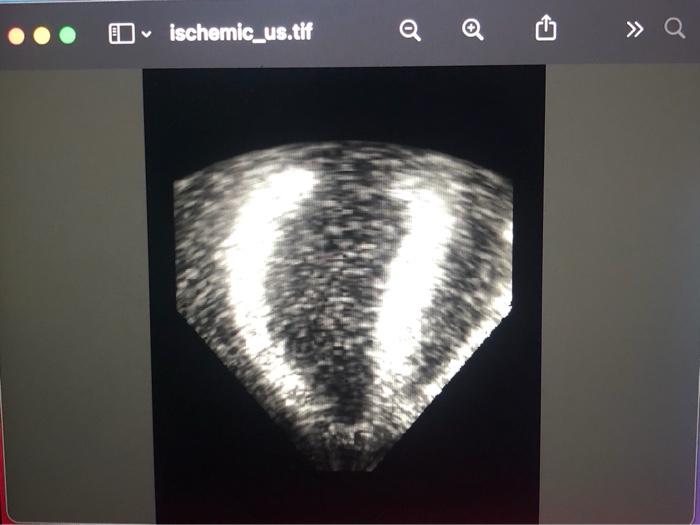
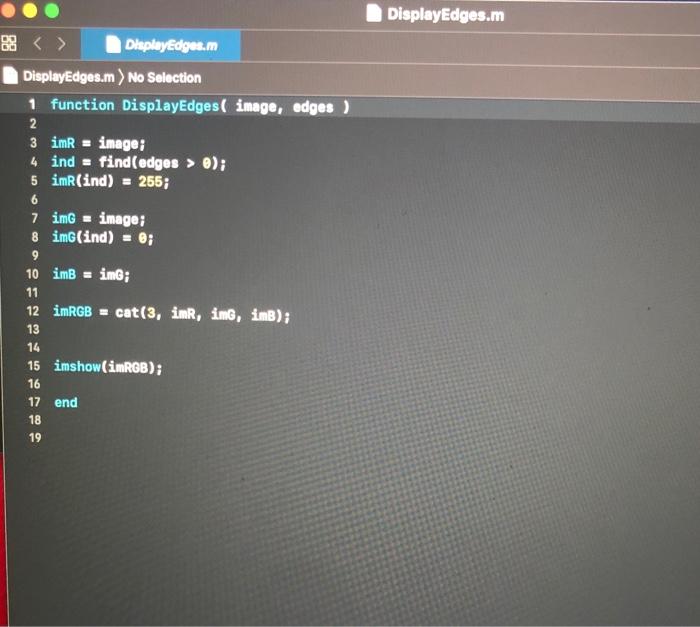
How to write your report: Solve the questions in Matlab and produce a neat commented code. Prepare your report in MS Word or similar. Fully answer the questions and provide comments and explanations to support your answers. Paste lines of MATLAB code when requested. Include figures/plots when requested or whenever is needed to clarify or complete your answers. Submit your written report in MS Word format or similar, or converted to PDF format, together with the zipped working MATLAB code. Please note: The material prepared in any other format (e.g. MATLAB published or pictures of written text) will not be accepted and marked. Fail- ure to submit working MATLAB code will result in deduction of 30% of the total mark. 1. Consider the image ischemic.us.tif, which is a 2D ultrasound image of an ischemic ventricle. Design a sequence of filtering steps to semi- automatically detect the endocardial border in the ultrasound image. Perform the following sequence of steps: (a) 2 marks. Choose a suitable denoising filter and apply it to the image. Clearly justify your choice. Create a figure that displays the output of this step and include this figure in your report. Include the MATLAB commands used. (b) 2 marks. Choose a suitable image transformation as a pre- processing step to prepare the image for successful segmentation. Clearly justify your choice. Create a figure that displays the out- put of this step and include this figure in your report. Include the MATLAB commands used. (c) 2 marks. Find a suitable threshold and binarize the pre-processed image to obtain a binary segmentation. Clearly justify your choice. Create a figure that displays the output of this step and in- clude this figure in your report. Include the MATLAB commands used. (d) 2 marks. Calculate gradient magnitude of the segmentation to obtain the edge of endocardium. Clearly justify your choice. Cre- ate a figure that displays the output of this step and include this figure in your report. Include the MATLAB commands used. (e) 2 marks. Display the resulting border overlaid on the original US image using provided function DisplayEdges. Include this figure in your report. O ischemic_us.tif a DisplayEdges.m Display Edges.m DisplayEdges.m) No Selection 1 function DisplayEdges( image, edges ) 2 3 imR = image; 4 ind = find(edges > 0); 5 imR(ind) = 265; 6 7 img = image; 8 im(ind) = 0; 9 10 imB = img; 11 12 imRGB = cat(3, in, img, ins); 13 14 15 imshow(imRGB); 16 17 end 18 19 How to write your report: Solve the questions in Matlab and produce a neat commented code. Prepare your report in MS Word or similar. Fully answer the questions and provide comments and explanations to support your answers. Paste lines of MATLAB code when requested. Include figures/plots when requested or whenever is needed to clarify or complete your answers. Submit your written report in MS Word format or similar, or converted to PDF format, together with the zipped working MATLAB code. Please note: The material prepared in any other format (e.g. MATLAB published or pictures of written text) will not be accepted and marked. Fail- ure to submit working MATLAB code will result in deduction of 30% of the total mark. 1. Consider the image ischemic.us.tif, which is a 2D ultrasound image of an ischemic ventricle. Design a sequence of filtering steps to semi- automatically detect the endocardial border in the ultrasound image. Perform the following sequence of steps: (a) 2 marks. Choose a suitable denoising filter and apply it to the image. Clearly justify your choice. Create a figure that displays the output of this step and include this figure in your report. Include the MATLAB commands used. (b) 2 marks. Choose a suitable image transformation as a pre- processing step to prepare the image for successful segmentation. Clearly justify your choice. Create a figure that displays the out- put of this step and include this figure in your report. Include the MATLAB commands used. (c) 2 marks. Find a suitable threshold and binarize the pre-processed image to obtain a binary segmentation. Clearly justify your choice. Create a figure that displays the output of this step and in- clude this figure in your report. Include the MATLAB commands used. (d) 2 marks. Calculate gradient magnitude of the segmentation to obtain the edge of endocardium. Clearly justify your choice. Cre- ate a figure that displays the output of this step and include this figure in your report. Include the MATLAB commands used. (e) 2 marks. Display the resulting border overlaid on the original US image using provided function DisplayEdges. Include this figure in your report. O ischemic_us.tif a DisplayEdges.m Display Edges.m DisplayEdges.m) No Selection 1 function DisplayEdges( image, edges ) 2 3 imR = image; 4 ind = find(edges > 0); 5 imR(ind) = 265; 6 7 img = image; 8 im(ind) = 0; 9 10 imB = img; 11 12 imRGB = cat(3, in, img, ins); 13 14 15 imshow(imRGB); 16 17 end 18 19
Step by Step Solution
There are 3 Steps involved in it

Get step-by-step solutions from verified subject matter experts