







Question: How would I write the code for the following methods: Delete Copy cut paste selectAll I tried different ways including java defaulteditor kit but it
How would I write the code for the following methods:
Delete
Copy
cut
paste
selectAll
I tried different ways including java defaulteditor kit but it did not work! I already made the menu items and add them to the Edit menu.
I post my code below:
import java.awt.*; import java.awt.event.*; import javax.swing.*; import java.io.*; import java.util.Scanner; /** * The TextEditor class is a simple text editor. * @author Dre * */ public class TextEditor3 extends JFrame {
/** * */ private static final long serialVersionUID = 1L;
// The following are fields for the menu system. // First, the menu bar private JMenuBar menuBar; // The menus private JMenu fileMenu; private JMenu fontMenu; private JMenu editMenu; // The menu items private JMenuItem newItem; private JMenuItem openItem; private JMenuItem saveItem; private JMenuItem saveAsItem; private JMenuItem exitItem; private JMenuItem selectAllItem; private JMenuItem deleteItem; private JMenuItem cutItem; private JMenuItem copyItem; private JMenuItem pasteItem; // The radio button menu items private JRadioButtonMenuItem monoItem; private JRadioButtonMenuItem serifItem; private JRadioButtonMenuItem sansSerifItem; // The check box menu items private JCheckBoxMenuItem italicItem; private JCheckBoxMenuItem boldItem; private String filename; // To hold the file name private JTextArea editorText; // To display the text private final int NUM_LINES = 20; // Lines to display private final int NUM_CHARS = 40; // Chars per line /** * Constructor */ public TextEditor3 () { // set the title setTitle("Text Editor"); // Specify what happens when the close // button is clicked. setDefaultCloseOperation(JFrame.EXIT_ON_CLOSE); // Create the text area editorText = new JTextArea(NUM_LINES, NUM_CHARS); // Turn line wrapping on. editorText.setLineWrap(true); editorText.setWrapStyleWord(true); // Create a scroll pane and add the text to it. JScrollPane scrollPane = new JScrollPane(editorText); // Add the scroll pane to the content pane add (scrollPane); // Build the menu bar. buildMenuBar(); // Pack and display the window pack(); setVisible(true); } /** * The buildMenuBar method creates a menu bar and calls * the createFileMenu method to create the file menu. */ private void buildMenuBar() { // Build the file and font menus. buildFileMenu(); buildFontMenu(); buildEditMenu(); // Create the menu bar menuBar = new JMenuBar(); // Add the file and font menus to the menu bar menuBar.add(fileMenu); menuBar.add(fontMenu); menuBar.add(editMenu); // Set the menu bar for this frame. setJMenuBar(menuBar); } /** * The buildFileMenu method creates the file menu * and populates it with its menu items. */ private void buildFileMenu() { // Creates the new menu item newItem = new JMenuItem("New"); newItem.setMnemonic(KeyEvent.VK_N); newItem.addActionListener(new NewListener()); // Create the open menu item. openItem = new JMenuItem("Open"); openItem.setMnemonic(KeyEvent.VK_O); openItem.addActionListener(new OpenListener()); // Create the save menu item. saveItem = new JMenuItem("Save"); saveItem.setMnemonic(KeyEvent.VK_S); saveItem.addActionListener(new SaveListener()); // Create the Save as menu item. saveAsItem = new JMenuItem("Save AS"); saveAsItem.setMnemonic(KeyEvent.VK_A); saveAsItem.addActionListener(new SaveListener()); // Create the Exit menu item. exitItem = new JMenuItem("Exit"); exitItem.setMnemonic(KeyEvent.VK_X); exitItem.addActionListener(new ExitListener()); // Create a menu for the items we just created. fileMenu = new JMenu("File"); fileMenu.setMnemonic(KeyEvent.VK_F); // Add the items and some separator bars to the menu fileMenu.add(newItem); fileMenu.add(openItem); fileMenu.addSeparator(); // Separator bar fileMenu.add(saveItem); fileMenu.add(saveAsItem); fileMenu.addSeparator(); // Separator bar fileMenu.add(exitItem); } /** * The buildFontMenu method creates the font menu and populates * it with its menu items. */ private void buildFontMenu() { // Create the Monospaced menu items. monoItem = new JRadioButtonMenuItem("Monospaced"); monoItem.addActionListener(new FontListener()); // Create the Serif menu item. serifItem = new JRadioButtonMenuItem("Serif"); serifItem.addActionListener(new FontListener()); // Create the SansSerif menu item. sansSerifItem = new JRadioButtonMenuItem("SansSerif", true); sansSerifItem.addActionListener(new FontListener()); // Group the radio button menu items. ButtonGroup group = new ButtonGroup(); group.add(monoItem); group.add(serifItem); group.add(sansSerifItem); // Create the Italic menu item. italicItem = new JCheckBoxMenuItem("Italic"); italicItem.addActionListener(new FontListener()); // Create the bold menu item. boldItem = new JCheckBoxMenuItem("Bold"); boldItem.addActionListener(new FontListener()); // Create a menu for the items we just created. fontMenu = new JMenu("Font"); fontMenu.setMnemonic(KeyEvent.VK_T); // Add the items and some separator bars to the menu. fontMenu.add(monoItem); fontMenu.add(serifItem); fontMenu.add(sansSerifItem); fontMenu.addSeparator(); // separator bar fontMenu.add(italicItem); fontMenu.add(boldItem); } /** * The buildToolMenu creates the tool menu and populates it with * its menu items. */ private void buildEditMenu() { // Create the import menu item deleteItem = new JMenuItem("Delete"); deleteItem.setMnemonic(KeyEvent.VK_D); deleteItem.addActionListener(new DeleteListener()); // Create the copy menu item copyItem = new JMenuItem("Copy"); copyItem.setMnemonic(KeyEvent.VK_C); copyItem.addActionListener(new CopyListener()); // Create the paste menu item pasteItem = new JMenuItem("Paste"); pasteItem.setMnemonic(KeyEvent.VK_P); pasteItem.addActionListener(new PasteListener()); // Create the cut menu item cutItem = new JMenuItem("Cut"); cutItem.setMnemonic(KeyEvent.VK_U); cutItem.addActionListener(new CutListener()); // Create the select All menu item selectAllItem = new JMenuItem("SelectAll"); selectAllItem.setMnemonic(KeyEvent.VK_S); selectAllItem.addActionListener(new SelectAllListener()); // Create a menu for the items we just created editMenu = new JMenu("Edit"); editMenu.setMnemonic(KeyEvent.VK_E); // Add the items and some separator bars to the menu. editMenu.add(copyItem); editMenu.add(cutItem); editMenu.add(pasteItem); editMenu.addSeparator(); editMenu.add(selectAllItem); editMenu.add(deleteItem); } /** * private inner class that handles the event that is * generated when the user selects new from the file menu. */ private class NewListener implements ActionListener { public void actionPerformed(ActionEvent e) { editorText.setText(""); filename = null; } } /** * Private inner class that handles the event that * is generated when the user selects open from the file * menu. */ private class OpenListener implements ActionListener { public void actionPerformed(ActionEvent e) { int chooserStatus; JFileChooser chooser = new JFileChooser(); chooserStatus = chooser.showOpenDialog(null); if (chooserStatus == JFileChooser.APPROVE_OPTION) { // Get a reference to the selected file. File selectedFile = chooser.getSelectedFile(); // Get the path of the selected file. filename = selectedFile.getPath(); // Open the file. if (!openFile(filename)) { JOptionPane.showMessageDialog(null, "Error reading " + filename, "Error", JOptionPane.ERROR_MESSAGE); } } } /** * The openFile method opens the file specified by the * filename and reads its contents into the text area. The * method returns true if the file was opened and read * Successfully, or false if an error occurred. * @param filename The name of file to open. */ private boolean openFile(String filename) { boolean success; String inputLine, editorString = ""; try { //Open the file. File file = new File(filename); Scanner inputFile = new Scanner(file); // Read the file contents into the editor. while (inputFile.hasNext()) { // Read a line from the file. inputLine = inputFile.nextLine(); // Append it to the string to display // in the editor. editorString = editorString + inputLine + " "; } // Display the string that was read from // the file in the editor. editorText.setText(editorString); // Close the file. inputFile.close(); // Indicate that everything went OK. success = true; } catch (IOException e) { // Something went wrong success = false; } // Return the status. return success; } } /** * Private inner class that handles the event that is generated when the * user selects Save or Save as from the file menu. */ private class SaveListener implements ActionListener { public void actionPerformed(ActionEvent e) { int chooserStatus; // If the user selected save as or the contents // of the editor not been saved, use a file // chooser to get the file name. otherwise, // save the file under the current file name. if (e.getActionCommand() == "Save As" || filename == null) { JFileChooser chooser = new JFileChooser(); chooserStatus = chooser.showSaveDialog(null); if (chooserStatus == JFileChooser.APPROVE_OPTION) { // Get a reference to the selected file. File selectedFile = chooser.getSelectedFile(); // Get the path of the selected file. filename = selectedFile.getPath(); } } // Save the file. if (!saveFile(filename)) { JOptionPane.showMessageDialog(null, "Error saving" + filename, "Error", JOptionPane.ERROR_MESSAGE); } } /** * The saveFile method saves the contents of the text area to a file. * The method returns true if the file was saved successfully, or false * if an error occurred. * @param filename The name of the file. * @return true if successful, false otherwise. */ private boolean saveFile(String filename) { boolean success; String editorString; PrintWriter outputFile; try { // Open the file. outputFile = new PrintWriter(filename); // Write the contents of the text area // to the file. editorString = editorText.getText(); outputFile.print(editorString); // Close the file. outputFile.close(); // Indicate that everything went OK. success = true; } catch (IOException e) { // Something went wrong. success = false; } // Return the status. return success; } } /** * Private inner class that handles the event that is generated when the user selects exit * from the file menu. */ private class ExitListener implements ActionListener { public void actionPerformed (ActionEvent e) { System.exit(0); } } /** * Private inner class that handles the event that is generated when the * user selects an item from the font menu. */ private class FontListener implements ActionListener { public void actionPerformed(ActionEvent e) { // Get the current font. Font textFont = editorText.getFont(); // Retrieve the font name and size. String fontName = textFont.getName(); int fontSize = textFont.getSize(); // Start with plain style. int fontStyle = Font.PLAIN; // Determine which font is selected. if (monoItem.isSelected()) fontName = "Monospaced"; else if (serifItem.isSelected()) fontName = "Serif"; else if (sansSerifItem.isSelected()) fontName = "SansSerif"; // Determine whether italic is selected. if (italicItem.isSelected()) fontStyle += Font.ITALIC; // Determine whether bold is selected. if (boldItem.isSelected()) fontStyle += Font.BOLD; // Set the font as selected. editorText.setFont(new Font(fontName, fontStyle, fontSize)); } } /** * Private inner class that handles the event that is generated when the * user selects import from the tool menu. * */ private class DeleteListener implements ActionListener { public void actionPerformed(ActionEvent e) { } } /* * Private inner class that handles the event that is generated when the * user selects copy from the tool menu. */ private class CopyListener implements ActionListener { public void actionPerformed(ActionEvent e) { } } /* * Private inner class that handles the event that is generated when the * user selects paste from the tool menu. */ private class PasteListener implements ActionListener { public void actionPerformed(ActionEvent e) { } } /* * Private inner class that handles the event that is generated when the * user selects print from the tool menu. */ private class CutListener implements ActionListener { public void actionPerformed(ActionEvent e) { } } /* * Private inner class that handles the event that is generated when the * user selects selectAll from the tool menu. */ private class SelectAllListener implements ActionListener { public void actionPerformed(ActionEvent e) { } } /** * Main method */ public static void main(String[] args) { TextEditor3 te = new TextEditor3(); } }
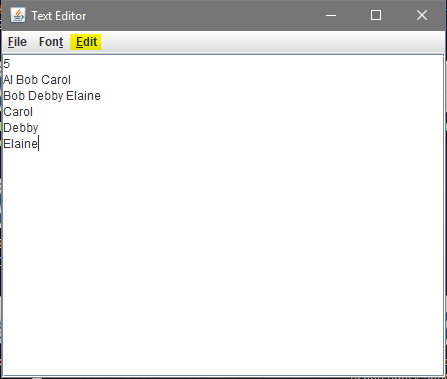
Text Editor File Font Edit 5 Al Bob Carol Carol Debby Elaine
Step by Step Solution
There are 3 Steps involved in it

Get step-by-step solutions from verified subject matter experts
 Study Help