







Question: HTML & CSS Problem: Hello Expert, please look below at the numbered instructions and the layout of how it looks. Design a page layout template
HTML & CSS Problem: Hello Expert, please look below at the numbered instructions and the layout of how it looks.
Design a page layout template (mytemplate.html)
utilizing 4 stacking tables (ids: banner, content, navigation, footer )
with 2 complete navigation structures using relative links for portability to all the
pages within your website. The tables may be stacked vertically and/or horizontally.
.
1.) table width=975px
2.) banner should contain an image, your name, and your personal motto
(your choice of row and/or columns for layout)
3.) content use Greeking (see Lorem Ipsum on CS300 home page nav bar) to
fill in content area and for submission for grading for this weeks
deliverable (columns: 1min. 4 max.) Include a placeholder showing how an
image will be included with content.
4.) navigation is to contain a main navigation structure( id=mainnav) on the
top, left or right (order by importance exception: sitemap placed last)
5.) footer should contain 2nd text navigation structure (order alphabetically
exception: sitemap placed last), and your first and last name, e-mail
address, and CS300 Current Semester & year (2 rows)
6.) Update your home, sitemap, and arrow images to match theme.
7.) Add appropriate css attributes for aesthetic appeal, including unique
styling for the mainnav as an element or in an external style sheet. (main
nav and text links must not be styled in the same way)
8.) IMPORTANT! YOU MAY NOT USE THE DEFAULT COLORS FOR EITHER OF
THE NAVIGATION STRUCTURES
9.) ALSO IMPORTANT! Pre-read next weeks task so that you can better
understand the task for this week.
.
Here's the layout.
For the navigation, it has two arrows to go back a previous page or the next page. The House is the home page link and the small circle is a site map link.
Banner contains an image I have for it. I must have my name included over it and a motto.
Content is simple, I just have to describe an image.
Footer lists all the pages in order that are links that go in order by Intro.html, red.html, silver.html, yellow.html, colorchart.html, and sitemap.html.
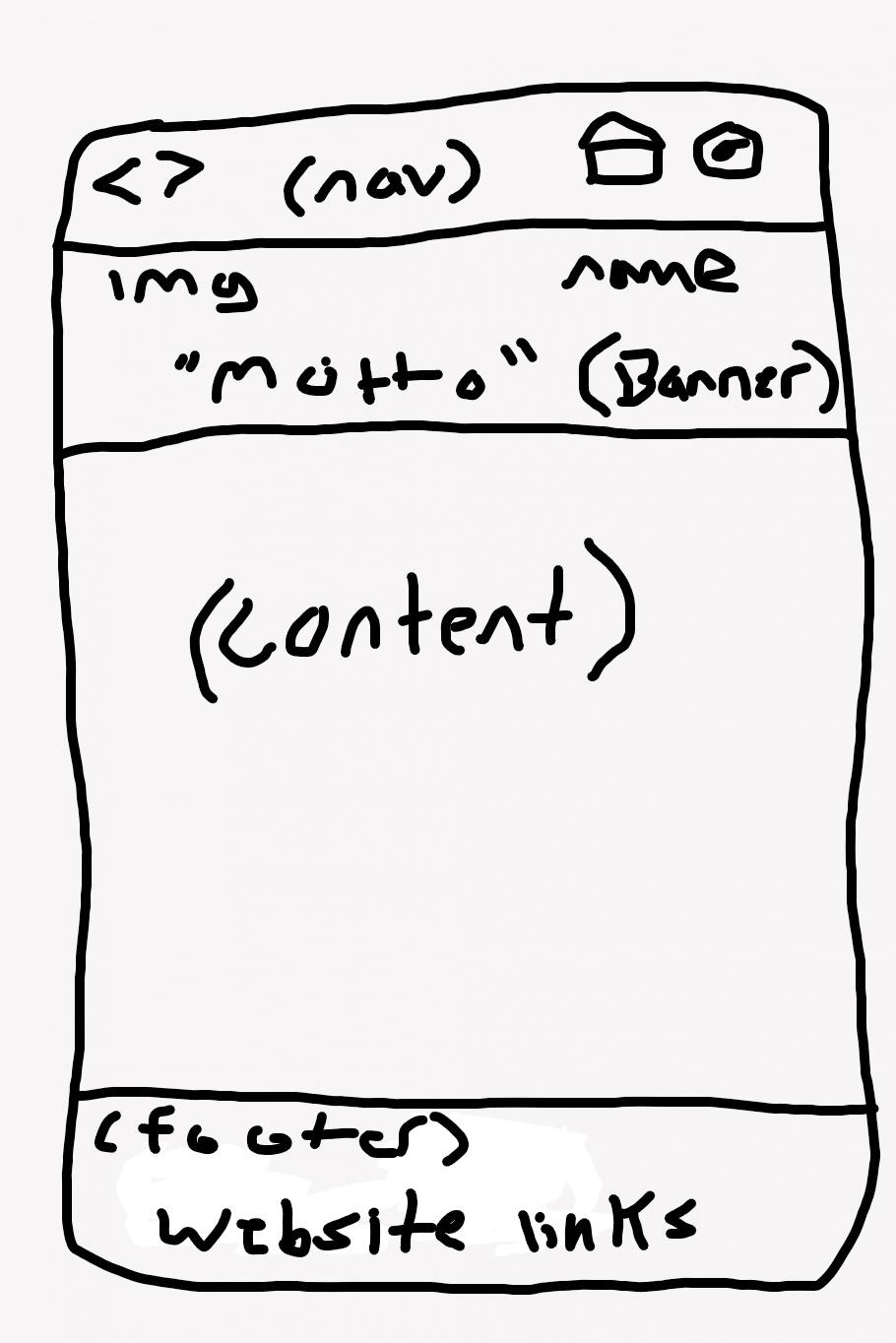
please let me know if you have any questions thanks.
(nav) da ing name "motto" (Banner) (content) (footes) website links (nav) da ing name "motto" (Banner) (content) (footes) website links
Step by Step Solution
There are 3 Steps involved in it

Get step-by-step solutions from verified subject matter experts
 Study Help