





Question: https://www.coursehero.com/u/file/62212972/Highway-Heaven-s1-2020pdf/#question Part B Computerised accounts using XERO 1. Click on the link to the XERO Learning platform which is in an email sent to you

https://www.coursehero.com/u/file/62212972/Highway-Heaven-s1-2020pdf/#question
https://www.coursehero.com/u/file/62212972/Highway
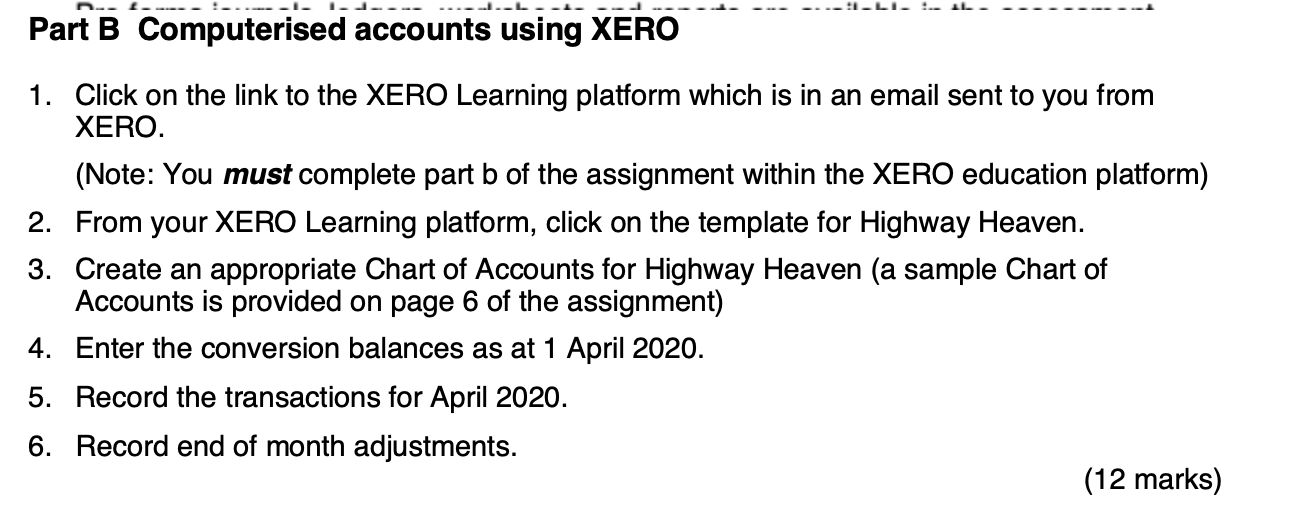
Part B Computerised accounts using XERO 1. Click on the link to the XERO Learning platform which is in an email sent to you from XERO. (Note: You must complete part b of the assignment within the XERO education platform) 2. From your XERO Learning platform, click on the template for Highway Heaven. 3. Create an appropriate Chart of Accounts for Highway Heaven (a sample Chart of Accounts is provided on page 6 of the assignment) 4. Enter the conversion balances as at 1 April 2020. 5. Record the transactions for April 2020. 6. Record end of month adjustments. (12 marks)

Step by Step Solution

There are 3 Steps involved in it

1 Expert Approved Answer
Step: 1 Unlock blur-text-image

Question Has Been Solved by an Expert!

Get step-by-step solutions from verified subject matter experts

Step: 2 Unlock
Step: 3 Unlock

Students Have Also Explored These Related Accounting Questions!