







Question: I am not sure what I am doing wrong with this java program and need help! I have attached 9 pics. Pics 1-5 are the
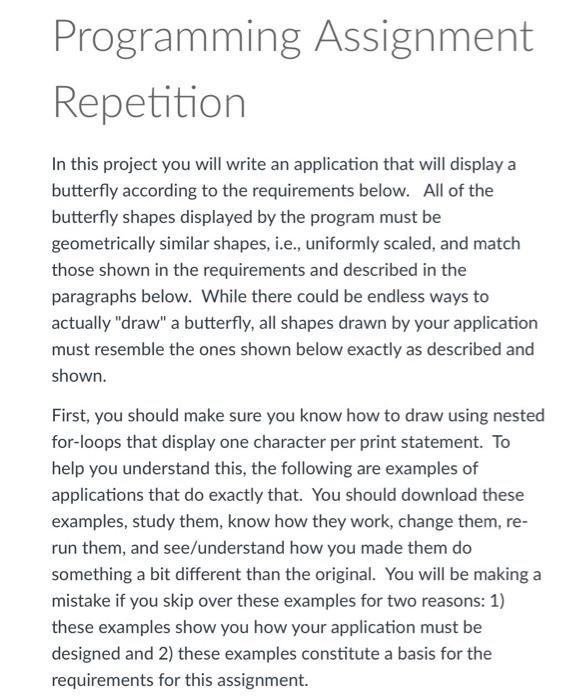
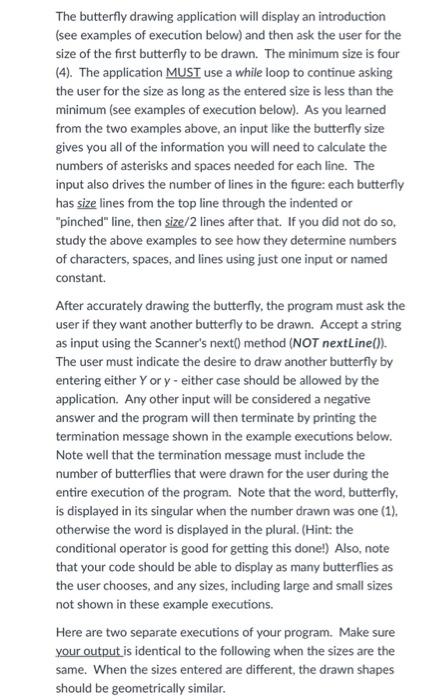
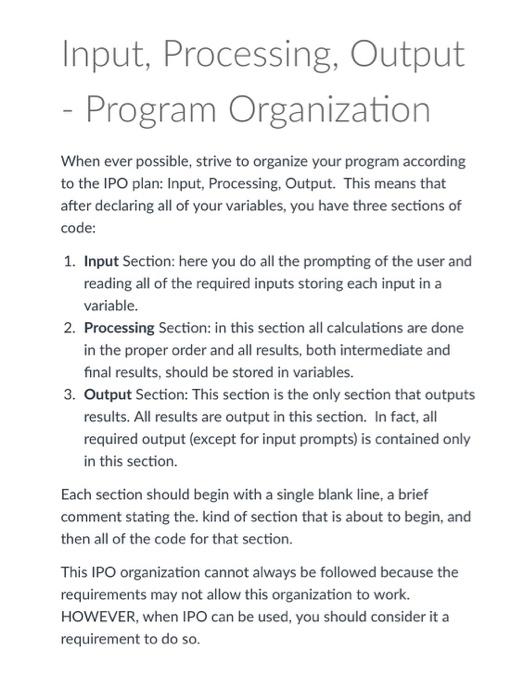
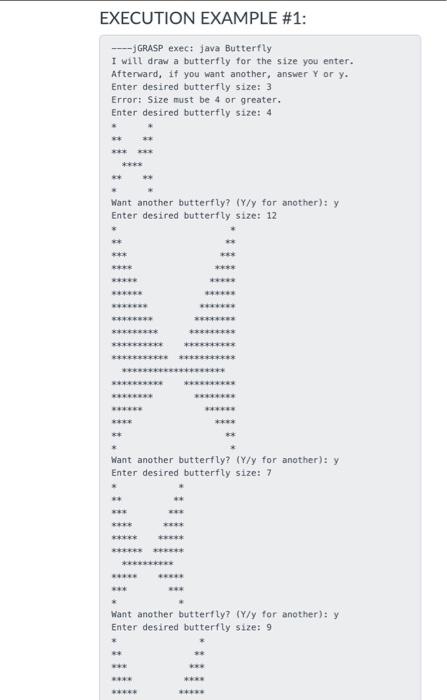
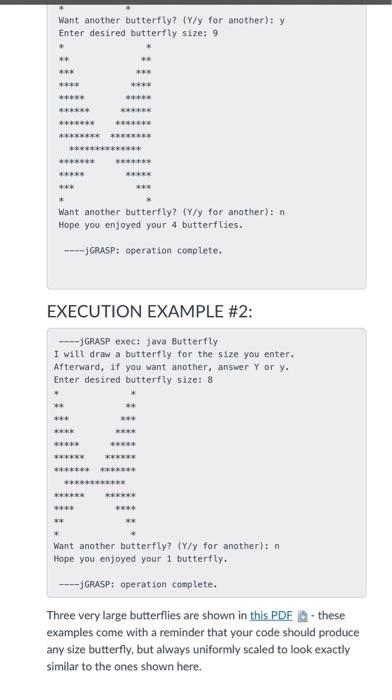
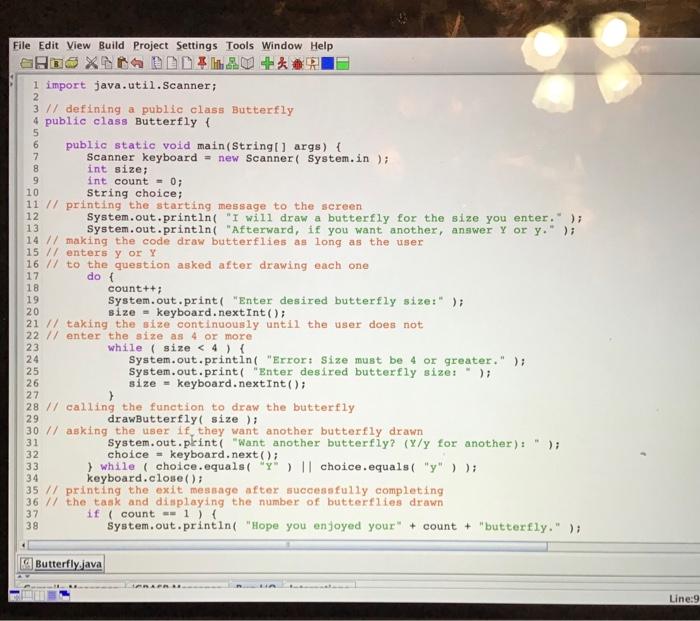
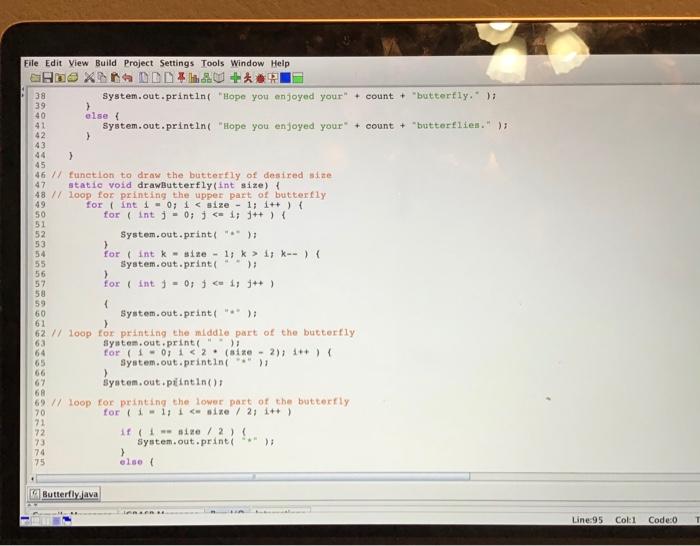
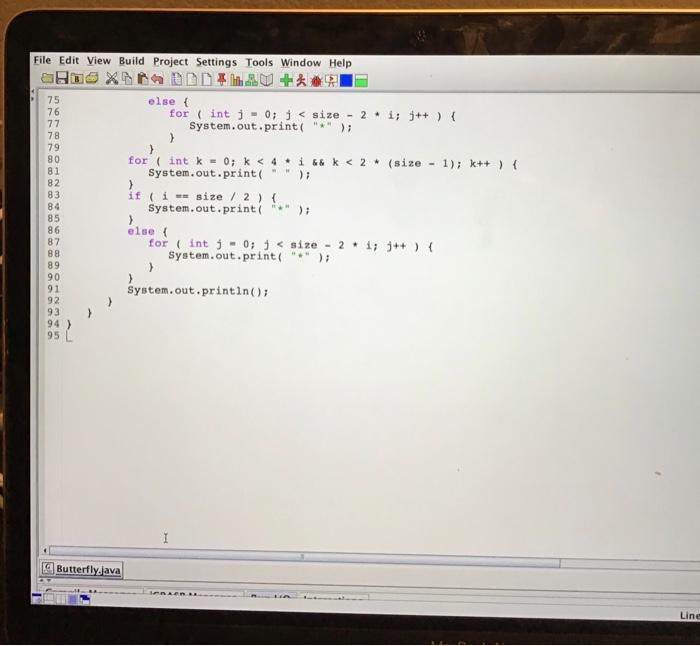
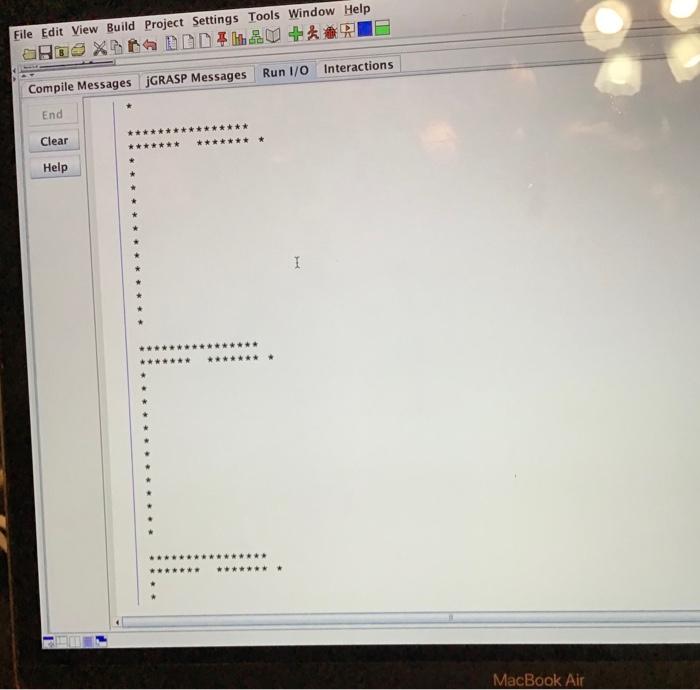
Programming Assignment Repetition In this project you will write an application that will display a butterfly according to the requirements below. All of the butterfly shapes displayed by the program must be geometrically similar shapes, i.e., uniformly scaled, and match those shown in the requirements and described in the paragraphs below. While there could be endless ways to actually "draw" a butterfly, all shapes drawn by your application must resemble the ones shown below exactly as described and shown. First, you should make sure you know how to draw using nested for-loops that display one character per print statement. To help you understand this, the following are examples of applications that do exactly that. You should download these examples, study them, know how they work, change them, re- run them, and see/understand how you made them do something a bit different than the original. You will be making a mistake if you skip over these examples for two reasons: 1) these examples show you how your application must be designed and 2) these examples constitute a basis for the requirements for this assignment. The butterfly drawing application will display an introduction (see examples of execution below) and then ask the user for the size of the first butterfly to be drawn. The minimum size is four (4). The application MUST use a while loop to continue asking the user for the size as long as the entered size is less than the minimum (see examples of execution below). As you learned from the two examples above, an input like the butterfly size gives you all of the information you will need to calculate the numbers of asterisks and spaces needed for each line. The input also drives the number of lines in the figure: each butterfly has size lines from the top line through the indented or "pinched" line, then size/2 lines after that. If you did not do so, study the above examples to see how they determine numbers of characters, spaces, and lines using just one input or named constant After accurately drawing the butterfly, the program must ask the user if they want another butterfly to be drawn. Accept a string as input using the Scanner's next() method (NOT nextLine(). The user must indicate the desire to draw another butterfly by entering either Yor y- either case should be allowed by the application. Any other input will be considered a negative answer and the program will then terminate by printing the termination message shown in the example executions below. Note well that the termination message must include the number of butterflies that were drawn for the user during the entire execution of the program. Note that the word, butterfly, is displayed in its singular when the number drawn was one (1). otherwise the word is displayed in the plural. (Hint: the conditional operator is good for getting this done!) Also, note that your code should be able to display as many butterflies as the user chooses, and any sizes, including large and small sizes not shown in these example executions. Here are two separate executions of your program. Make sure your output is identical to the following when the sizes are the same. When the sizes entered are different, the drawn shapes should be geometrically similar. Input, Processing, Output - Program Organization When ever possible, strive to organize your program according to the IPO plan: Input, Processing, Output. This means that after declaring all of your variables, you have three sections of code: 1. Input Section: here you do all the prompting of the user and reading all of the required inputs storing each input in a variable. 2. Processing Section: in this section all calculations are done in the proper order and all results, both intermediate and final results, should be stored in variables. 3. Output Section: This section is the only section that outputs results. All results are output in this section. In fact, all required output (except for input prompts) is contained only in this section. Each section should begin with a single blank line, a brief comment stating the kind of section that is about to begin, and then all of the code for that section. This IPO organization cannot always be followed because the requirements may not allow this organization to work. HOWEVER, when IPO can be used, you should consider it a requirement to do so. EXECUTION EXAMPLE #1: -- GRASP exec: java Butterfly I will draw a butterfly for the size you enter. Afterward, if you want another, answer Yor y. Enter desired butterfly size: 3 Error: Size must be 4 or greater. Enter desired butterfly size: 4 Want another butterfly? (Y/y for another): y Enter desired butterfly size: 12 ****** *** Want another butterfly? (Y/y for another): y Enter desired butterfly size: 7 ***** ********** want another butterfly? (Y/y for another): y Enter desired butterfly size: 9 * Want another butterfly? (Y/y for another): y Enter desired butterfly size: 9 ** *** ***** ******* *** *********** ******** ******* *** Want another butterfly? (Y/y for another): n Hope you enjoyed your 4 butterflies. ---- GRASP: operation complete. EXECUTION EXAMPLE #2: ----GRASP exec: Java Butterfly I will draw a butterfly for the size you enter. Afterward, if you want another, answer Y or y, Enter desired butterfly size: 8 RRR Want another butterfly? (Y/y for another): n Hope you enjoyed your 1 butterfly. ---JGRASP: operation complete. Three very large butterflies are shown in this PDF Q-these examples come with a reminder that your code should produce any size butterfly, but always uniformly scaled to look exactly similar to the ones shown here. ONO File Edit View Build Project Settings Tools Window Help HOXNADAL 1 import java.util.Scanner; 2 3 // defining a public class Butterfly 4 public class Butterfly { 5 6 public static void main(String[] args) { 7 Scanner keyboard = new Scanner(System.in); 8 int size; 9 int count = 0; 10 String choice; 11 // printing the starting message to the screen 12 System.out.println( "I will draw a butterfly for the size you enter.); 13 System.out.println( "Afterward, if you want another, answer y or y." ); 14 // making the code draw butterflies as long as the user 15 // enters y or Y 16 // to the question asked after drawing each one 17 dot 18 count++; System.out.print("Enter desired butterfly size:" ); 20 size - keyboard.nextInt(); 21 // taking the size continuously until the user does not 22 // enter the size as 4 or more 23 while ( size else { System.out.printing "Hope you enjoyed your" + count + "butterflien."); 42 > 43 44 > 45 46 / function to draw the butterfly of desired size 47 static void drawButterfly(int size) { 48 // loop for printing the upper part of butterfly 49 for (int i = 0; i 57 for (int j = 0; j 62 / loop for printing the middle part of the butterfly 63 System.out.print(" > 64 for (1-0112. (sine - 2); 1++) { 65 System.out.println(""); 66 ) 67 system.out.piintin(); 68 69 // loop for printing the lower part of the butterfly 70 for (i 11 i sine / 2; i++) 71 72 if sine / 2) 73 System.out.print 74 > 75 else Butterfly.java Line:95 T Col1 Code: File Edit View Build Project Settings Tools Window Help RX DEL +* 75 else { 76 for (int j = 0; 80 for(int k = 0; k 86 else 87 for (int j - 0; j 90 91 System.out.println(); 92 93 94 ) NOVO U NOVO 95 L I Butterfly.java Line File Edit View Build Project Settings Tools Window Help aha X LED + Compile Messages JGRASP Messages Run 1/0 Interactions End Clear *** Help 1 **** ***** MacBook Air
Step by Step Solution
There are 3 Steps involved in it

Get step-by-step solutions from verified subject matter experts
 Study Help