







Question: I am trying to get notes from my windows 10 computer onto my ti-84 plus silver edition calculator. But I am getting error messages and
I am trying to get notes from my windows 10 computer onto my ti-84 plus silver edition calculator. But I am getting error messages and the file going in wrong place.
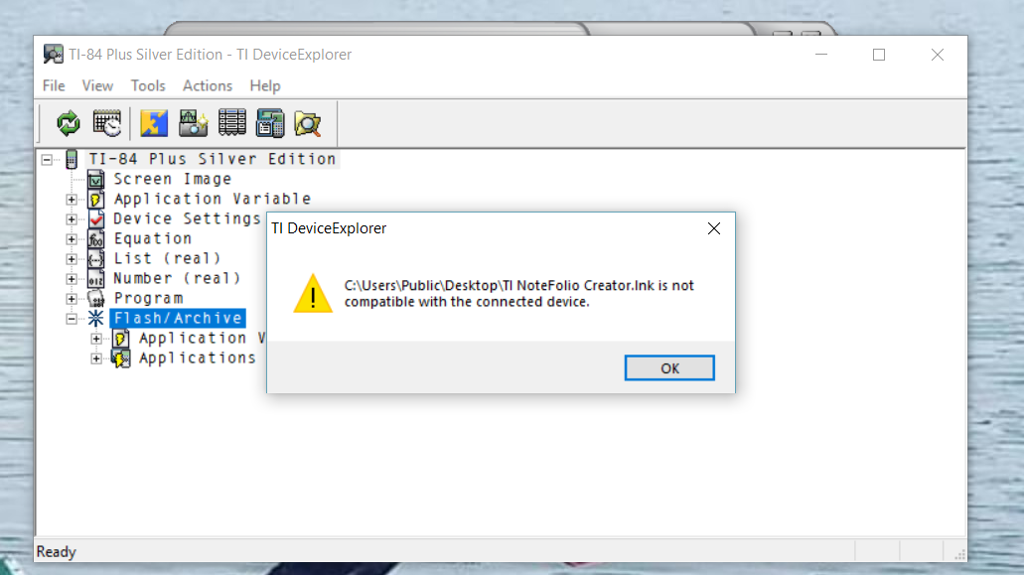
I don't get why it says not compatible. That is when I tried to transfer notefolio by clicking and dragging onto flash/archive. I have the 1.5 version downloaded of notefolio and ti connect and microsoft net 1.10 dowloaded.
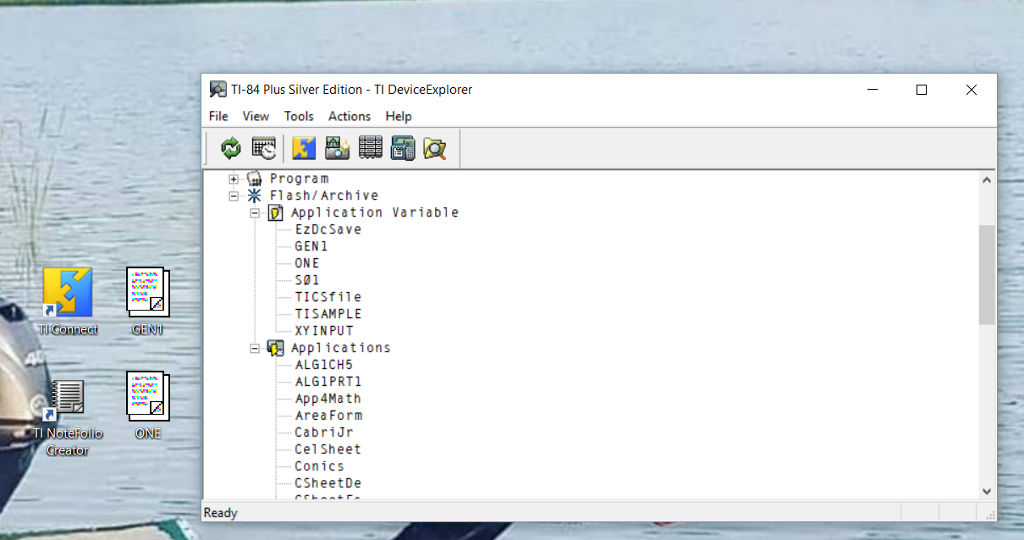
I cant find the "ONE" and "GEN 1" documents on calculator. When I dragged and dropped them onto flash/archive it put the notes into application variable, which does not show up on calculator. I want the "ONE' and "GEN 1" documents to be under applications so I can get to them from calculator
TI-84 Plus Silver Edition-TI DeviceExplorer File View Tools Actions Help TI-84 Plus Silver Edition Screen Image Application Variable d DevicesettingsITI DeviceExplorer Equation List (real) Number (real) Program Flash/Archive CAUsers Public DesktopITI NoteFolio Creator.lnk is not compatible with the connected device Application Applications OK Ready TI-84 Plus Silver Edition-TI DeviceExplorer File View Tools Actions Help TI-84 Plus Silver Edition Screen Image Application Variable d DevicesettingsITI DeviceExplorer Equation List (real) Number (real) Program Flash/Archive CAUsers Public DesktopITI NoteFolio Creator.lnk is not compatible with the connected device Application Applications OK Ready
Step by Step Solution
There are 3 Steps involved in it

Get step-by-step solutions from verified subject matter experts
 Study Help