







Question: I created database and table fully perfectly fine just can't figure out the php par Create a MySQL database and call it csit101. Now let's
I created database and table fully perfectly fine just can't figure out the php par
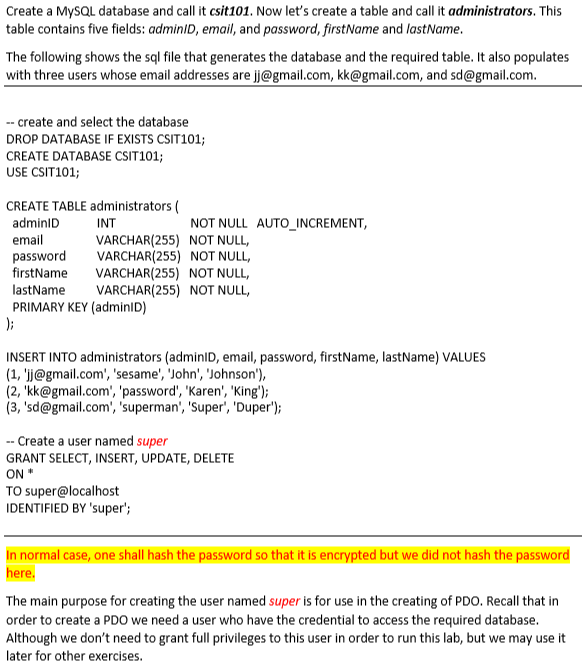
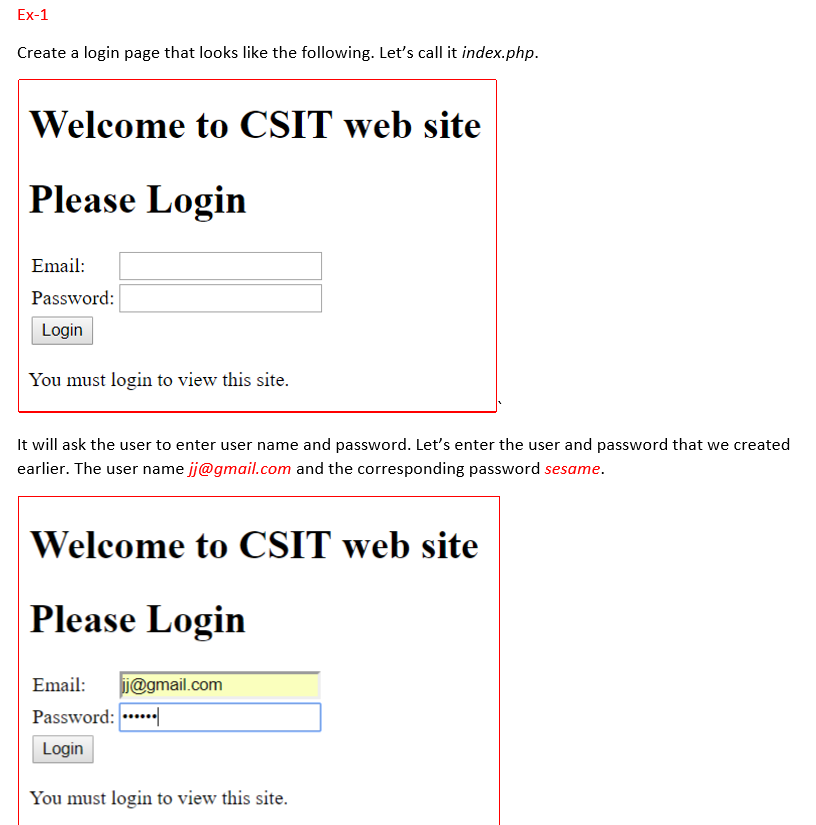
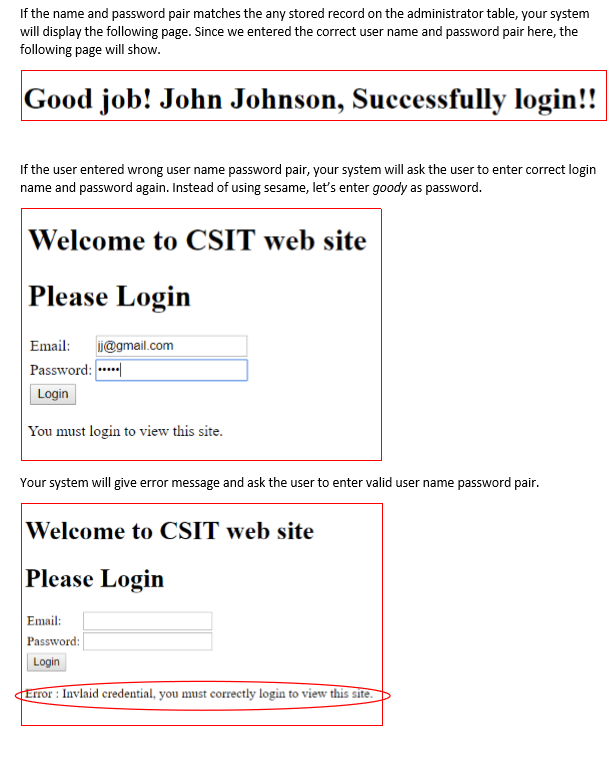
Create a MySQL database and call it csit101. Now let's create a table and call it administrators. This table contains five fields: adminiD, email, and password, firstName and lastName The following shows the sql file that generates the database and the required table. It also populates with three users whose email addresses are jj@gmail.com, kk@gmail.com, and sd@gmail.com -create and select the database DROP DATABASE IF EXISTS CSIT101; CREATE DATABASE CSIT101 USE CSIT101; CREATE TABLE administrators ( adminlD email password VARCHAR(255) NOT NULL, firstName VARCHAR(255) NOT NULL, lastName VARCHAR(255) NOT NULL, PRIMARY KEY (adminID) INT VARCHAR(255) NOT NULL, NOT NULL AUTO_INCREMENT, INSERT INTO administrators (adminlD, email, password, firstName, lastName) VALUES (1, 'lj@gmail.com', 'sesame', 'John', Johnson') (2, 'kk@gmail.com', 'password', 'Karen', 'King'); (3, 'sd@gmail.com', 'superman', 'Super, Duper) -- Create a user named super GRANT SELECT, INSERT, UPDATE, DELETE ON TO super@localhost IDENTIFIED BY 'super'; In normal case, one shall hash the password so that it is encrypted but we did not hash the password here. The main purpose for creating the user named super is for use in the creating of PDO. Recall that in order to create a PDO we need a user who have the credential to access the required database Although we don't need to grant full privileges to this user in order to run this lab, but we may use it later for other exercises
Step by Step Solution
There are 3 Steps involved in it

Get step-by-step solutions from verified subject matter experts
 Study Help