







Question: I dont know why my Database in firestore is not reading. Below is my code for the ViewController, struct for Product, and contentView. Please help.
I dont know why my Database in firestore is not reading. Below is my code for the ViewController, struct for Product, and contentView. Please help. struct ContentView: View
@ObservedObject var viewController ViewController
var body: some View
ListviewControllerlist, id: id product in
VStackalignment: leading
Textproductname
fontheadline
Textproductdescription
fontsubheadline
Text$productprice
fontsubheadline
foregroundColorgray
onAppear
self.viewController.getData
struct Product: Identifiable
let id: String
let name: String
let description: String
let price: Double
class ViewController: ObservableObject
@Published var list Product
func getData
let db Firestore.firestore
dbcollectionProductsgetDocuments snapshot, error in
if let error error
printError getting documents: errorlocalizedDescription
return
if let snapshot snapshot
DispatchQueue.main.async
self.list snapshot.documents.map document in
let data document.data
let name dataname as String
let description datadescription as String
let price dataprice as Double
Generate a unique identifier for each product
let id document.documentID
return Productid: id name: name, description: description, price: price
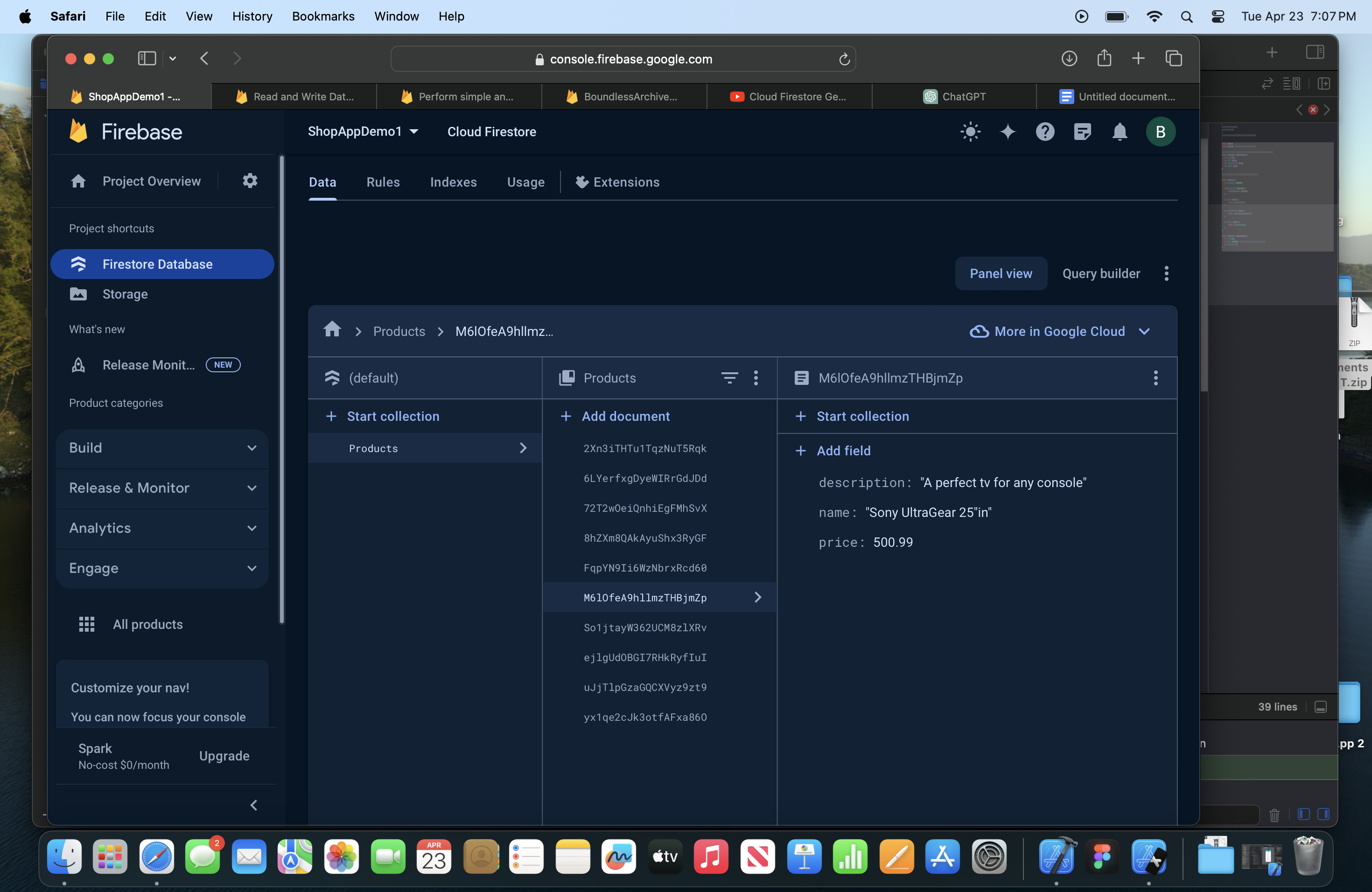
Ive also put a screenshot of my DateBase
Step by Step Solution
There are 3 Steps involved in it
1 Expert Approved Answer
Step: 1 Unlock

Question Has Been Solved by an Expert!
Get step-by-step solutions from verified subject matter experts
Step: 2 Unlock
Step: 3 Unlock
 Study Help