



Question: I got a response saying to pay more for a full solution, I'm already paying for a chegg account membership. Can an expert please help
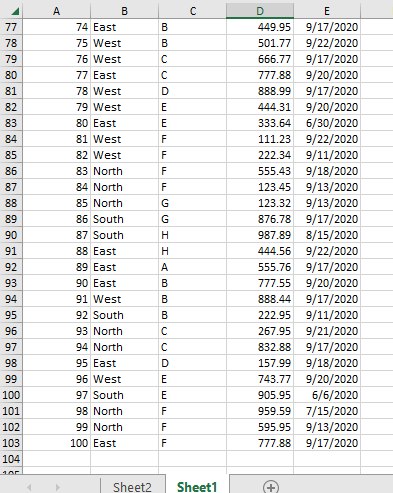
I got a response saying to pay more for a full solution, I'm already paying for a chegg account membership. Can an expert please help me with this that would be greatly appreciated.
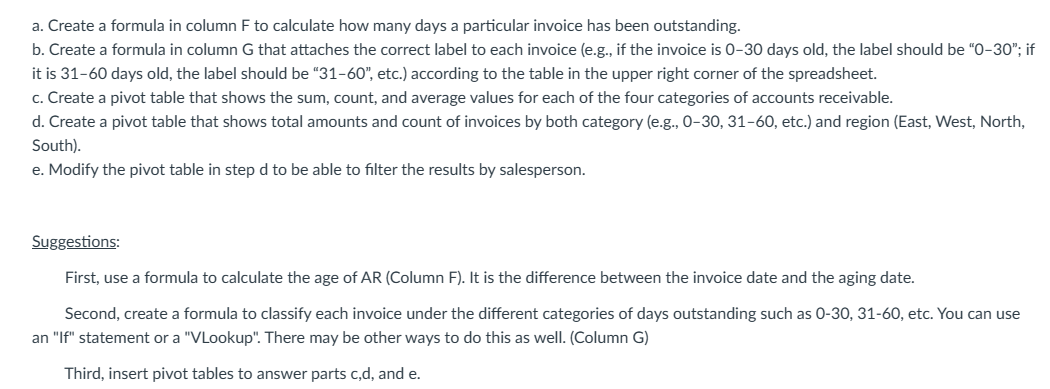
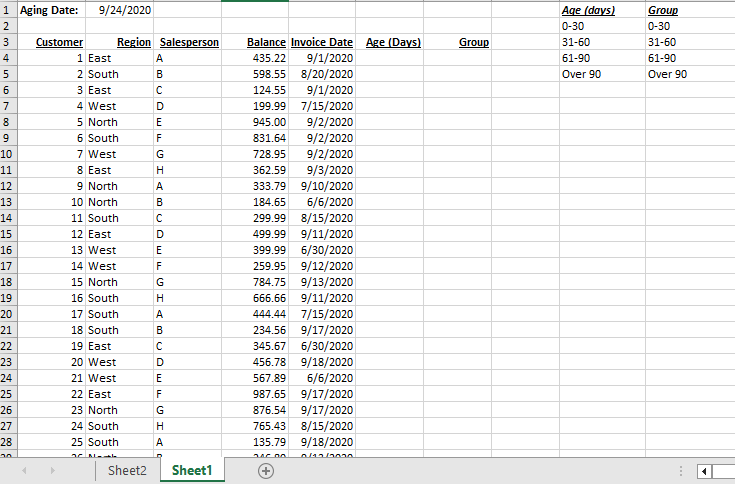
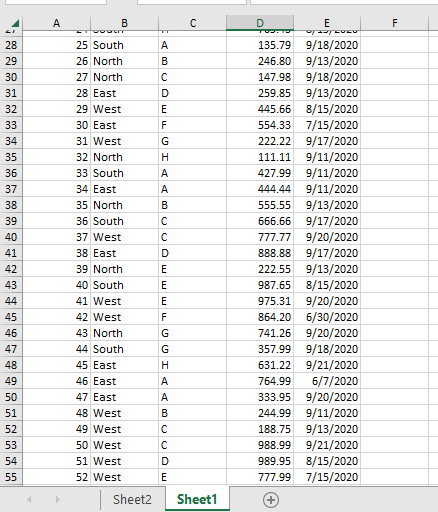
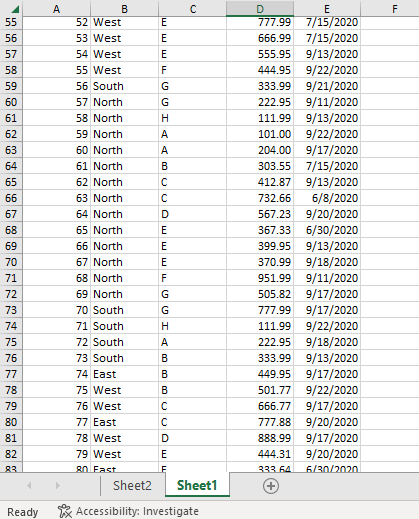
a. Create a formula in column F to calculate how many days a particular invoice has been outstanding. b. Create a formula in column G that attaches the correct label to each invoice (e.g., if the invoice is 0-30 days old, the label should be "0-30"; if it is 31-60 days old, the label should be "31-60", etc.) according to the table in the upper right corner of the spreadsheet. c. Create a pivot table that shows the sum, count, and average values for each of the four categories of accounts receivable. d. Create a pivot table that shows total amounts and count of invoices by both category (e.g., 0-30, 31-60, etc.) and region (East, West, North, South). e. Modify the pivot table in step d to be able to filter the results by salesperson. Suggestions: First, use a formula to calculate the age of AR (Column F). It is the difference between the invoice date and the aging date. Second, create a formula to classify each invoice under the different categories of days outstanding such as 0-30, 31-60, etc. You can use an "If" statement or a "VLookup". There may be other ways to do this as well. (Column G) Third, insert pivot tables to answer parts c,d, and e. Ready ix Accessibility: Investigate a. Create a formula in column F to calculate how many days a particular invoice has been outstanding. b. Create a formula in column G that attaches the correct label to each invoice (e.g., if the invoice is 0-30 days old, the label should be "0-30"; if it is 31-60 days old, the label should be "31-60", etc.) according to the table in the upper right corner of the spreadsheet. c. Create a pivot table that shows the sum, count, and average values for each of the four categories of accounts receivable. d. Create a pivot table that shows total amounts and count of invoices by both category (e.g., 0-30, 31-60, etc.) and region (East, West, North, South). e. Modify the pivot table in step d to be able to filter the results by salesperson. Suggestions: First, use a formula to calculate the age of AR (Column F). It is the difference between the invoice date and the aging date. Second, create a formula to classify each invoice under the different categories of days outstanding such as 0-30, 31-60, etc. You can use an "If" statement or a "VLookup". There may be other ways to do this as well. (Column G) Third, insert pivot tables to answer parts c,d, and e. Ready ix Accessibility: Investigate
Step by Step Solution
There are 3 Steps involved in it

Get step-by-step solutions from verified subject matter experts