







Question: I I only need help with exercise 3 - I need to use the offset function!! Thank you! A B D E F . J
 I
I
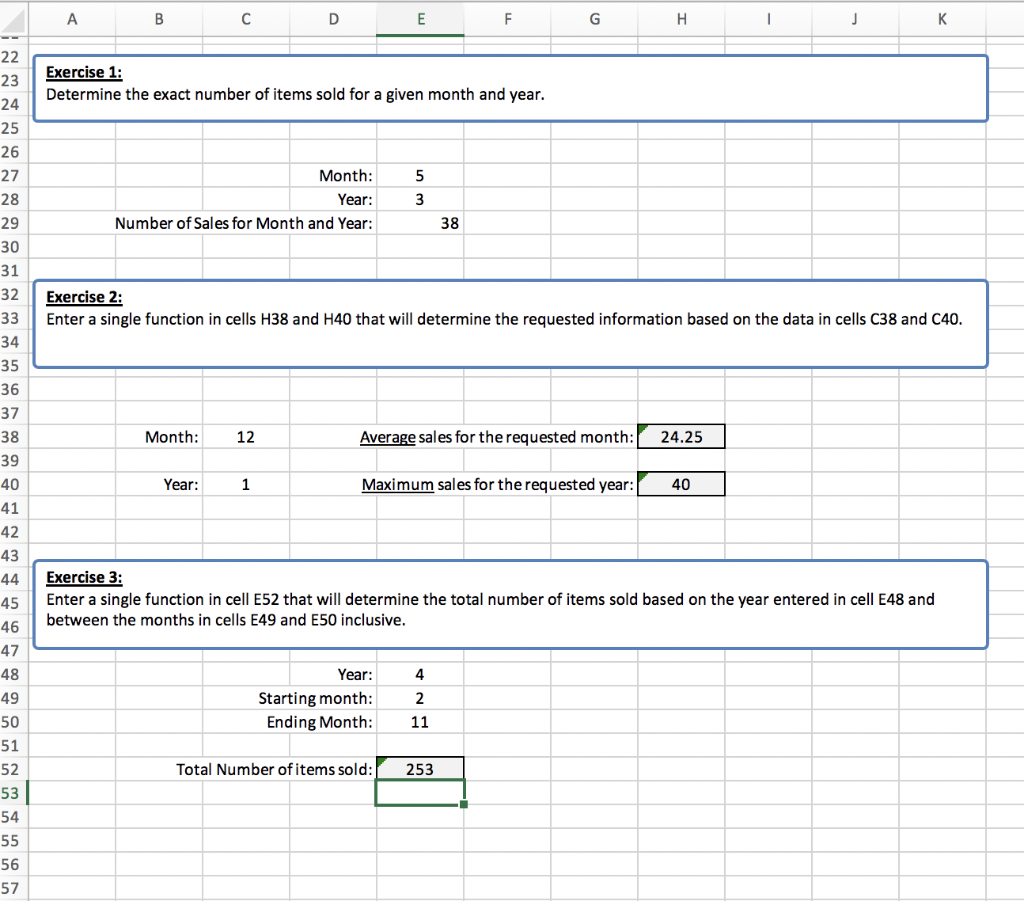
I only need help with exercise 3 - I need to use the offset function!!
Thank you!
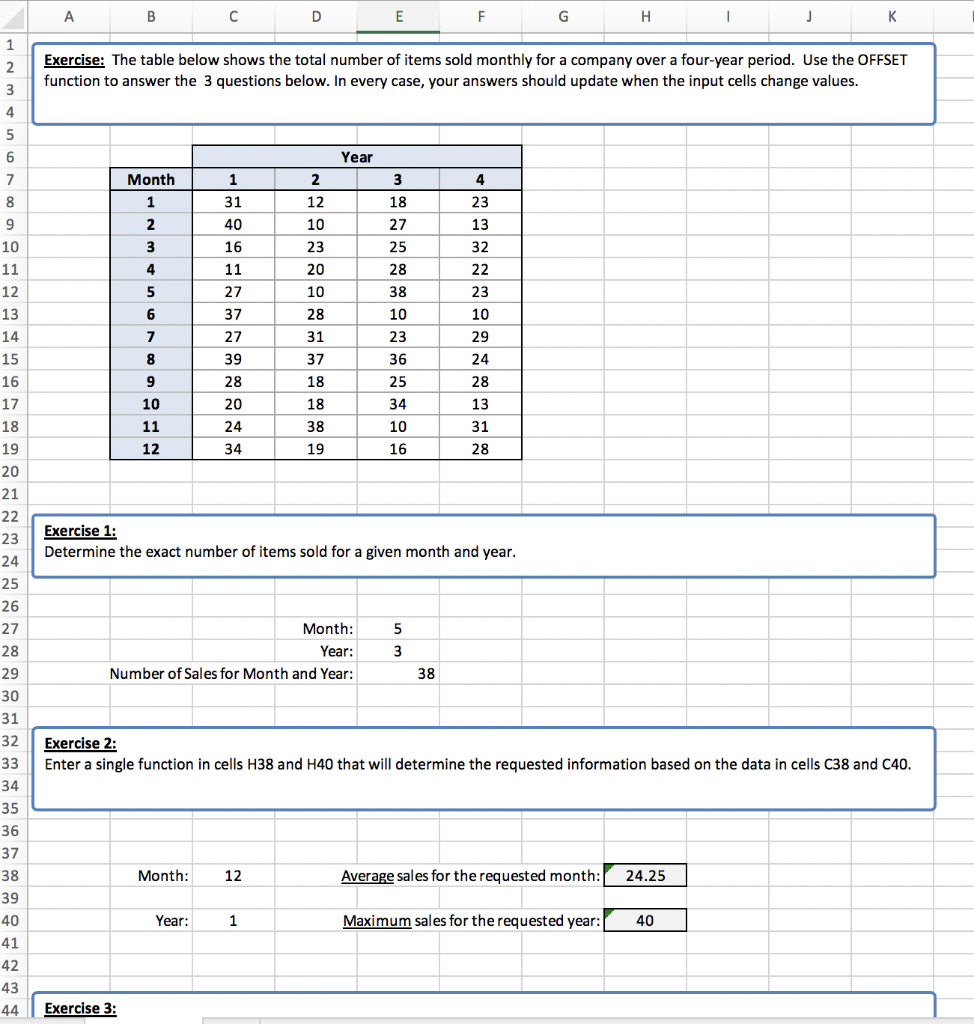
A B D E F . J 1 2 3 4 Exercise: The table below shows the total number of items sold monthly for a company over a four-year period. Use the OFFSET function to answer the 3 questions below. In every case, your answers should update when the input cells change values. 5 6 Year 7 2 3 4 18 Month 1 2 3 1 31 40 16 11 27 12 10 23 20 27 25 28 23 13 32 22 4 5 10 38 23 6 28 10 7 37 27 39 28 31 37 10 23 36 25 29 24 8 9 18 28 13 10 20 18 34 8 9 10 11 12 13 14 15 16 17 18 19 20 21 22 23 24 25 26 27 28 11 12 24 34 38 19 10 16 31 28 Exercise 1: Determine the exact number of items sold for a given month and year. Month: Year: Number of Sales for Month and Year: 5 3 38 29 30 Exercise 2: Enter a single function in cells H38 and H40 that will determine the requested information based on the data in cells C38 and C40. 31 32 33 34 35 36 37 38 39 40 41 Month: 12 Average sales the requested month: 24.25 Year: 1 Maximum sales for the requested year: 40 42 43 44 Exercise 3: A B D E F G H K Exercise 1: Determine the exact number of items sold for a given month and year. 22 23 24 25 26 27 28 29 5 Month: Year: Number of Sales for Month and Year: 3 38 30 31 Exercise 2: Enter a single function in cells H38 and H40 that will determine the requested information based on the data in cells C38 and C40. 32 33 34 35 36 37 38 Month: 12 Average sales for the requested month: 24.25 Year: 1 Maximum sales for the requested year: 40 39 40 41 42 43 44 45 46 47 Exercise 3: Enter a single function in cell E52 that will determine the total number of items sold based on the year entered in cell E48 and between the months in cells E49 and E50 inclusive. 48 4 49 Year: Starting month: Ending Month: 2 50 11 51 52 Total Number of items sold: 253 53 54 55 56 57
Step by Step Solution
There are 3 Steps involved in it

Get step-by-step solutions from verified subject matter experts
 Study Help