







Question: I keep adding the remote networks but its not showing in the ip taple and not pinging why? Physical Config Attributes IOS Command Line Interface
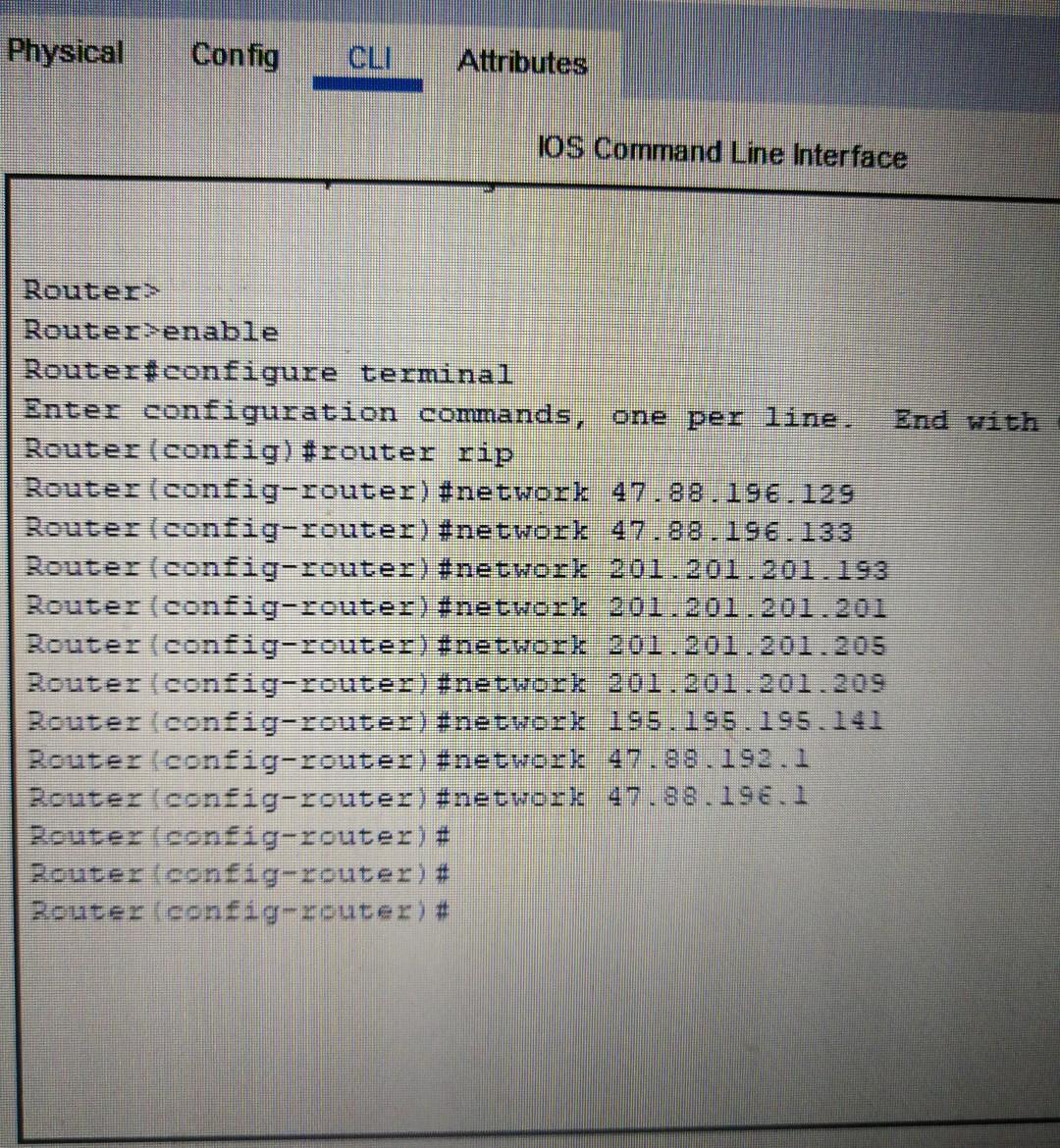
I keep adding the remote networks but its not showing in the ip taple and not pinging why?
Physical Config Attributes IOS Command Line Interface Router> Router>enable Router#configure terminal Enter configuration commands, one per line. Router (config)#router rip Router (config-router) #network 47.88.196.129 Router (config-router) #network 47.88.196.133 Router (config-router) #network 201.201.201.193 Router (config-router) #network 201.201.201.201 Router (config-router) #network 201.201.201.205 Router (config-router) #network 201.201.201.209 Router (config-router) #network 195.195.195.141 Router (config-router) #network 47.88.192.1 Router (config-router) #network 47.88.196.1 Router (config-router) # Router (config-router) # Router (config-router) # Physical Config Attributes IOS Command Line Interface Router> Router>enable Router#configure terminal Enter configuration commands, one per line. Router (config)#router rip Router (config-router) #network 47.88.196.129 Router (config-router) #network 47.88.196.133 Router (config-router) #network 201.201.201.193 Router (config-router) #network 201.201.201.201 Router (config-router) #network 201.201.201.205 Router (config-router) #network 201.201.201.209 Router (config-router) #network 195.195.195.141 Router (config-router) #network 47.88.192.1 Router (config-router) #network 47.88.196.1 Router (config-router) # Router (config-router) # Router (config-router) #
Step by Step Solution
There are 3 Steps involved in it

Get step-by-step solutions from verified subject matter experts
 Study Help