







Question: I need a full cpm schedule using Microsoft Project or a similar thing I can use for my assignment Plan & Strategize the Schedule: 1.
I need a full cpm schedule using Microsoft Project or a similar thing I can use for my assignment
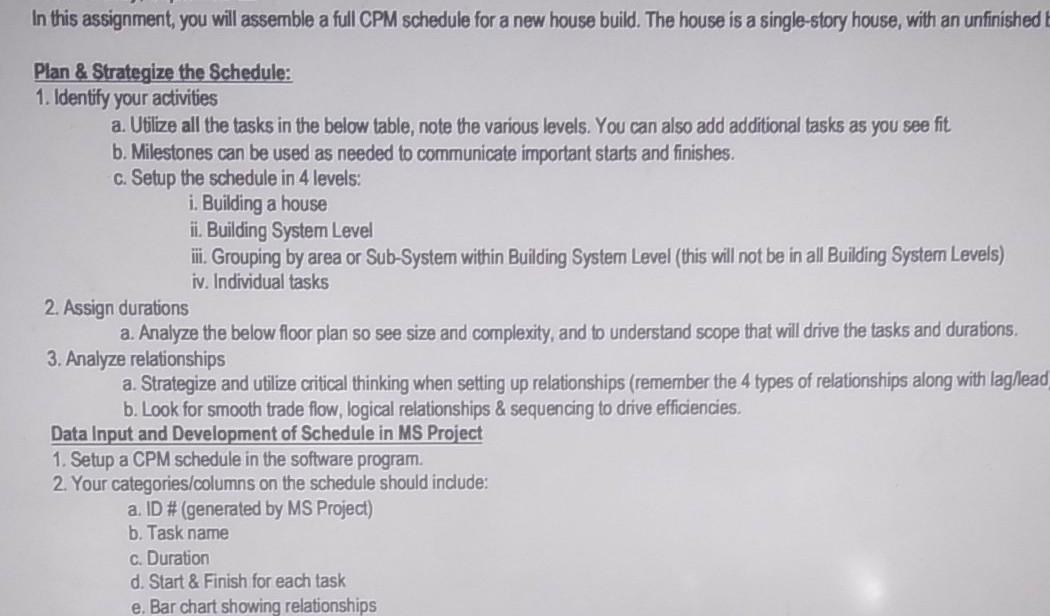
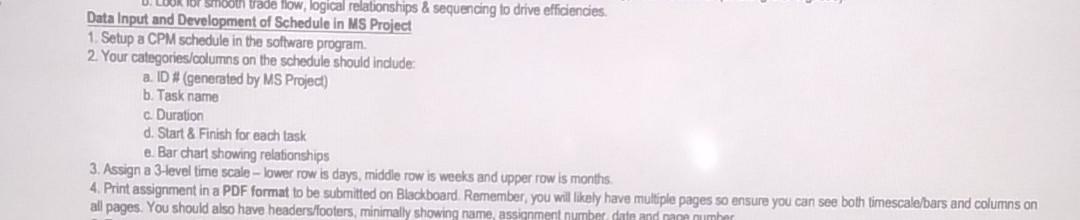
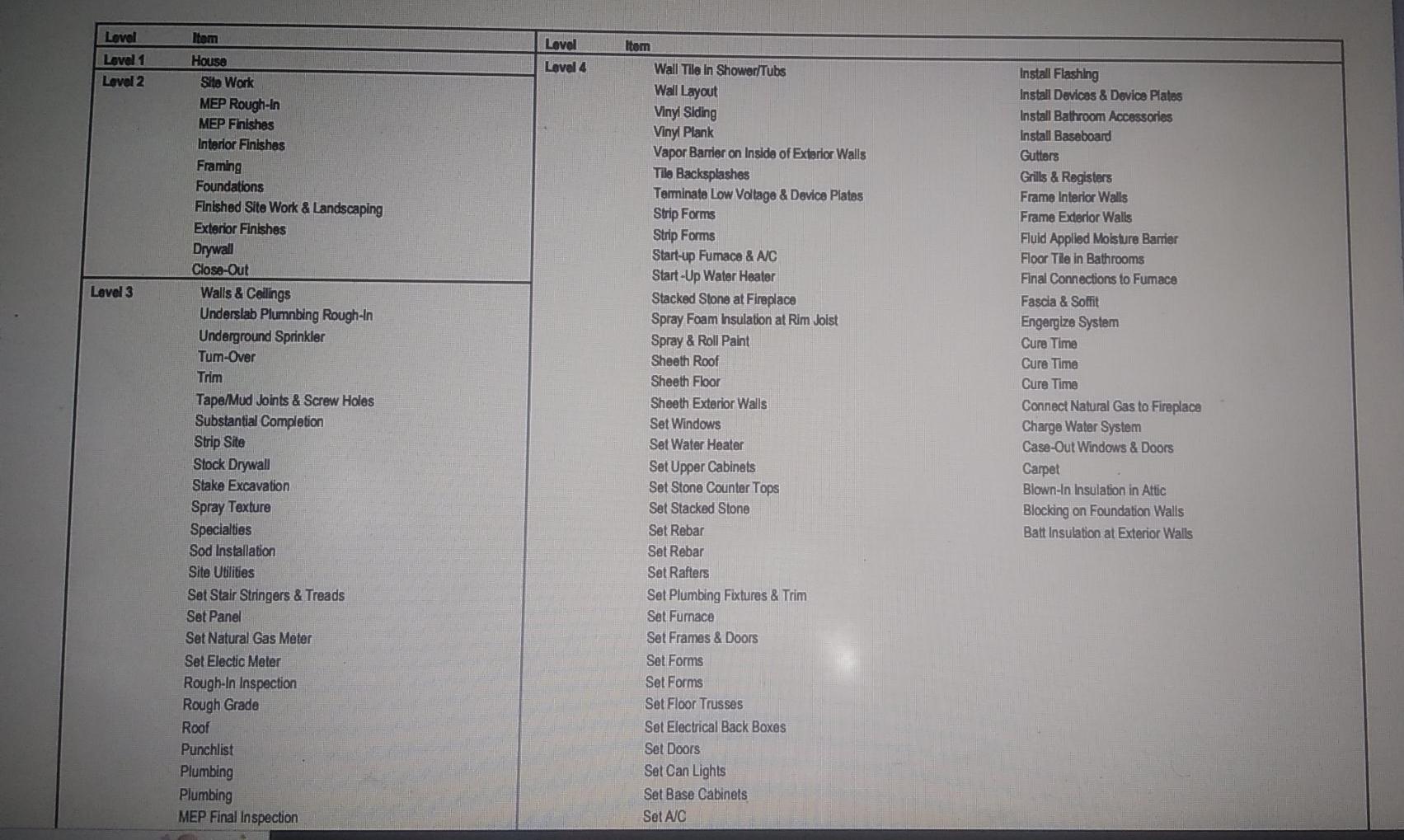
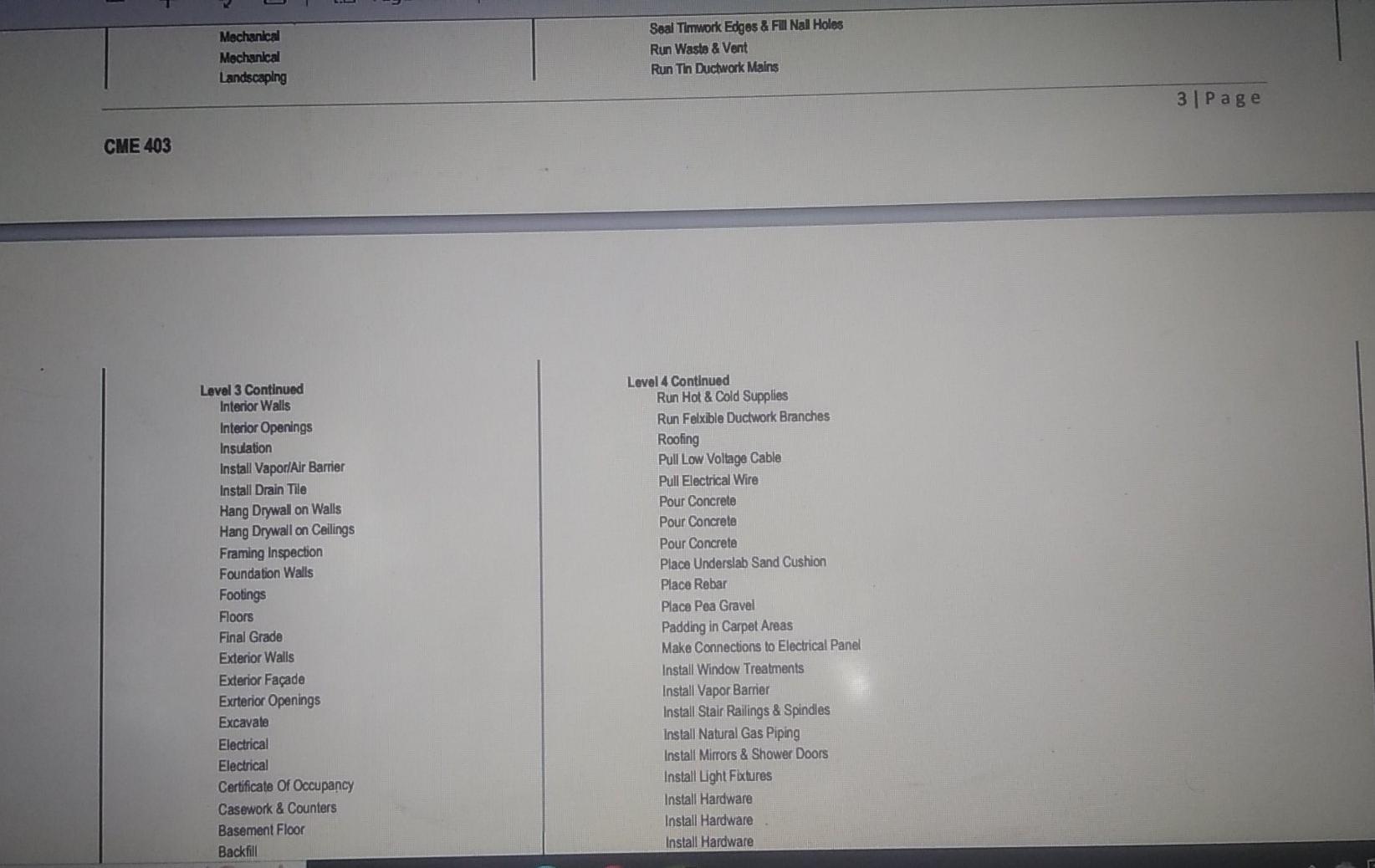
Plan \& Strategize the Schedule: 1. Identify your activities a. Utilize all the tasks in the below table, note the various levels. You can also add additional tasks as you see fit b. Milestones can be used as needed to communicate important starts and finishes. c. Setup the schedule in 4 levels: i. Building a house ii. Building System Level iii. Grouping by area or Sub-System within Building Systern Level (this will not be in all Building System Levels) iv. Individual tasks 2. Assign durations a. Analyze the below floor plan so see size and complexity, and to understand scope that will drive the tasks and durations. 3. Analyze relationships a. Strategize and utilize critical thinking when setting up relationships (remember the 4 types of relationships along with laghlead b. Look for smooth trade flow, logical relationships \& sequencing to drive efficiencies. Data Input and Development of Schedule in MS Project 1. Setup a CPM schedule in the software program. 2. Your categories/columns on the schedule should include: a. ID # (generated by MS Project) b. Task name c. Duration d. Start \& Finish for each task e. Bar chart showing relationships Data Input and Develooment of Sehedule in relationships \& sequencing to drive efficiencies. 1. Setup a CPM schedule in the softerare program 1. Setup a CPM scheduie in the software program. 2. Your categories/columns on the schedule should indude: a. ID # (generated by MS Project) b. Task name c. Duration d. Start \& Finish for each task e. Bar chart showing relationships 3. Assign a Hevel time scale - lower row is days, middle row is weeks and upper row is months. 4. Print assignment in a PDF format to be submitted on Blackboard. Remember, you will likely have multiple pages so ensure you can see both timescale/bars and columns on \begin{tabular}{|l|l} \hline Mechantcall Mechenkal Landscaping & Seal Timwork Edges \& Fill Nall Holes \\ Run Wasto \& Vent \\ Run Thn Ductwork Mains \end{tabular} CME 403 Plan \& Strategize the Schedule: 1. Identify your activities a. Utilize all the tasks in the below table, note the various levels. You can also add additional tasks as you see fit b. Milestones can be used as needed to communicate important starts and finishes. c. Setup the schedule in 4 levels: i. Building a house ii. Building System Level iii. Grouping by area or Sub-System within Building Systern Level (this will not be in all Building System Levels) iv. Individual tasks 2. Assign durations a. Analyze the below floor plan so see size and complexity, and to understand scope that will drive the tasks and durations. 3. Analyze relationships a. Strategize and utilize critical thinking when setting up relationships (remember the 4 types of relationships along with laghlead b. Look for smooth trade flow, logical relationships \& sequencing to drive efficiencies. Data Input and Development of Schedule in MS Project 1. Setup a CPM schedule in the software program. 2. Your categories/columns on the schedule should include: a. ID # (generated by MS Project) b. Task name c. Duration d. Start \& Finish for each task e. Bar chart showing relationships Data Input and Develooment of Sehedule in relationships \& sequencing to drive efficiencies. 1. Setup a CPM schedule in the softerare program 1. Setup a CPM scheduie in the software program. 2. Your categories/columns on the schedule should indude: a. ID # (generated by MS Project) b. Task name c. Duration d. Start \& Finish for each task e. Bar chart showing relationships 3. Assign a Hevel time scale - lower row is days, middle row is weeks and upper row is months. 4. Print assignment in a PDF format to be submitted on Blackboard. Remember, you will likely have multiple pages so ensure you can see both timescale/bars and columns on \begin{tabular}{|l|l} \hline Mechantcall Mechenkal Landscaping & Seal Timwork Edges \& Fill Nall Holes \\ Run Wasto \& Vent \\ Run Thn Ductwork Mains \end{tabular} CME 403
Step by Step Solution
There are 3 Steps involved in it

Get step-by-step solutions from verified subject matter experts
 Study Help