







Question: I need help on answering these two questions. Assembler Language, PIC16F1829. Heres the program: #include p16f1829.inc ; CONFIG1 ; __config 0x9E4 __CONFIG _CONFIG1, _FOSC_INTOSC &
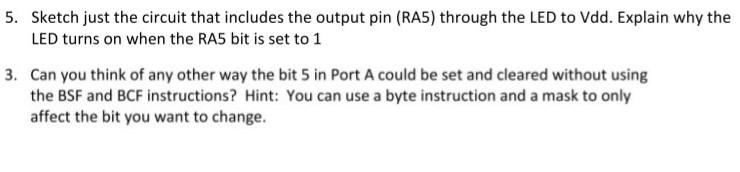
I need help on answering these two questions.
Assembler Language, PIC16F1829.
Heres the program:
#include "p16f1829.inc"
; CONFIG1
; __config 0x9E4
__CONFIG _CONFIG1, _FOSC_INTOSC & _WDTE_OFF & _PWRTE_OFF & _MCLRE_ON & _CP_OFF & _CPD_OFF & _BOREN_OFF & _CLKOUTEN_OFF & _IESO_OFF & _FCMEN_OFF
; CONFIG2
; __config 0x3EFF
__CONFIG _CONFIG2, _WRT_OFF & _PLLEN_OFF & _STVREN_ON & _BORV_LO & _LVP_ON
list p = 16F1829, R = DEC
CBLOCK 0x30
VarA
VarB
DLAY
LOOPcount
ENDC
ORG 0
goto Start
RETFIE
Start
BANKSEL OSCCON
movlw 0x6A
movwf OSCCON
BANKSEL TRISA
clrf TRISA
BANKSEL LATA
clrf LATA
Loop
BANKSEL PORTB
BANKSEL LATA
bsf LATA, 5
call Delay
BANKSEL LATA
bcf LATA, 5
call Delay
goto Loop
Delay
BANKSEL VarA
movlw 0xFF
movwf VarA
Outside
decfsz VarA
goto Goon
return
Goon
movlw 0xFF
movwf VarB
Inside
decfsz VarB
goto Inside
goto Outside
end
5. Sketch just the circuit that includes the output pin (RAS) through the LED to Vdd. Explain why the LED turns on when the RA5 bit is set to 1 3. Can you think of any other way the bit 5 in Port A could be set and cleared without using the BSF and BCF instructions? Hint: You can use a byte instruction and a mask to only affect the bit you want to change. 5. Sketch just the circuit that includes the output pin (RAS) through the LED to Vdd. Explain why the LED turns on when the RA5 bit is set to 1 3. Can you think of any other way the bit 5 in Port A could be set and cleared without using the BSF and BCF instructions? Hint: You can use a byte instruction and a mask to only affect the bit you want to change
Step by Step Solution
There are 3 Steps involved in it

Get step-by-step solutions from verified subject matter experts
 Study Help