







Question: I need help on how to start this assignment. Any feedback I would greatly appreciate it. I attached a copy of Color139 and the documentation.
I need help on how to start this assignment. Any feedback I would greatly appreciate it. I attached a copy of Color139 and the documentation. Thanks.
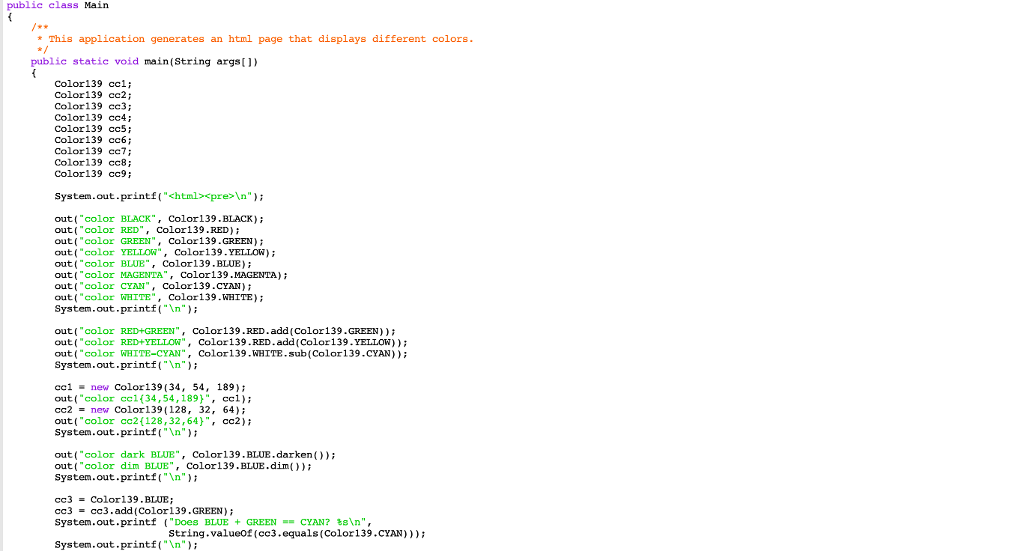
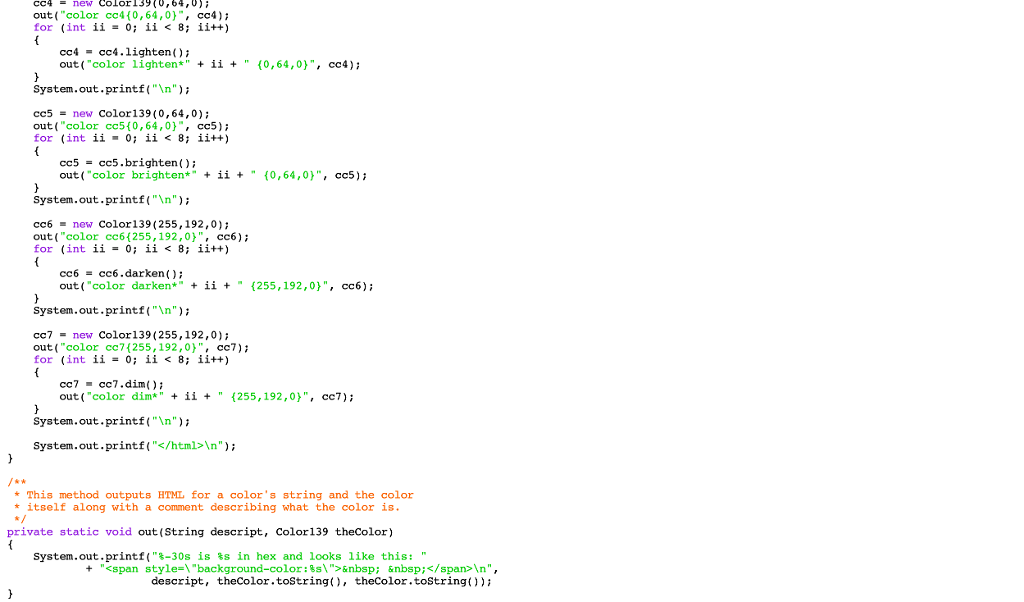
Color139.Java:
Documentation for color139 below:
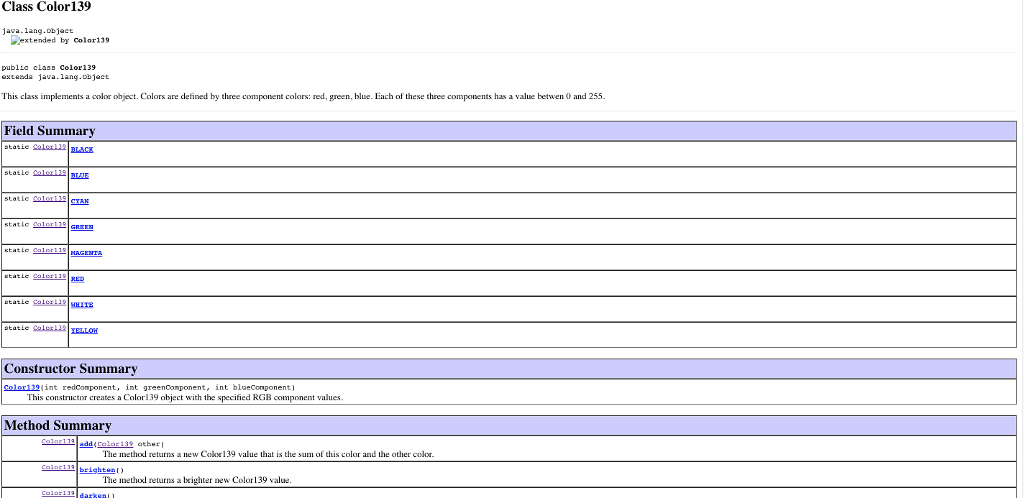
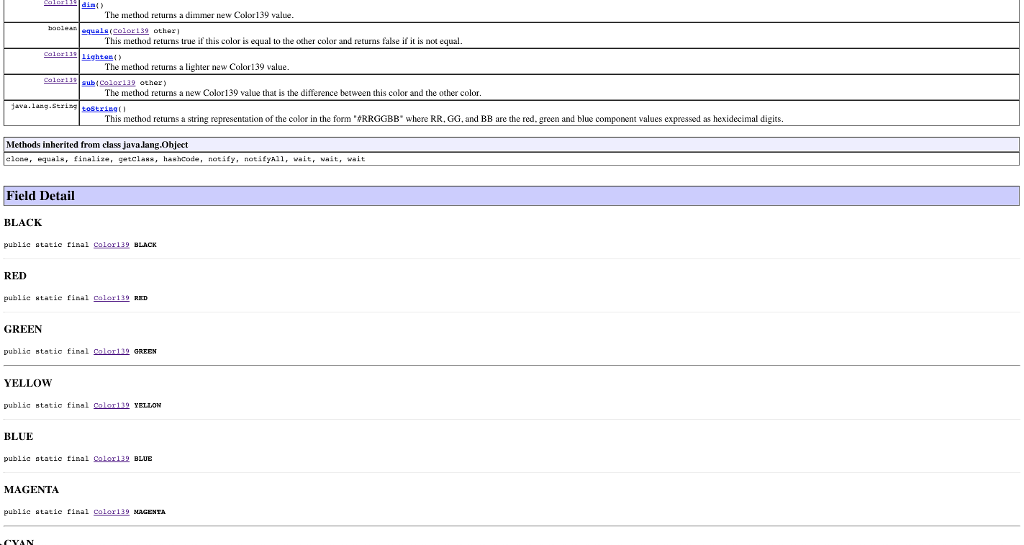
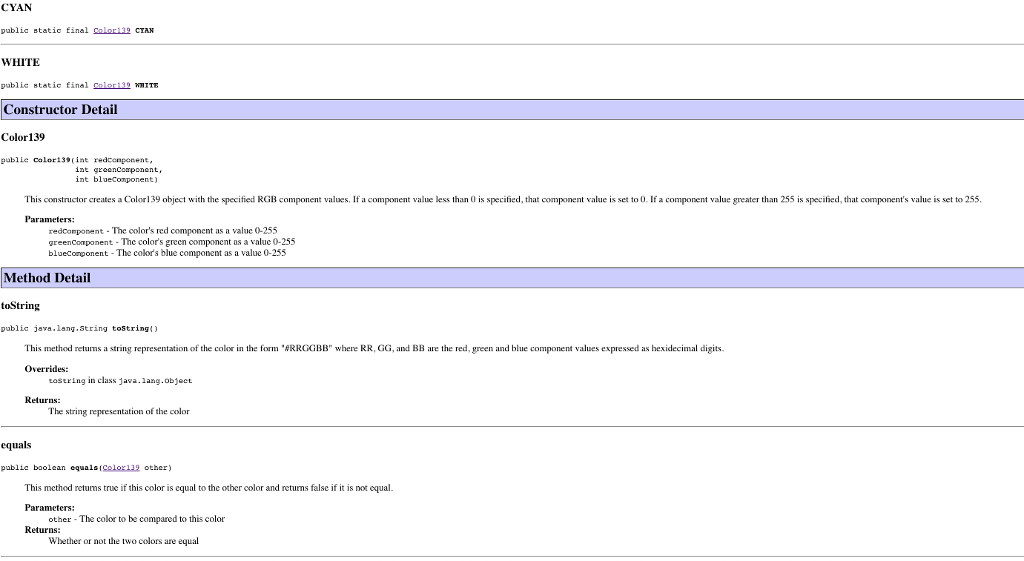
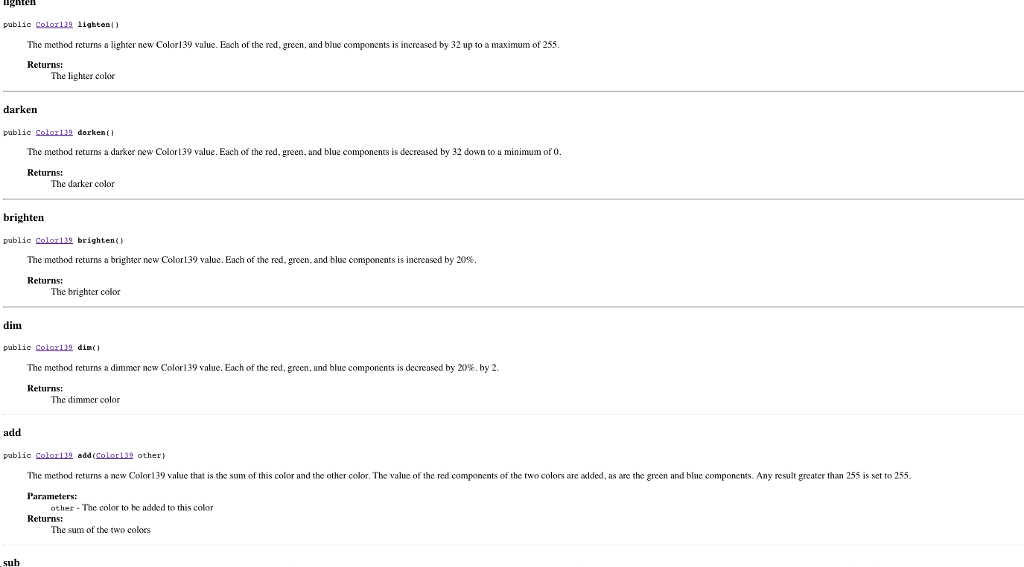

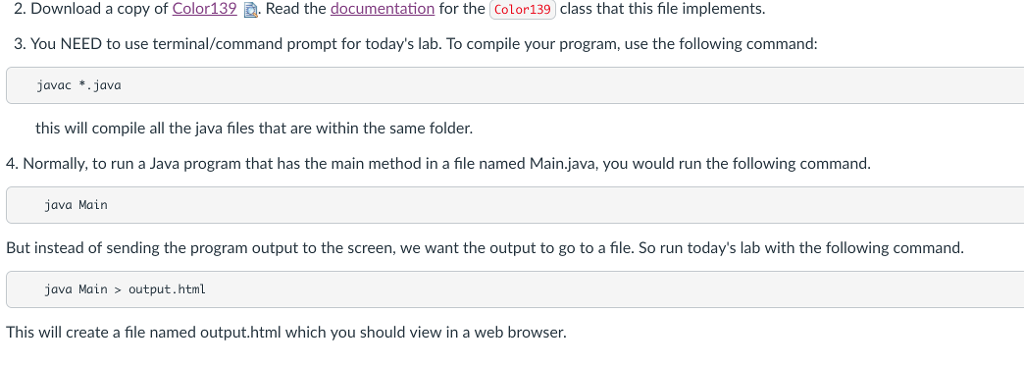
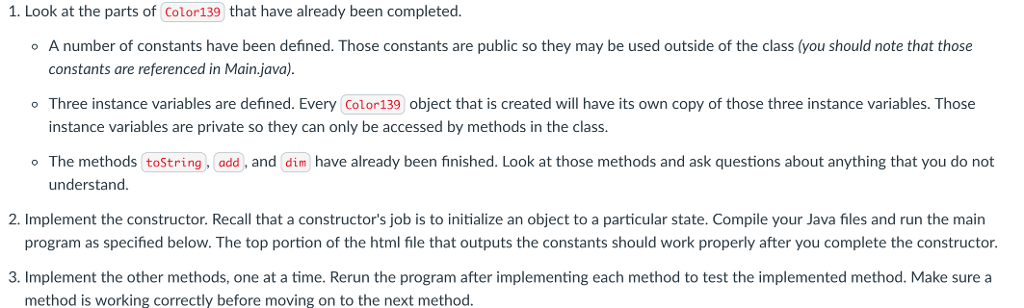
2. Download a copy of Color!39Read the documentation for the Color139 class that this file implements. 3. You NEED to use terminal/command prompt for today's lab. To compile your program, use the following command javac *.java this will compile all the java files that are within the same folder. 4. Normally, to run a Java program that has the main method in a file named Main.java, you would run the following command. java Main But instead of sending the program output to the screen, we want the output to go to a file. So run today's lab with the following command. java Main> output.html This will create a file named output.html which you should view in a web browser. 2. Download a copy of Color!39Read the documentation for the Color139 class that this file implements. 3. You NEED to use terminal/command prompt for today's lab. To compile your program, use the following command javac *.java this will compile all the java files that are within the same folder. 4. Normally, to run a Java program that has the main method in a file named Main.java, you would run the following command. java Main But instead of sending the program output to the screen, we want the output to go to a file. So run today's lab with the following command. java Main> output.html This will create a file named output.html which you should view in a web browser
Step by Step Solution
There are 3 Steps involved in it

Get step-by-step solutions from verified subject matter experts
 Study Help