







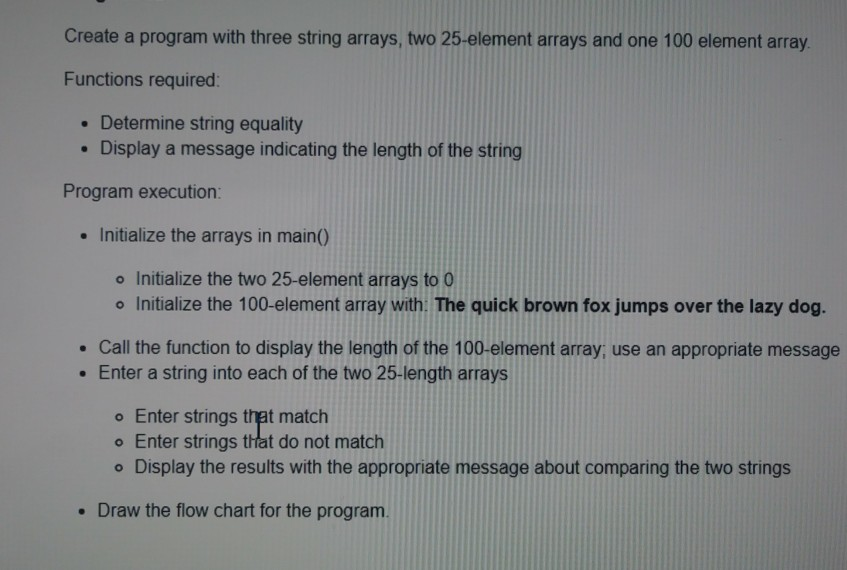
Question: I need help revising the following code and flowchart below the pic using the basic printfI () and scanf_s functions. The code was the answer
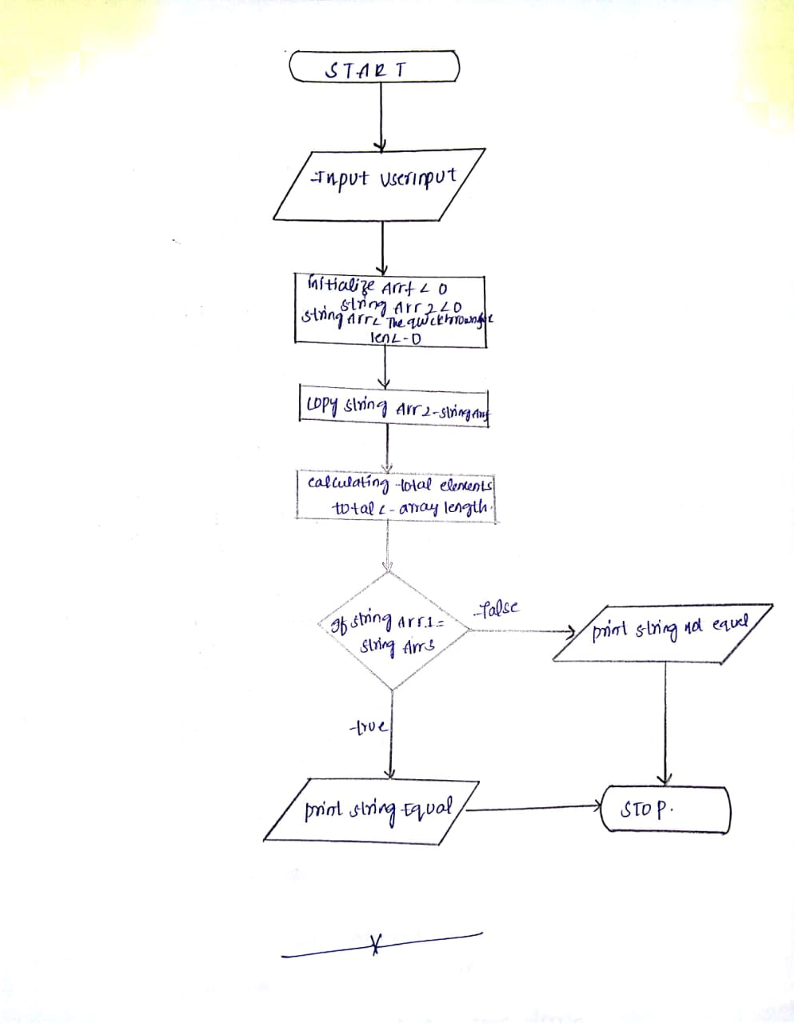
I need help revising the following code and flowchart below the pic using the basic printfI ("") and scanf_s functions. The code was the answer to the question in the picture I posted a few days ago and it seems to advanced for me. Please help. C++ is the program language.
#include
#include
using namespace std;
int main() {
char stringArr1[25] = {0};
char stringArr2[25] = {0};
char stringArr3[100] = "The quick brown fox jumps over the lazy dog";
cout
cin.getline(stringArr1,25);
cout
strcpy(stringArr1, stringArr2);
int resc = strcmp(stringArr1,stringArr3);
cout
if(resc==0)
cout
else
cout
cout
return 0;
}
FLOWCHART
Hide comments (2)
Create a program with three string arrays, two 25-element arrays and one 100 element array Functions required Determine string equality Display a message indicating the length of the string Program execution: . Initialize the arrays in main() o Initialize the two 25-element arrays to O o Initialize the 100-element array with The quick brown fox jumps over the lazy dog. . Call the function to display the length of the 100-element array, use an appropriate message Enter a string into each of the two 25-length arrays o Enter strings that match o Enter strings that do not match o Display the results with the appropriate message about comparing the two strings . Draw the flow chart for the program. Create a program with three string arrays, two 25-element arrays and one 100 element array Functions required Determine string equality Display a message indicating the length of the string Program execution: . Initialize the arrays in main() o Initialize the two 25-element arrays to O o Initialize the 100-element array with The quick brown fox jumps over the lazy dog. . Call the function to display the length of the 100-element array, use an appropriate message Enter a string into each of the two 25-length arrays o Enter strings that match o Enter strings that do not match o Display the results with the appropriate message about comparing the two strings . Draw the flow chart for the program
Step by Step Solution
There are 3 Steps involved in it

Get step-by-step solutions from verified subject matter experts
 Study Help