







Question: I need help to solve it please with explanation i included the answer of the previous question becuse it is related. This is the previous
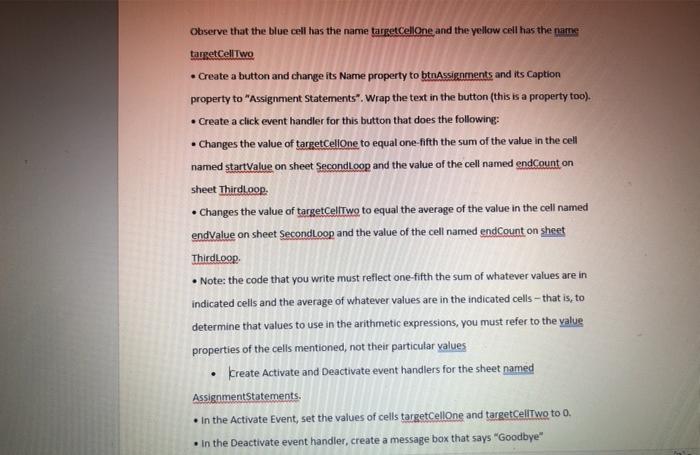
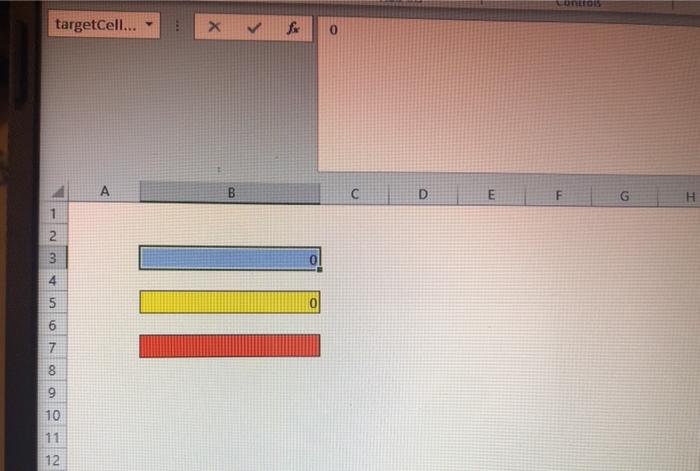
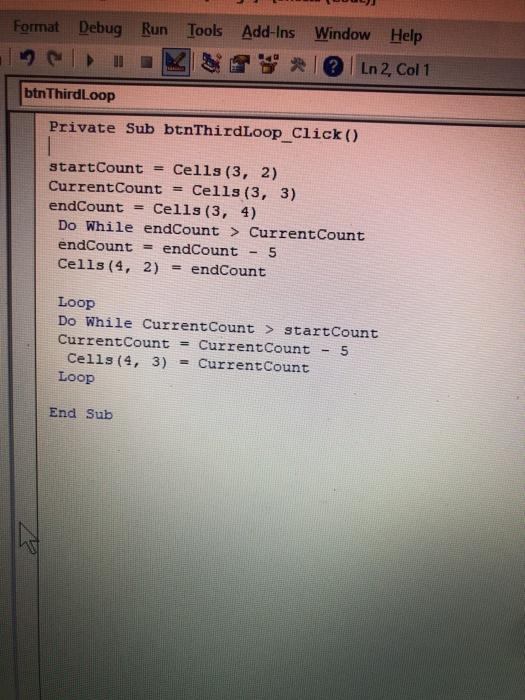
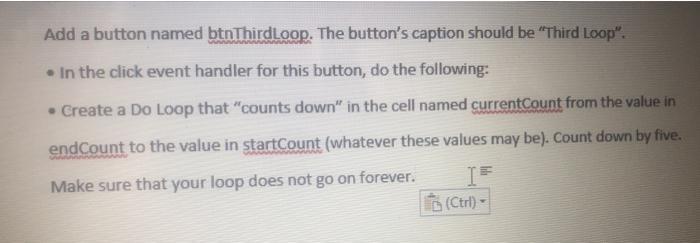
Observe that the blue cell has the name targetcellone and the yellow cell has the name targetCellTwo Create a button and change its Name property to btnAssignments and its Caption property to "Assignment Statements". Wrap the text in the button (this is a property too). Create a click event handler for this button that does the following: Changes the value of targetCellone to equal one-fifth the sum of the value in the cell named startValue on sheet SecondLoop and the value of the cell named endCount on sheet ThirdLoop: Changes the value of targetCellTwo to equal the average of the value in the cell named endvalue on sheet Secondloop and the value of the cell named endCount on sheet Thirdloop Note: the code that you write must reflect one-fifth the sum of whatever values are in indicated cells and the average of whatever values are in the indicated cells - that is, to determine that values to use in the arithmetic expressions, you must refer to the value properties of the cells mentioned, not their particular values Kreate Activate and Deactivate event handlers for the sheet named AssignmentStatements. in the Activate Event, set the values of cells targetCellone and targetCellTwo to 0. in the Deactivate event handler, create a message box that says "Goodbye" targetCell... X fox 0 A B C D E F G H 1 2 2 3 4 5 0 6 5 6 7 8 9 10 11 1 2 12 Format Debug Run Tools Add-Ins Window Help Ln 2, Col 1 btn ThirdLoop Private Sub btnThirdLoop_Click() startCount = Cells (3, 2) Current Count = Cells (3, 3) endCount = Cells (3, 4) Do While endCount > Current Count endCount endCount 5 Cells (4, 2) = endCount Loop Do While Current Count > startCount Current Count Current Count 5 Cells (4, 3) = Current Count Loop End Sub Add a button named btnThirdloop. The button's caption should be "Third Loop". . In the click event handler for this button, do the following: Create a Do Loop that "counts down" in the cell named currentCount from the value in endCount to the value in startCount (whatever these values may be). Count down by five. Make sure that your loop does not go on forever. IF (Ctrl) Observe that the blue cell has the name targetcellone and the yellow cell has the name targetCellTwo Create a button and change its Name property to btnAssignments and its Caption property to "Assignment Statements". Wrap the text in the button (this is a property too). Create a click event handler for this button that does the following: Changes the value of targetCellone to equal one-fifth the sum of the value in the cell named startValue on sheet SecondLoop and the value of the cell named endCount on sheet ThirdLoop: Changes the value of targetCellTwo to equal the average of the value in the cell named endvalue on sheet Secondloop and the value of the cell named endCount on sheet Thirdloop Note: the code that you write must reflect one-fifth the sum of whatever values are in indicated cells and the average of whatever values are in the indicated cells - that is, to determine that values to use in the arithmetic expressions, you must refer to the value properties of the cells mentioned, not their particular values Kreate Activate and Deactivate event handlers for the sheet named AssignmentStatements. in the Activate Event, set the values of cells targetCellone and targetCellTwo to 0. in the Deactivate event handler, create a message box that says "Goodbye" targetCell... X fox 0 A B C D E F G H 1 2 2 3 4 5 0 6 5 6 7 8 9 10 11 1 2 12 Format Debug Run Tools Add-Ins Window Help Ln 2, Col 1 btn ThirdLoop Private Sub btnThirdLoop_Click() startCount = Cells (3, 2) Current Count = Cells (3, 3) endCount = Cells (3, 4) Do While endCount > Current Count endCount endCount 5 Cells (4, 2) = endCount Loop Do While Current Count > startCount Current Count Current Count 5 Cells (4, 3) = Current Count Loop End Sub Add a button named btnThirdloop. The button's caption should be "Third Loop". . In the click event handler for this button, do the following: Create a Do Loop that "counts down" in the cell named currentCount from the value in endCount to the value in startCount (whatever these values may be). Count down by five. Make sure that your loop does not go on forever. IF (Ctrl)
Step by Step Solution
There are 3 Steps involved in it

Get step-by-step solutions from verified subject matter experts
 Study Help