







Question: I need help with Excercise 9-2 (Working with strings) in the murach's C# 2015 book Here is the existing code: using System; using System.Collections.Generic; using
I need help with Excercise 9-2 (Working with strings) in the murach's C# 2015 book
Here is the existing code:
using System; using System.Collections.Generic; using System.ComponentModel; using System.Data; using System.Drawing; using System.Linq; using System.Text; using System.Windows.Forms;
namespace StringHandling { // This is the starting point for exercise 9-2 from // "Murach's C# 2010" by Joel Murach // (c) 2010 by Mike Murach & Associates, Inc. // www.murach.com
public partial class Form1 : Form { public Form1() { InitializeComponent(); }
private void btnParseName_Click(object sender, System.EventArgs e) { // TODO: Add code to parse name }
private void btnEditPhoneNumber_Click(object sender, System.EventArgs e) { // TODO: Add code to edit the phone number }
// TODO: Add ToInitialCap method here
private void btnExit_Click(object sender, System.EventArgs e) { this.Close(); }
} }
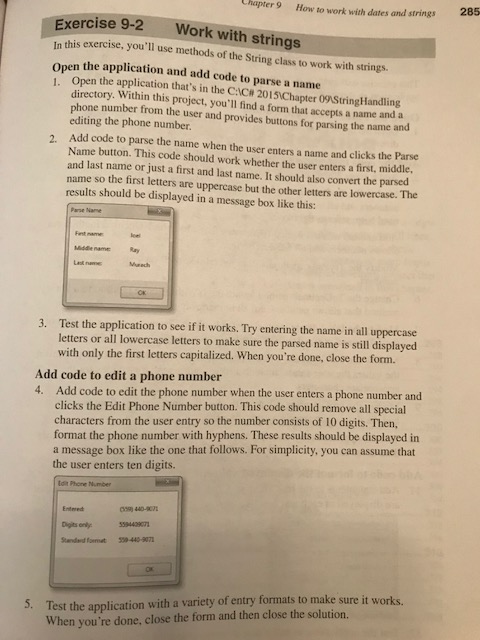
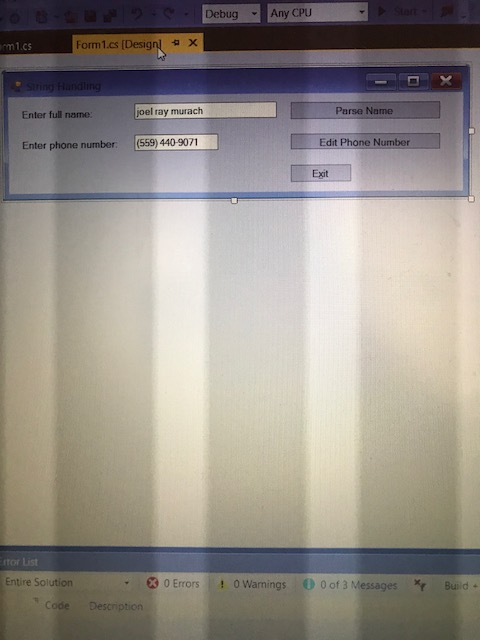
Chapter 9 How to work with dates and strings 285 Exercise 9-2 Work with strings In this exercise, you'll use methods of the String class to work with strings. Open the application and add code to parse a name 1. Open the application that's in the CC#2015Chapter&String! landling directory. Within this project, you'll find a form that accepts a name and a phone number from the user and provides buttons for parsing the name a editing the phone number Add code to parse the name when the user enters a name and clicks the Name button. This code should work whether the user enters a first, mi and last name or just a first and last name. It should also convert the parsed name so the first letters are uppercase but the other letters are lowercase. The results should be displayed in a message box like this: 2. Parse ddle, Parse Name Fent name Ray Test the application to see if it works. Try entering the name in all uppercase letters or all lowercase letters to make sure the parsed name is still displayed with only the first letters capitalized. When you're done, close the form. 3. Add code to edit a phone number 4. Add code to edit the phone number when the user enters a phone number and clicks the Edit Phone Number button. This code should remove all special characters from the user entry so the number consists of 10 digits. Then, format the phone number with hyphens. These results should be displayed in a message box like the one that follows. For simplicity, you can assume that the user enters ten digits. tdit Phone Number Entered Test the application with a variety of entry formats to make sure it wo When you're done, close the form and then close the solution. 5
Step by Step Solution
There are 3 Steps involved in it

Get step-by-step solutions from verified subject matter experts
 Study Help