







Question: I need help with flip rows especially if you could. If it is hard to see please use the browser zoom in function, thank you.
I need help with flip rows especially if you could. If it is hard to see please use the browser zoom in function, thank you.
here is the template code for Board.Java package game;
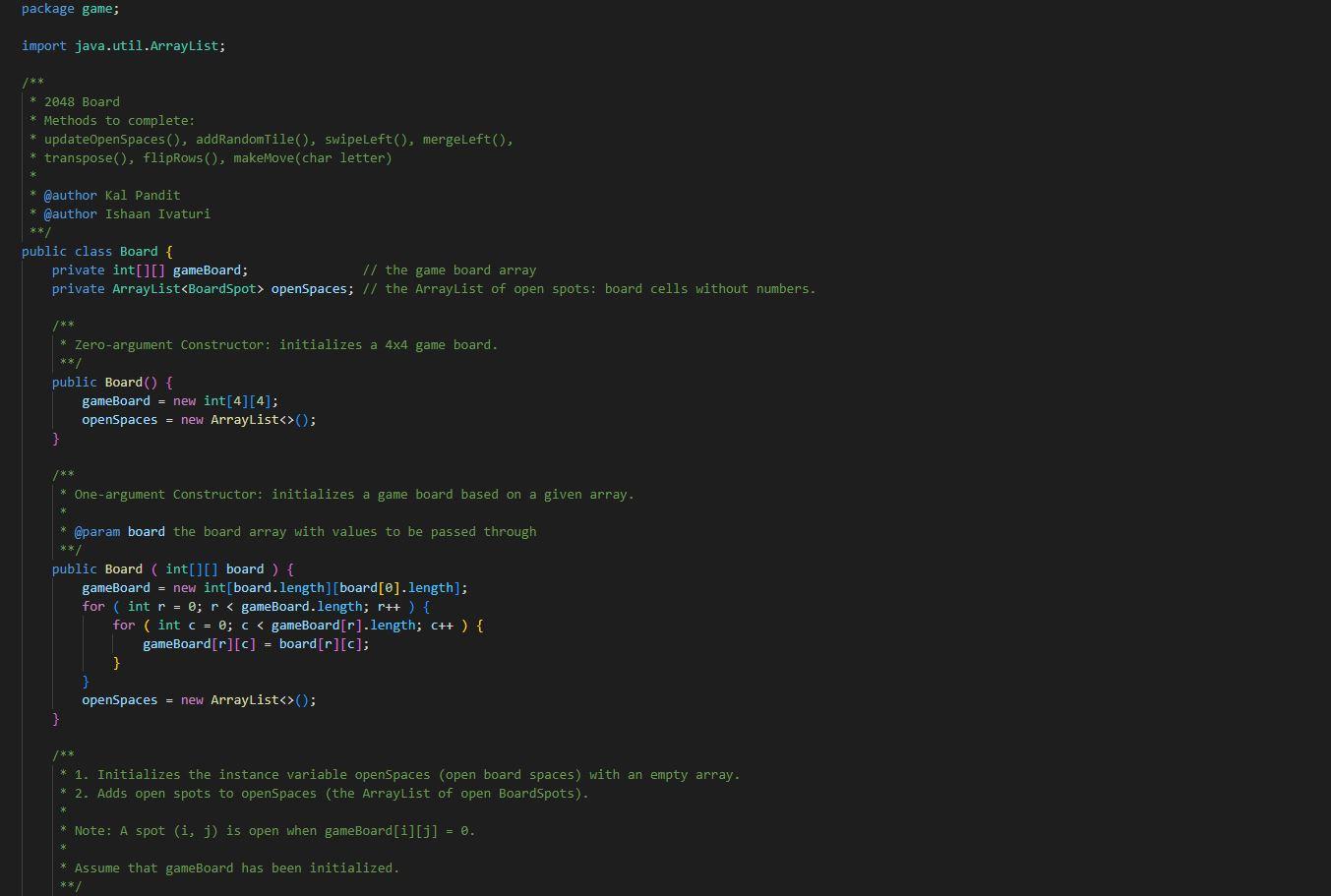
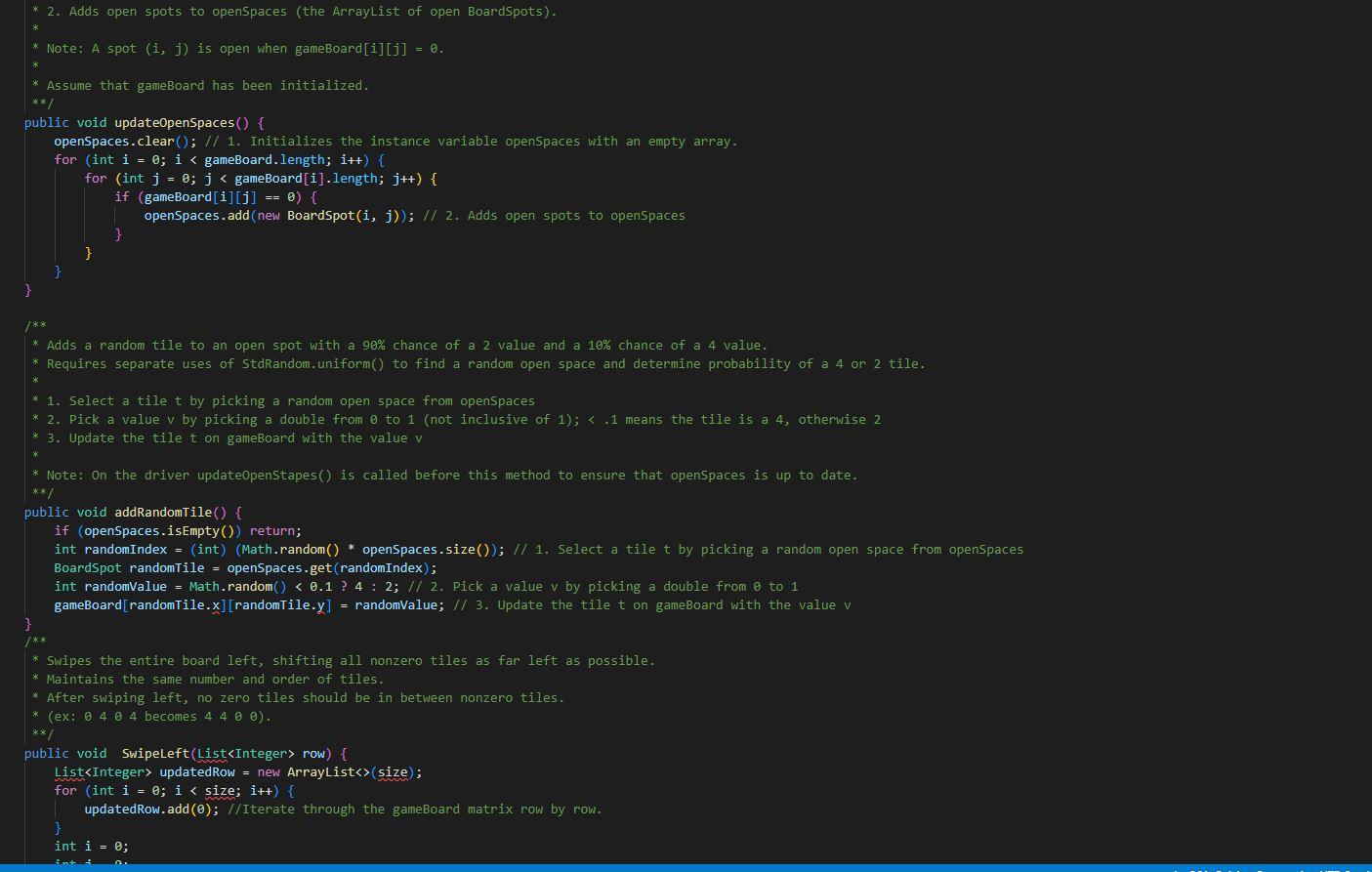
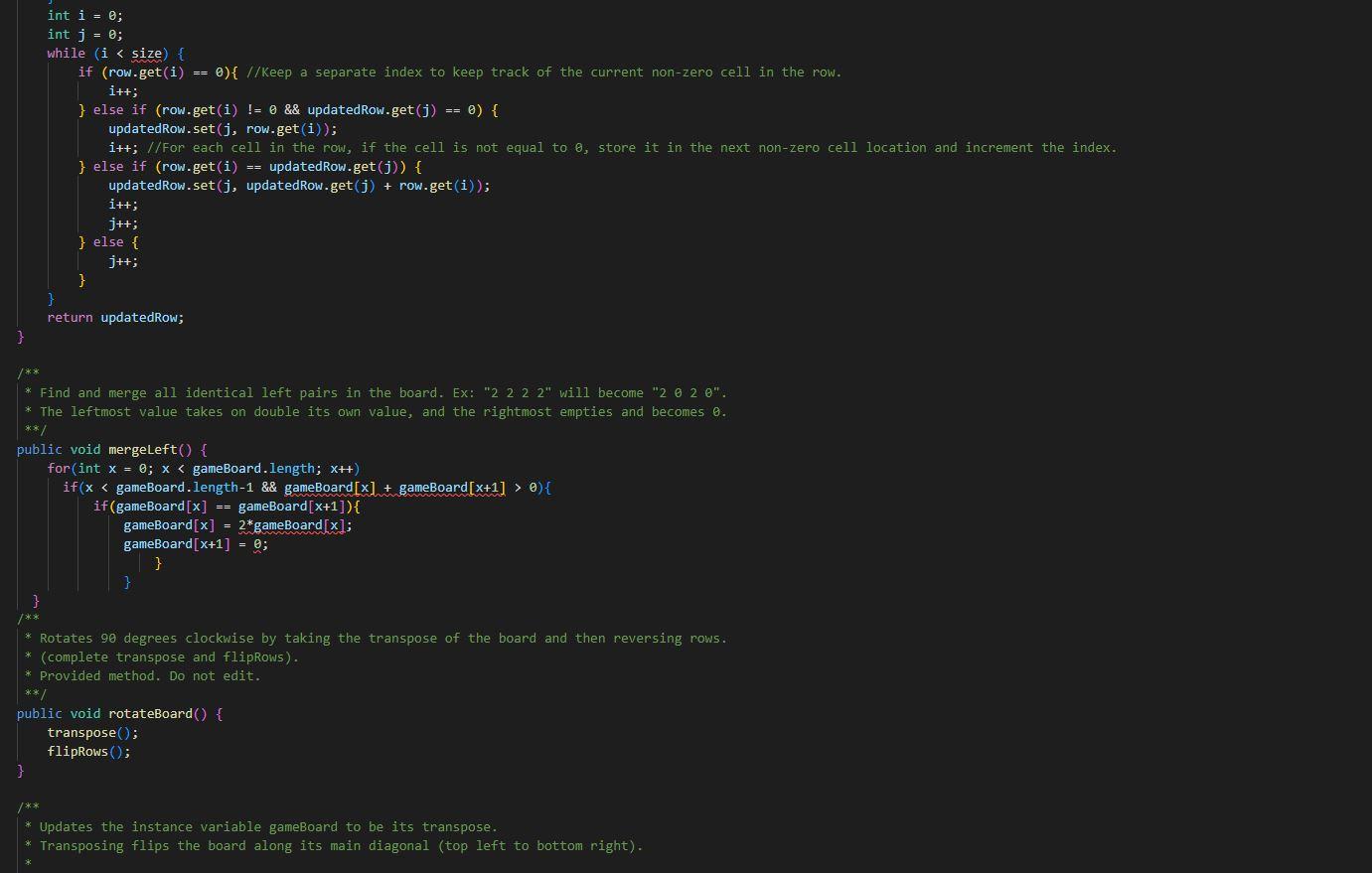
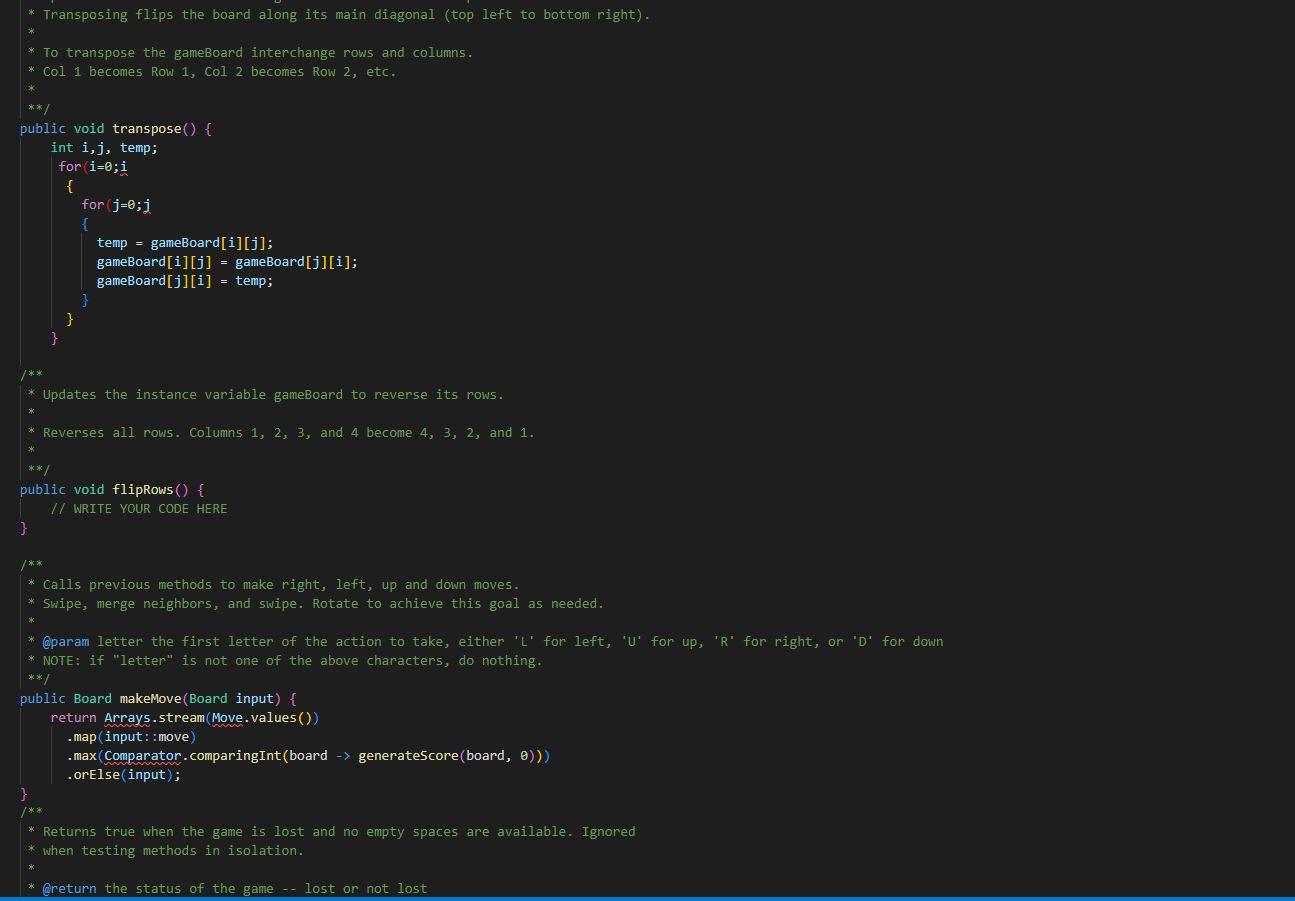
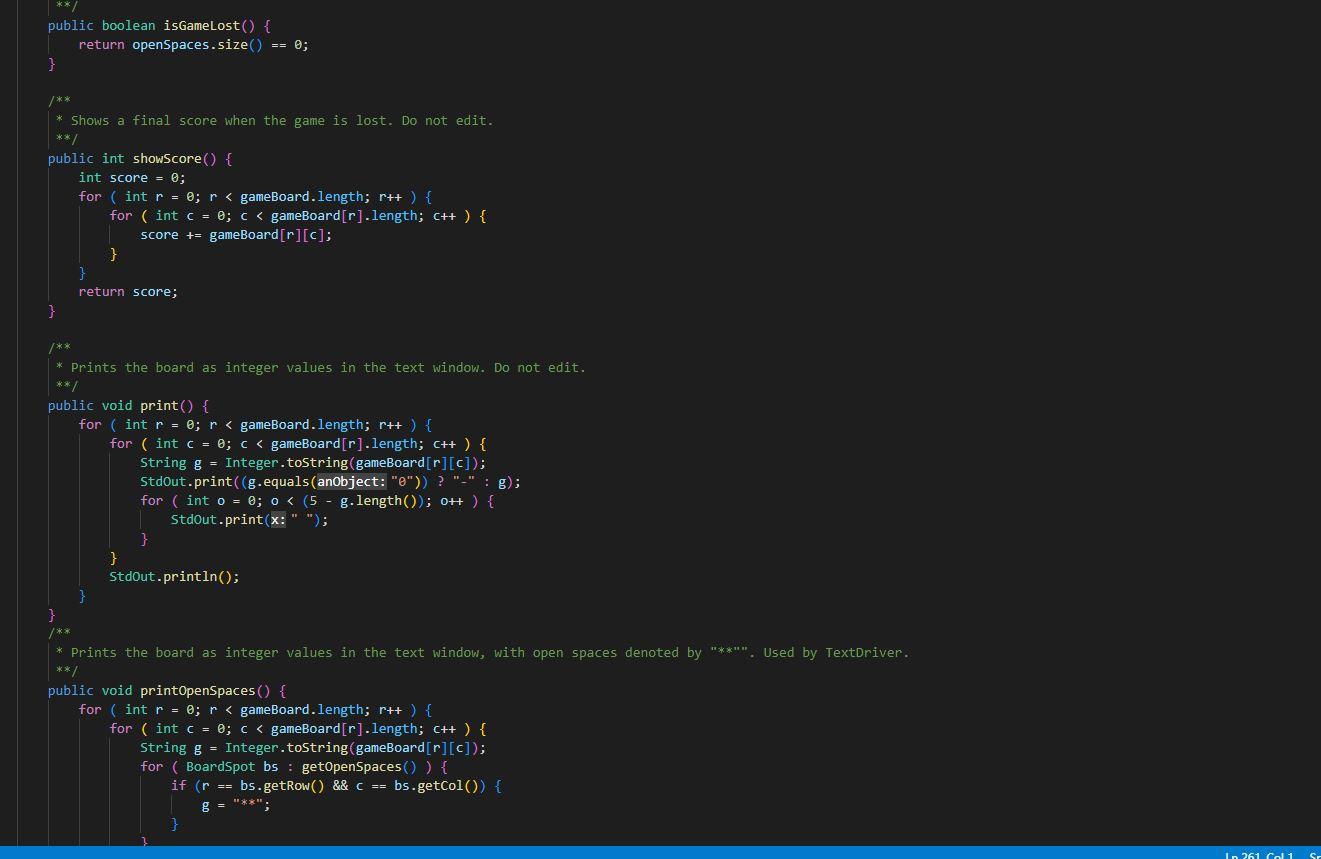
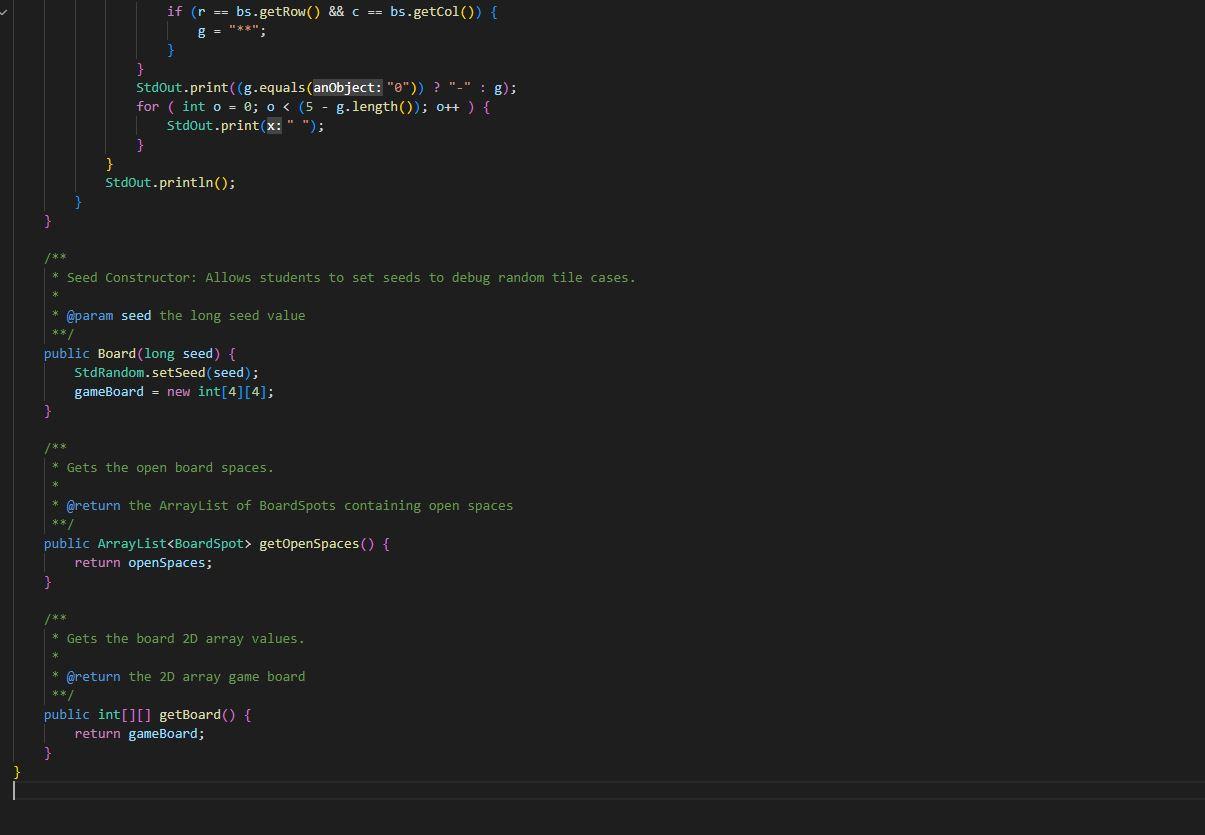
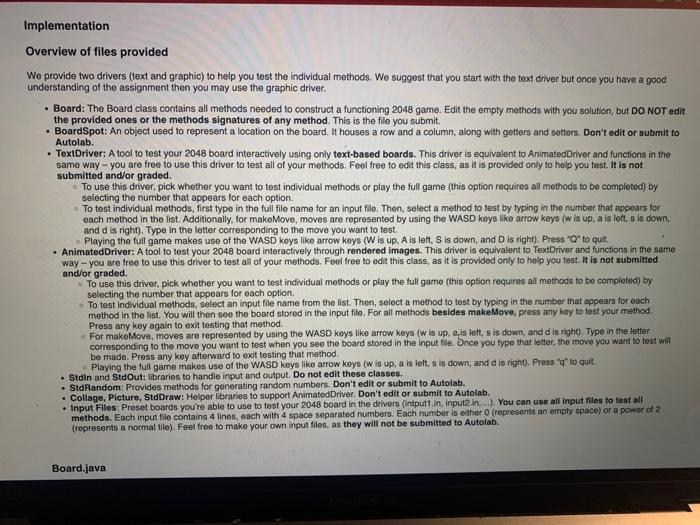
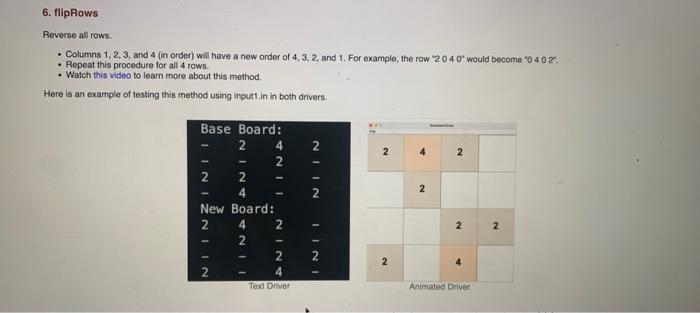
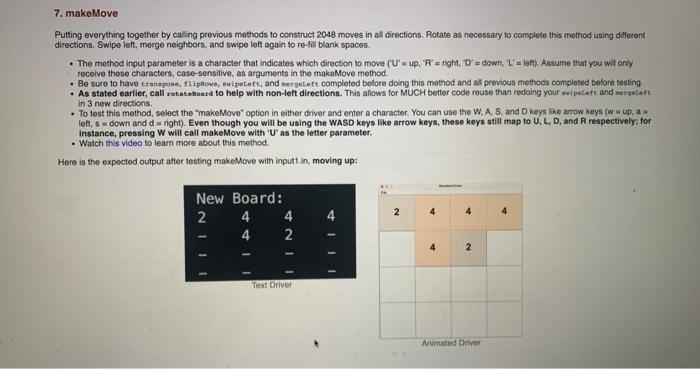
le provide two drivers (text and graphic) to help you test the individual methods. We suggest that you start with the text driver but once you have a good nderstanding of the assignment then you may use the graphic driver. - Board: The Board class contains all methods needed to construct a functioning 2048 game. Edit the empty methods with you solution, but DO NOT edit the provided ones or the methods signatures of any method. This is the file you submit. - BoardSpot: An object used to represent a location on the board. It houses a row and a column, along with getters and setters. Don't edit or submit to Autolab. - TextDriver: A tool to test your 2048 board interactively using only text-based boards. This driver is equivalent to AnimatedDriver and functions in the same way - you are free to use this driver to test all of your methods. Feel free to edit this class, as it is provided only to help you test. It is not submitted and/or graded. - To use this driver, pick whether you want to test individual methods or play the full game (this option requires all methods to be completed) by selecting the number that appears lor each option. - To test individual methods, first typo in the full file name for an input file. Then, select a method to test by typing in the number that appears for each method in the list. Additionally, for makeMove, moves are represented by using the WASD keys like arrow keys (w is up. a is loft, s is down, and d is right). Type in the letter corresponding to the move you want to test. -. Playing the full game makes use of the WASD keys like arrow keys (W is up. A is left, S is down, and D is right). Press "O* to qut. - AnimatedDriver: A tool to test your 2048 board interactively through rendered images. This driver is equivalent to TextDriver and functions in the same way - you are free to use this driver to test all of your methods. Feel free to edit this class, as it is provided only to help you test. it is not submitted and/or graded. - To use this driver, pick whether you want to test individual methods or play the full game (this option requires all methods to be completed) by selecting the number that appears for each option. a To test individual methods, select an input file name from the list. Then, solect a method to test by typing in the number that appears for each method in the list. You will then see the board stored in the input file. For all methods besides makeMove, press any koy to test your method. Press any key again to exit testing that method. - For makeMove, moves are represented by using the WASD keys like arrow keys ( w is up, a, is left, s is down, and d is right). Type in the letter corresponding to the move you want to test when you see the board stored in the input flie. Once you type that letter, the move you want to fest wit be made. Press any key afterward to exit testing that method, Playing the full game makes use of the WASD keys like arrow keys ( w is up, a is left, s is down, and d is right). Press " q " to quit, - Stdin and StdOut: libraries to handie input and output. Do not edit these classes. - StdRandom: Provides methods for generating random numbers. Don't edit or submit to Autolab. - Collage, Picture, StdDraw: Helper libraries to support AnimatodDriver, Don't edit or submit to Autolab. - Input Files. Preset boards youre able to use to tost your 2048 board in the drivers (intputt in, inpute in,..). You can use all input files to test all methods. Each input file contains 4 lines, each with 4 space separated numbers. Each number is eithor 0 (represents an empty spece) or a powar of 2 . (represents a normal tile). Feel free to make your own input files, as they will not be submitted to Autolab. 6. flipRows Reverse all rows: - Columns 1, 2, 3, and 4 (in order) will have a new order of 4,3,2, and 1. For example, the row 20407 would become 20402 . - Repeat this procedure for all 4 rows. - Watch this video to learn more about this method. Here is an example of testing this method using inputt, in in both drivers. Putting everything together by caling previous mothods to construct 2048 moves in all directions. Rotate as necessary to cornplete this mothod using dillerent directions. Swipe ieft, morge neighbors, and swipe left again to re-fill blanik spaces. - The mothod input parameter is a character that indicates which direction to move ( CU==up,A ' = right, D ' = down, ' L ' = left). Assume that you wil only receive these characters, case-sensitive, as arguments in the makoMove method. - Be sure to have tranapose, fiipfiove, -nipeteft, and rerpeteft completed belore doing this method and all provious methods comploted before testing - As stated earlier, call rotateboard to help with non-left directions. This allows for MUCH better codo rouse than redoing your mipiteft and mergetett in 3 new directions. - To test this method, select the "makeMove" option in either driver and enter a character. You can use the W, A, S, and D kigss like arrow keys (w i up. a w left, 5 = down and d= right). Even though you will be using the WASD keys like arrow keys, these keys still map to U, L, D, and R respectively; for instance, pressing W will call makeMove with ' U ' as the letter parameter. - Watch this video to leam more about this method. Hero is the expected output after testing makeMove with inputt in, moving up: import java.util. ArrayList; f * 2048 Board * Methods to complete: * updateopenspaces (), addRandomTile(), swipeleft(), mergeleft(), * transpose(), flipRows (), makeMove(char letter) * @author KaI Pandit * @author Ishaan Ivaturi ** public class Board \{ private int [] [] gameBoard; // the game boand array private Arraylist openspaces; // the Arraylist of open spots: board cells without numbers. * @param board the board array with values to be passed through / public Board (int [] [] board) \{ gameBoard = new int[board.length] [board [0]. length]; for ( int r=0;r
Step by Step Solution
There are 3 Steps involved in it

Get step-by-step solutions from verified subject matter experts
 Study Help