







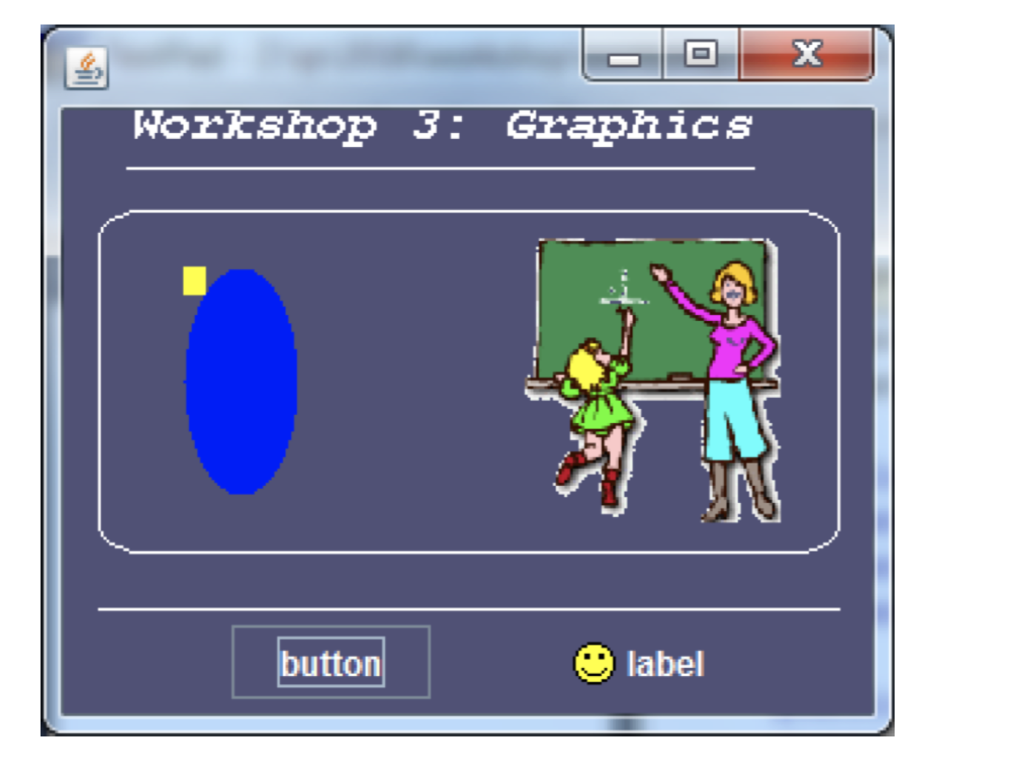
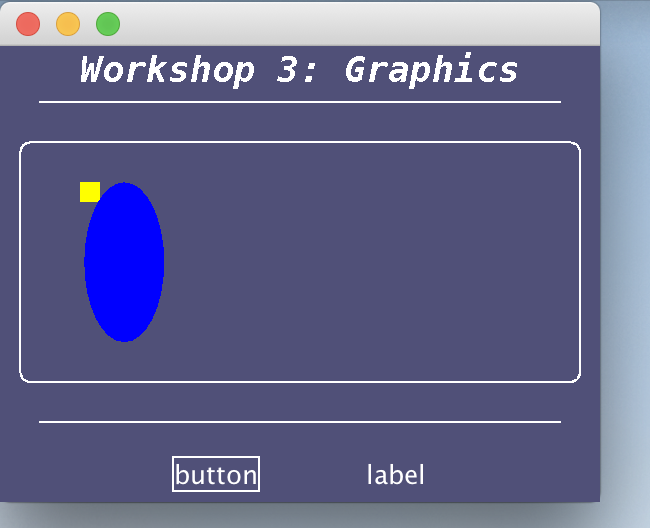
Question: I need help with Java program to produce the follow GUI look (image posted below). I have coded it but the images are not appearing.
I need help with Java program to produce the follow GUI look (image posted below). I have coded it but the images are not appearing.
The first picture is what its meant to look like and the second picture is what I am getting right now.
Here is the code:
import javax.swing.*; import java.awt.*; import javax.swing.border.LineBorder;
class DrawGraphics extends JFrame{ @Override public void paint(Graphics g) { super.paint(g); g.setColor(Color.WHITE); g.setFont(new Font("MonoSpaced", Font.BOLD + Font.ITALIC, 18)); g.drawString("Workshop 3: Graphics", 40, 40); g.drawLine(20, 50, 280, 50); g.drawRoundRect(10, 70, 280, 120, 10, 10); g.drawLine(20, 210, 280, 210); g.setColor(Color.YELLOW); g.fillRect(40, 90, 10, 10); g.setColor(Color.BLUE); g.fillOval(42, 90, 40, 80); Image image = new ImageIcon("educ1.gif").getImage(); g.drawImage(image, 170, 75, 90, 100, this);
} public static void main(String[] args) { JFrame frame = new DrawGraphics(); frame.setSize(300, 250); frame.getContentPane().setBackground(new Color(80, 80, 120)); frame.setDefaultCloseOperation(JFrame.EXIT_ON_CLOSE); JLabel l = new JLabel("label"); ImageIcon goal = new ImageIcon("goal.gif"); System.out.println(goal.getIconHeight()); l.setLayout(new FlowLayout()); l.setForeground(Color.WHITE); l.setHorizontalAlignment(JLabel.RIGHT); l.setIcon(goal); l.setToolTipText("This Is A Label"); JButton b = new JButton(); b.setForeground(Color.WHITE); b.setText("button"); b.setBackground(Color.blue); b.setOpaque(false); b.setBorderPainted(false); b.setBorder(new LineBorder(Color.WHITE)); b.setBorder(BorderFactory.createLineBorder(Color.WHITE )); b.setBorderPainted(true);
b.setBorderPainted(true); UIManager.put("Button.border",BorderFactory.createLineBorder(Color.WHITE)); b.setToolTipText("This is a Button"); JPanel p = new JPanel(); FlowLayout layout = new FlowLayout(); layout.setHgap(50); p.setLayout(layout); p.setBackground(new Color(80, 80, 120)); p.add(b); p.add(l); frame.add(BorderLayout.SOUTH, p); frame.setVisible(true); } }
Nortsiop 3: Grapizics button label
Step by Step Solution
There are 3 Steps involved in it

Get step-by-step solutions from verified subject matter experts
 Study Help