







Question: Can you help me with how to start? The program should use the Application, not the JFrame. Requirements: 1. One Animation Timer. Behind the scenes,
Can you help me with how to start? The program should use the Application, not the JFrame.
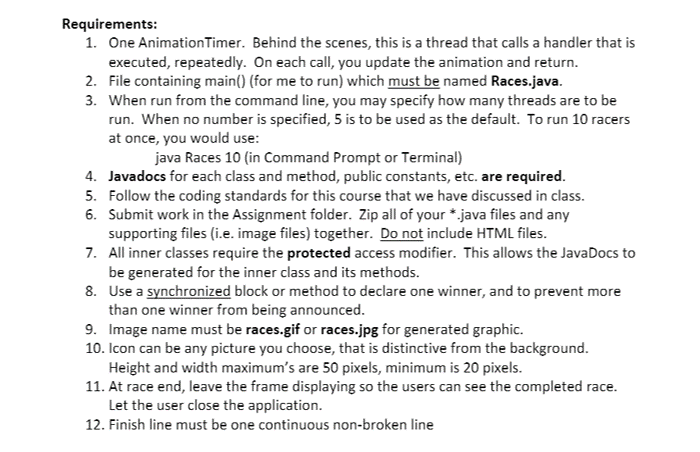
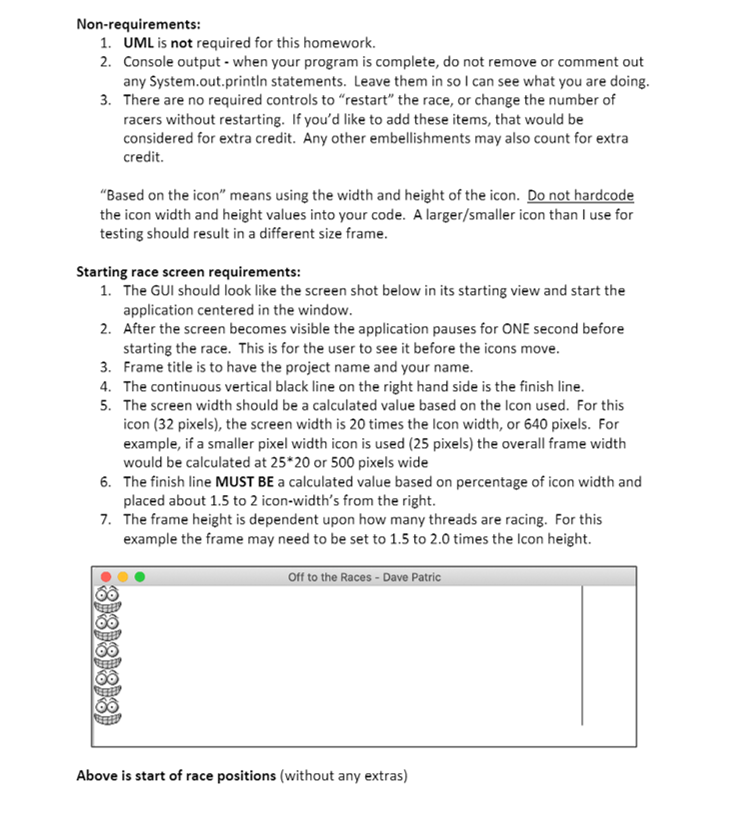
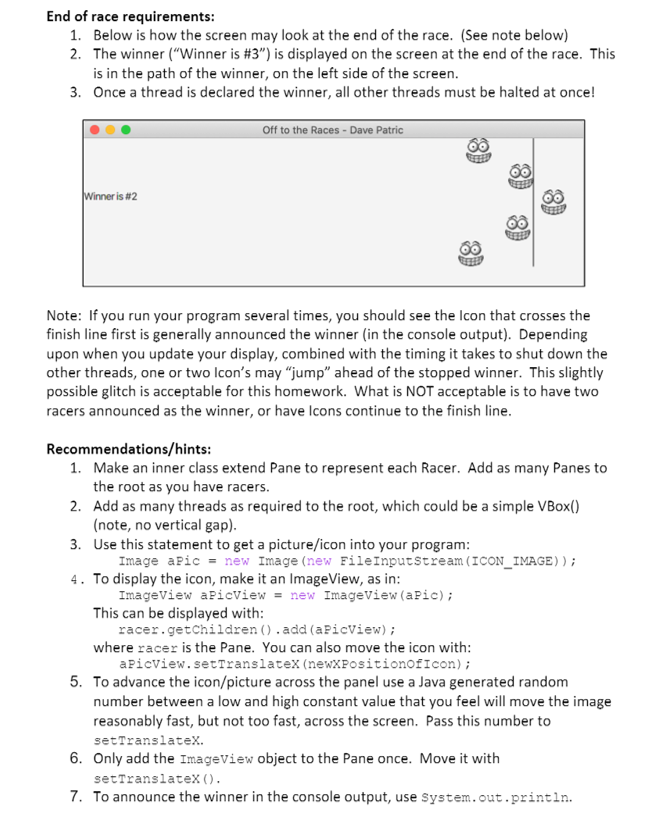
Requirements: 1. One Animation Timer. Behind the scenes, this is a thread that calls a handler that is executed, repeatedly. On each call, you update the animation and return. 2. File containing main() (for me to run) which must be named Races.java. 3. When run from the command line, you may specify how many threads are to be run. When no number is specified, 5 is to be used as the default. To run 10 racers at once, you would use: java Races 10 (in Command Prompt or Terminal) 4. Javadocs for each class and method, public constants, etc. are required. 5. Follow the coding standards for this course that we have discussed in class. 6. Submit work in the Assignment folder. Zip all of your *java files and any supporting files (.e. image files) together. Do not include HTML files. 7. All inner classes require the protected access modifier. This allows the JavaDocs to be generated for the inner class and its methods. 8. Use a synchronized block or method to declare one winner, and to prevent more than one winner from being announced. 9. Image name must be races.gif or races.jpg for generated graphic. 10. Icon can be any picture you choose, that is distinctive from the background. Height and width maximum's are 50 pixels, minimum is 20 pixels. 11. At race end, leave the frame displaying so the users can see the completed race. Let the user close the application. 12. Finish line must be one continuous non-broken line Non-requirements: 1. UML is not required for this homework. 2. Console output - when your program is complete, do not remove or comment out any System.out.println statements. Leave them in so I can see what you are doing. 3. There are no required controls to restart" the race, or change the number of racers without restarting. If you'd like to add these items, that would be considered for extra credit. Any other embellishments may also count for extra credit. "Based on the icon means using the width and height of the icon. Do not hardcode the icon width and height values into your code. A larger/smaller icon than I use for testing should result in a different size frame. Starting race screen requirements: 1. The GUI should look like the screen shot below in its starting view and start the application centered in the window. 2. After the screen becomes visible the application pauses for ONE second before starting the race. This is for the user to see it before the icons move. 3. Frame title is to have the project name and your name. 4. The continuous vertical black line on the right hand side is the finish line. 5. The screen width should be a calculated value based on the Icon used. For this icon (32 pixels), the screen width is 20 times the Icon width, or 640 pixels. For example, if a smaller pixel width icon is used (25 pixels) the overall frame width would be calculated at 25*20 or 500 pixels wide 6. The finish line MUST BE a calculated value based on percentage of icon width and placed about 1.5 to 2 icon-width's from the right. 7. The frame height is dependent upon how many threads are racing. For this example the frame may need to be set to 1.5 to 2.0 times the Icon height. Off to the Races - Dave Patric 160 808081818) Above is start of race positions (without any extras) End of race requirements: 1. Below is how the screen may look at the end of the race. (See note below) 2. The winner ("Winner is #3") is displayed on the screen at the end of the race. This is in the path of the winner, on the left side of the screen. 3. Once a thread is declared the winner, all other threads must be halted at once! Off to the Races - Dave Patric Winner is #2 60 Note: If you run your program several times, you should see the Icon that crosses the finish line first is generally announced the winner (in the console output). Depending upon when you update your display, combined with the timing it takes to shut down the other threads, one or two Icon's may "jump" ahead of the stopped winner. This slightly possible glitch is acceptable for this homework. What is NOT acceptable is to have two racers announced as the winner, or have Icons continue to the finish line. Recommendations/hints: 1. Make an inner class extend Pane to represent each Racer. Add as many Panes to the root as you have racers. 2. Add as many threads as required to the root, which could be a simple VBox() (note, no vertical gap). 3. Use this statement to get a picture/icon into your program: Image aPic = new Image (new FileInputStream(ICON_IMAGE)); 4. To display the icon, make it an ImageView, as in: ImageView aPicView = new ImageView (aPic); This can be displayed with: racer.getChildren() .add(aPicView); where racer is the Pane. You can also move the icon with: apicView.setTranslatex (newxpositionofIcon); 5. To advance the icon/picture across the panel use a Java generated random number between a low and high constant value that you feel will move the image reasonably fast, but not too fast, across the screen. Pass this number to setTranslatex. 6. Only add the ImageView object to the Pane once. Move it with setTranslatex(). 7. To announce the winner in the console output, use System.out.println. Requirements: 1. One Animation Timer. Behind the scenes, this is a thread that calls a handler that is executed, repeatedly. On each call, you update the animation and return. 2. File containing main() (for me to run) which must be named Races.java. 3. When run from the command line, you may specify how many threads are to be run. When no number is specified, 5 is to be used as the default. To run 10 racers at once, you would use: java Races 10 (in Command Prompt or Terminal) 4. Javadocs for each class and method, public constants, etc. are required. 5. Follow the coding standards for this course that we have discussed in class. 6. Submit work in the Assignment folder. Zip all of your *java files and any supporting files (.e. image files) together. Do not include HTML files. 7. All inner classes require the protected access modifier. This allows the JavaDocs to be generated for the inner class and its methods. 8. Use a synchronized block or method to declare one winner, and to prevent more than one winner from being announced. 9. Image name must be races.gif or races.jpg for generated graphic. 10. Icon can be any picture you choose, that is distinctive from the background. Height and width maximum's are 50 pixels, minimum is 20 pixels. 11. At race end, leave the frame displaying so the users can see the completed race. Let the user close the application. 12. Finish line must be one continuous non-broken line Non-requirements: 1. UML is not required for this homework. 2. Console output - when your program is complete, do not remove or comment out any System.out.println statements. Leave them in so I can see what you are doing. 3. There are no required controls to restart" the race, or change the number of racers without restarting. If you'd like to add these items, that would be considered for extra credit. Any other embellishments may also count for extra credit. "Based on the icon means using the width and height of the icon. Do not hardcode the icon width and height values into your code. A larger/smaller icon than I use for testing should result in a different size frame. Starting race screen requirements: 1. The GUI should look like the screen shot below in its starting view and start the application centered in the window. 2. After the screen becomes visible the application pauses for ONE second before starting the race. This is for the user to see it before the icons move. 3. Frame title is to have the project name and your name. 4. The continuous vertical black line on the right hand side is the finish line. 5. The screen width should be a calculated value based on the Icon used. For this icon (32 pixels), the screen width is 20 times the Icon width, or 640 pixels. For example, if a smaller pixel width icon is used (25 pixels) the overall frame width would be calculated at 25*20 or 500 pixels wide 6. The finish line MUST BE a calculated value based on percentage of icon width and placed about 1.5 to 2 icon-width's from the right. 7. The frame height is dependent upon how many threads are racing. For this example the frame may need to be set to 1.5 to 2.0 times the Icon height. Off to the Races - Dave Patric 160 808081818) Above is start of race positions (without any extras) End of race requirements: 1. Below is how the screen may look at the end of the race. (See note below) 2. The winner ("Winner is #3") is displayed on the screen at the end of the race. This is in the path of the winner, on the left side of the screen. 3. Once a thread is declared the winner, all other threads must be halted at once! Off to the Races - Dave Patric Winner is #2 60 Note: If you run your program several times, you should see the Icon that crosses the finish line first is generally announced the winner (in the console output). Depending upon when you update your display, combined with the timing it takes to shut down the other threads, one or two Icon's may "jump" ahead of the stopped winner. This slightly possible glitch is acceptable for this homework. What is NOT acceptable is to have two racers announced as the winner, or have Icons continue to the finish line. Recommendations/hints: 1. Make an inner class extend Pane to represent each Racer. Add as many Panes to the root as you have racers. 2. Add as many threads as required to the root, which could be a simple VBox() (note, no vertical gap). 3. Use this statement to get a picture/icon into your program: Image aPic = new Image (new FileInputStream(ICON_IMAGE)); 4. To display the icon, make it an ImageView, as in: ImageView aPicView = new ImageView (aPic); This can be displayed with: racer.getChildren() .add(aPicView); where racer is the Pane. You can also move the icon with: apicView.setTranslatex (newxpositionofIcon); 5. To advance the icon/picture across the panel use a Java generated random number between a low and high constant value that you feel will move the image reasonably fast, but not too fast, across the screen. Pass this number to setTranslatex. 6. Only add the ImageView object to the Pane once. Move it with setTranslatex(). 7. To announce the winner in the console output, use System.out.println
Step by Step Solution
There are 3 Steps involved in it

Get step-by-step solutions from verified subject matter experts
 Study Help