







Question: I need help with this code described below with the flowchart. I need it in TIVA-M4 ARM assembly lanaguage. Example of this lanuage is MOV
I need help with this code described below with the flowchart. I need it in TIVA-M4 ARM assembly lanaguage. Example of this lanuage is
MOV R1, #2
MOV R0, #0
MOV R2, #2
LDR R3, #-3
MLA R0, R1, R2, R3
ect..
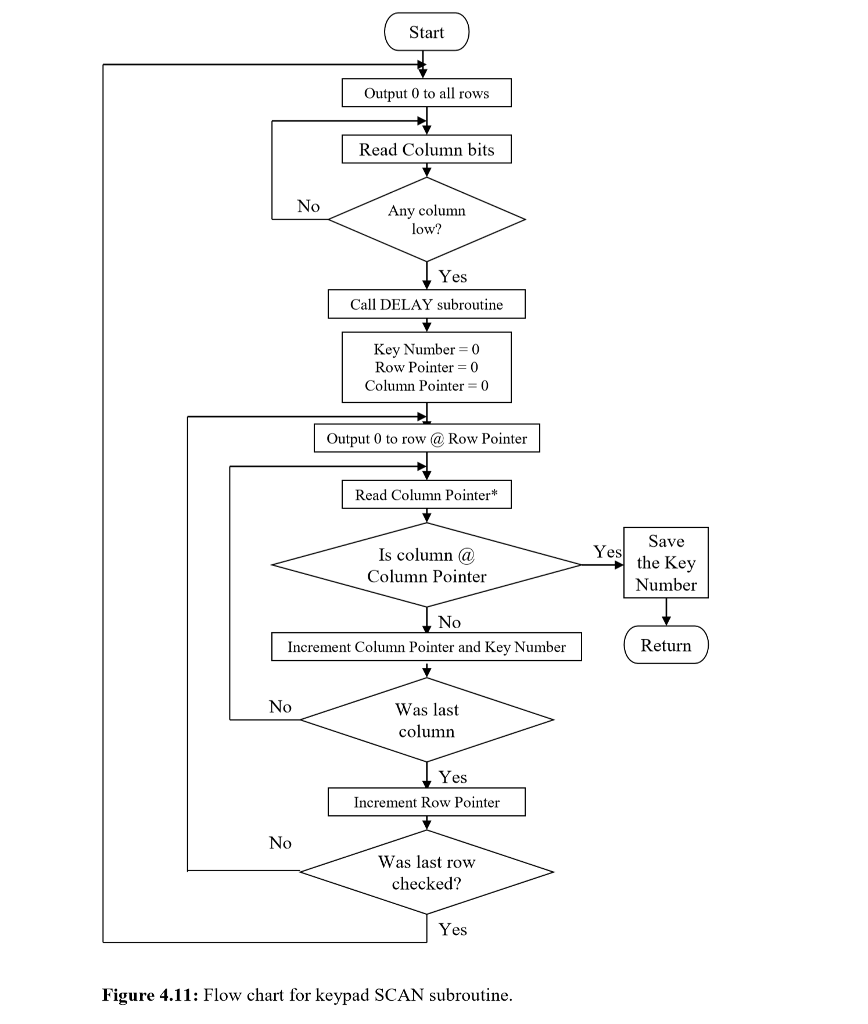
Connect the SimplyTronics membrane keypad to your development board as shown in Figure 4.9. Write a program to scan this keypad (as described in the previous section). Include a subroutine to wait until the key is released before another key is read, as you do not want to read the key that is depressed more than once. The flowchart for this subroutine is included in Figure 4.11. Call the subroutines SCAN and NEXTKEY with the main program. Download the program on the board and display the key pressed on the terminal window. You dont need to use the keypad until you have your program setup. Ask your T.A. for a keypad when you are ready to start testing.
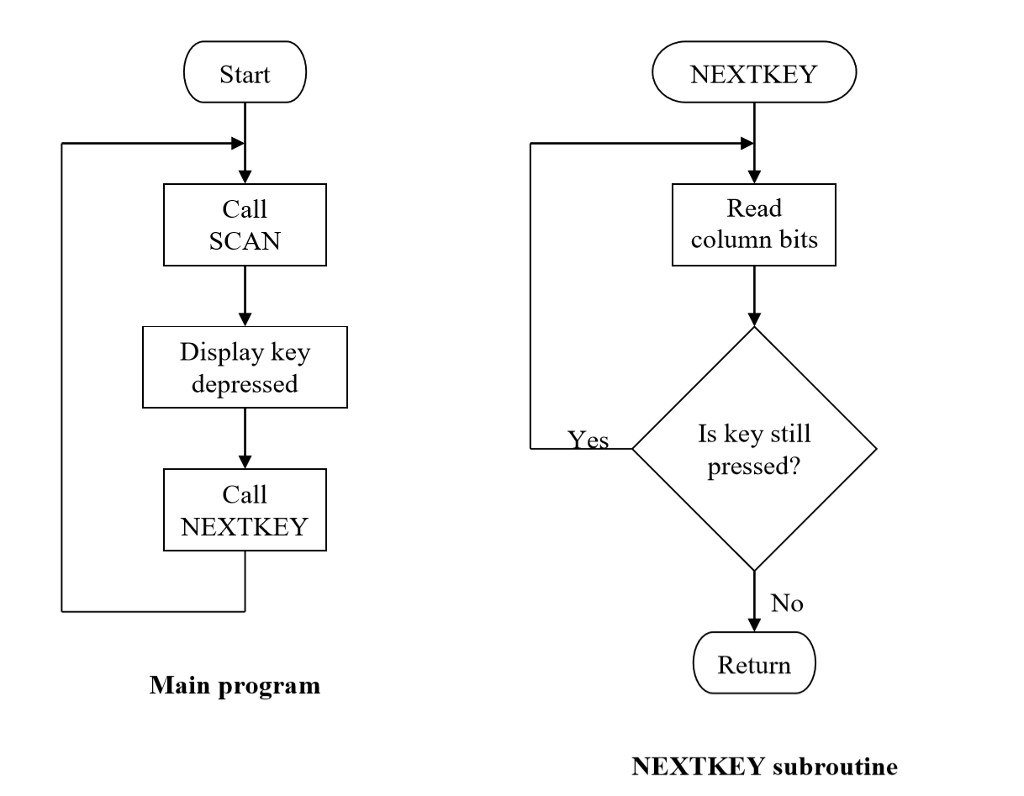
Start NEXTKEY Call SCAN Read column bits Display key depressed Is key still pressed? Yes Call NEXTKEY No Return Main program NEXTKEY subroutine Start NEXTKEY Call SCAN Read column bits Display key depressed Is key still pressed? Yes Call NEXTKEY No Return Main program NEXTKEY subroutine
Step by Step Solution
There are 3 Steps involved in it

Get step-by-step solutions from verified subject matter experts
 Study Help