







Question: I need help with this java code. I have provided a picture of what the output should look like. Ex 0 1 : Complete Programming
I need help with this java code. I have provided a picture of what the output should look like.
Ex: Complete Programming Challenges Slot Machine Simulation with Enhancements.
A slot machine is a gambling device into which the user inserts money then pulls a lever or presses a button The slot machine then
displays a set of random images. If two or more of the images match, the user wins an amount of money that the slot machine
dispenses back to the user.
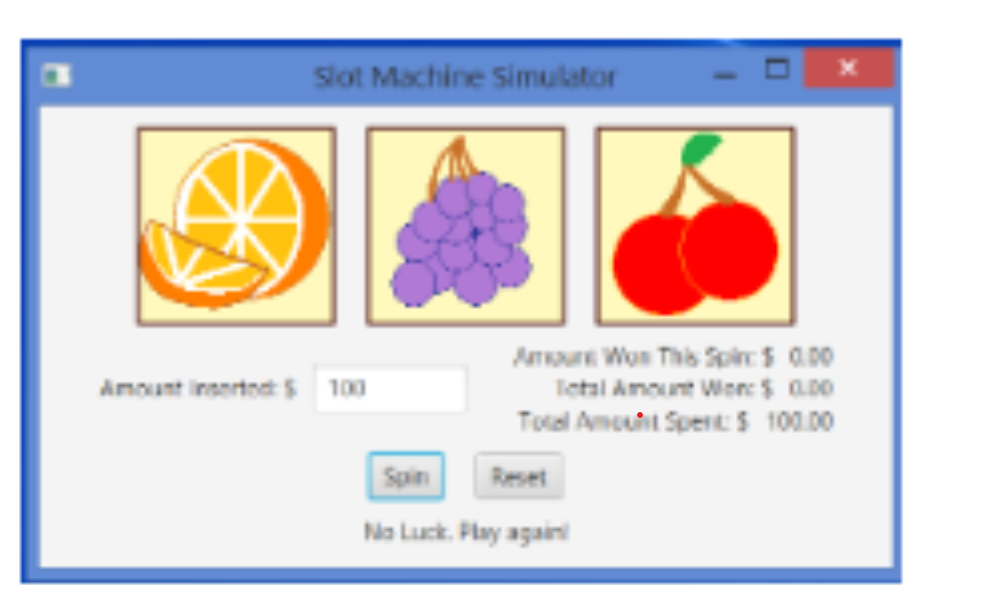
Create a JavaFX application that simulates a slot machine with enhancements eg showing the total amount
spent and a reset button The screenshots below show the examples of how the GUI should look.
A Basic Requirements:
The application should let the user enter into a TextField the amount of money he or she is inserting into the machine.
When the user clicks the Spin button, the application should display three randomly selected symbols. Slot machines
traditionally display fruit symbols. You will find a set of fruit symbol images in the Student Sample Programs.
a The program should also display the following amounts:
i the amount user won for the spin, and
ii the total amount won for all spins, and
iii. the total amount spent for all spins
When the user clicks the Reset button, the program should do the following:
a display the amount $ that:
i the amount user won for the spin, and
ii the total amount won for all spins, and
iii. the total amount spent for all spins
iv the three BlankFruitpng images on the three image views
v the message Insert an amount to play on the information label.
Add code to validate the input amount:
a Display the message Error. Try a different amount on the information label if the input amount is empty or
invalid eg a negative value or zero after the Spine button is clicked. Refer to Fig.
Validate the correctness of your app.
You are required to zip all the files source code, image files, etc. into one zipped file and submit the zipped file to
Canvas. Otherwise, you will be deducted for points
B Layout Requirements:
Display the Slot Machine Simulator in the title bar
On the apps initial load, use the BlankFruitpng to display the three images.
Set the scene size width to pixels and height to pixels.
Set the spacing between the three images to pixels.
Rightalign the three amounts.
Add the extra spaces or paddings or margins to controls to provide good user experience.
Make sure that the appearance of your app resembles to the app in the screenshots
Step by Step Solution
There are 3 Steps involved in it
1 Expert Approved Answer
Step: 1 Unlock

Question Has Been Solved by an Expert!
Get step-by-step solutions from verified subject matter experts
Step: 2 Unlock
Step: 3 Unlock
 Study Help