



Question: I need screenshots of every step Case Proiects Case Project 9-1: Syslog Earlier in this chapter, you v iewed and manipulated log file entries ona
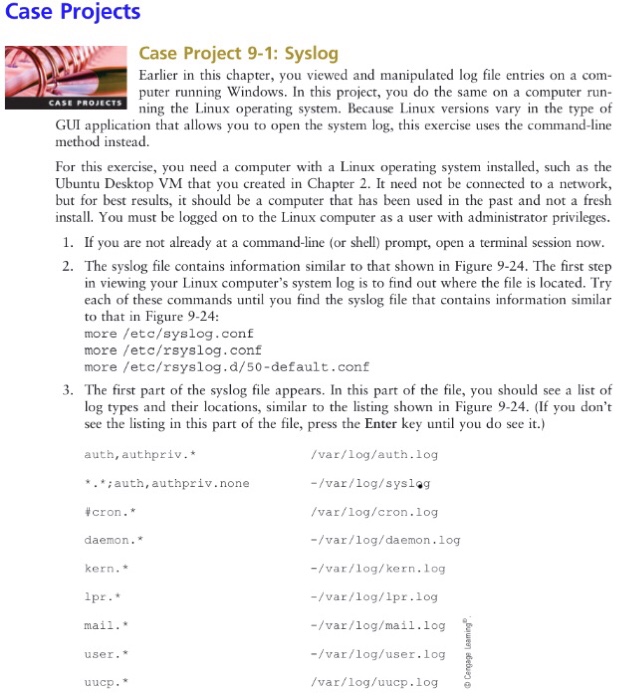
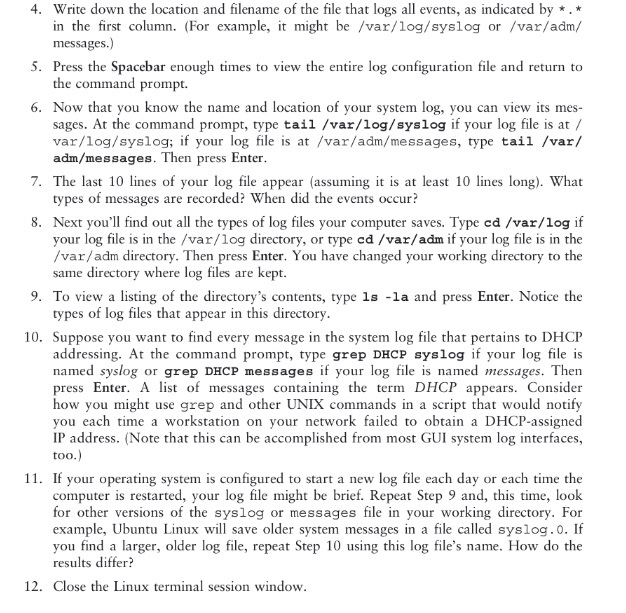
Case Proiects Case Project 9-1: Syslog Earlier in this chapter, you v iewed and manipulated log file entries ona com- puter running Windows. In this project, you do the same on a computer run- ning the Linux operating system. Because Linux versions vary in the type of GUI application that allows you to open the system log, this exercise uses the command-line method instead. For this exercise, you need a computer with a Linux operating system installed, such as the Ubuntu Desktop VM that you created in Chapter 2. It need not be connected to a network but for best results, it should be a computer that has been used in the past and not a fresh install. You must be logged on to the Linux computer as a user with administrator privileges. 1. If you are not already at a command-line (or shell) prompt, open a terminal session now 2. The syslog file contains information similar to that shown in Figure 9-24. The first step in viewing your Linux computer's system log is to find out where the file is located. Try each of these commands until you find the syslog file that contains information similar to that in Figure 9-24 more /etc/syslog.conf more /etc/rsyslog.conf more /etc/rsyslog.d/50-default.conf 3. The first part of the syslog file appears. In this part of the file, you should see a list of log types and their locations, similar to the listing shown in Figure 9-24. (If you don't see the listing in this part of the file, press the Enter key until you do see it.) /var/log/auth.log -/var/log/syslag /var/log/cron.log -/var/log/daemon.1og -/var/log/kern.log -/var/log/lpr.log -/var/log/mail.log -/var/log/user.log /var/log/uucp.log e auth, authpriv.* :auth,authpriv.none cron. * daemon." kern. user. uucp
Step by Step Solution
There are 3 Steps involved in it

Get step-by-step solutions from verified subject matter experts