







Question: I need some Javascript help. I'm trying to make my Show More button a clickable item, but my assignment doesn't allow any changes to apply
I need some Javascript help.
I'm trying to make my Show More button a clickable item, but my assignment doesn't allow any changes to apply to any CSS or HTML. I'm simply supposed to add Javascript that will make the div underneath the
tag inside of the
tag become visible after someone clicks on the Show More tag. I also need "Show More" to change to Show Less when it is clicked. Please help and PLEASE REMEMBER I CANNOT CHANGE THE CSS NOR THE HTML IN THIS!!!
The exact directions are :
Follow these steps to develop the jQuery statements to create the application.
1. The HTML and CSS code is given to you. Do not change it.
2. The user clicks Show More and information is displayed. The text changes to Show Less.
3. The user clicks Show Less and information disappears. The text changes to Show More.
4. You will call a function that executes the code for #2 and #3 when the user clicks on the.
You may NOT add additional HTML or CSS unless the CSS is purely for formatting.
Here is source code:
Vitamins and Supplements Depot
Curcumin 95 - $20.99
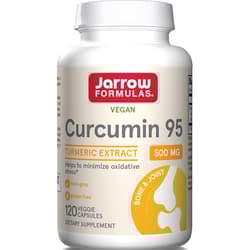
Other Ingredients: Cellulose, magnesium stearate (vegetable source) and silicon dioxide. Capsule consists of hydroxypropylmethylcellulose. Usage: Take 1 capsule per day with food or as directed by your qualified healthcare professional Note: If you have a medical condition, are pregnant, lactating, trying to conceive, under the age of 18, or taking medications, consult your healthcare professional before using this product.Show More...
Step by Step Solution
There are 3 Steps involved in it

Get step-by-step solutions from verified subject matter experts
 Study Help