







Question: i need the output using System. Collections; using System. Collections. Generic; using UnityEngine; using UnityEngine.SceneManagenent; public elass Asyc : MonoBehaviour { public bool loadLevel; public
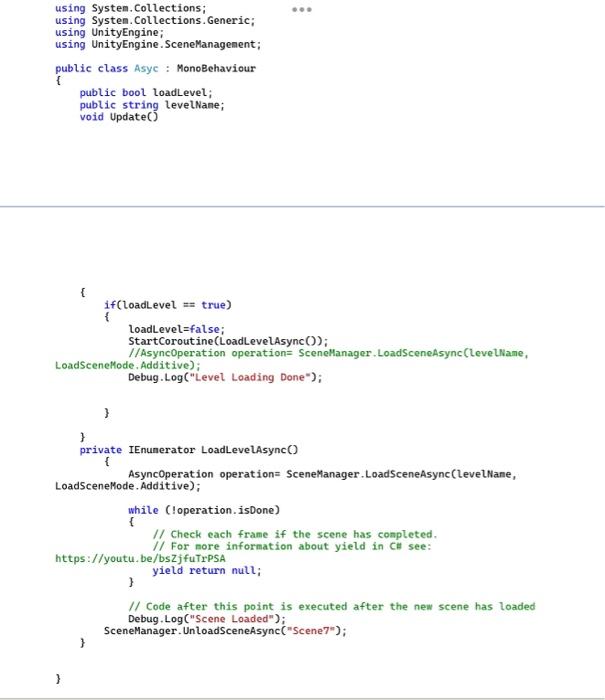
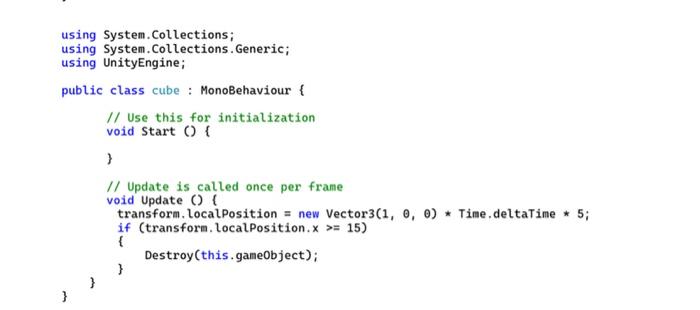
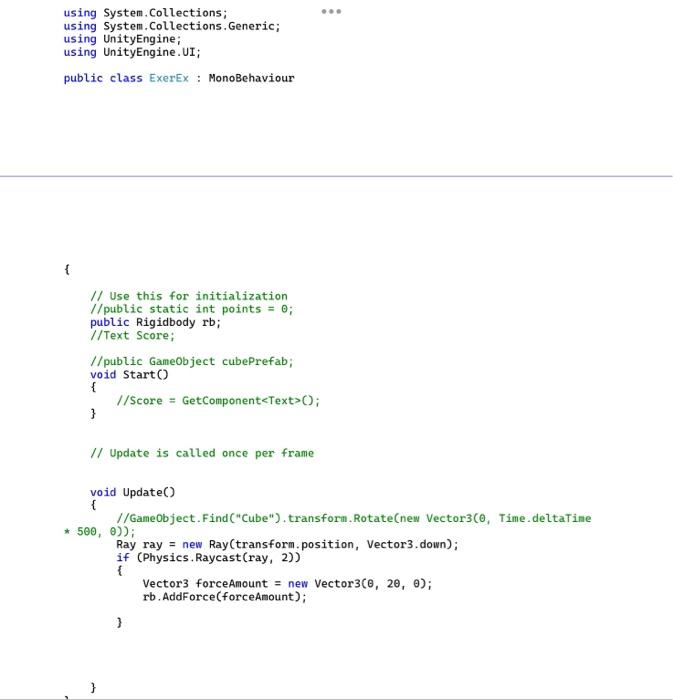
using System. Collections; using System. Collections. Generic; using UnityEngine; using UnityEngine.SceneManagenent; public elass Asyc : MonoBehaviour \{ public bool loadLevel; public string levelNane; void Update() \{ if(LoadLevel = true) f LoadLevel=false; StartCoroutine(LoadLeveLAsync()); //AsyncOperation operation= SceneHanager.LoadSceneAsync(LeveLName, nefode. Additive); Debug.Log("Level Loading Done"); LoadSceneHode. Additive); using System. Collections; using System.Collections.Generic; using UnityEngine; using UnityEngine.UI; public class ExerEx : MonoBehaviour \{ // Use this for initialization // public static int points =0; public Rigidbody rb; /lText Score; //public GameObject cubePrefab; void Start() \{ // Score = GetComponent ( ; \} // Update is called once per frame void Update() \{ * 500,) ); Ray ray = new Ray(transform. position, Vector3. down); if (Physics.Raycast (ray, 2)) \{ Vector 3 forceAmount = new Vector 3(,2,); rb.AddForce (forceAmount); \}
Step by Step Solution
There are 3 Steps involved in it

Get step-by-step solutions from verified subject matter experts
 Study Help