







Question: I use DBeaver to do the question. In DBeaver, you can choose the Microsoft SQL server for a new database connection, and type that information
I use DBeaver to do the question. In DBeaver, you can choose the Microsoft SQL server for a new database connection, and type that information in page 1 to login the AdventureWorks2008R2 database.
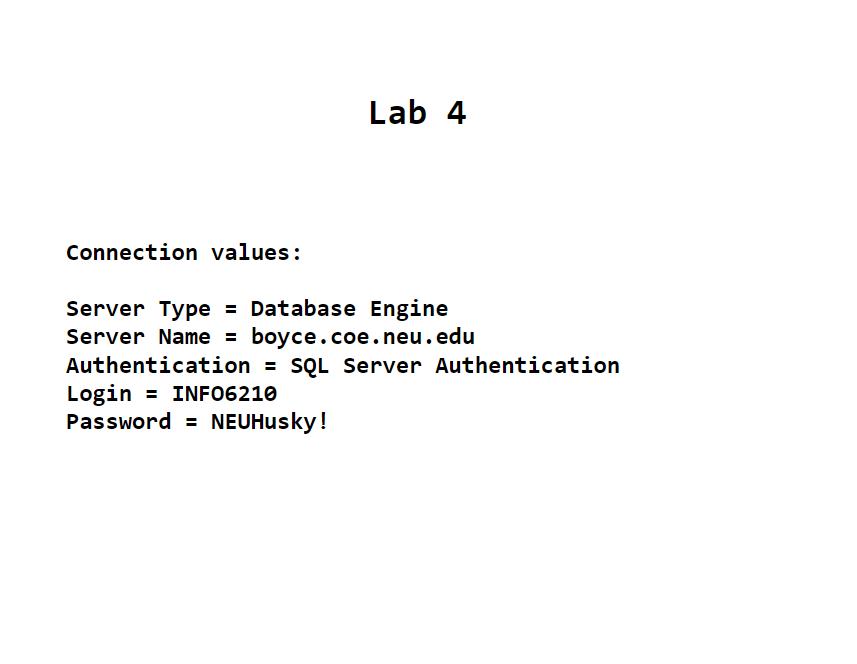
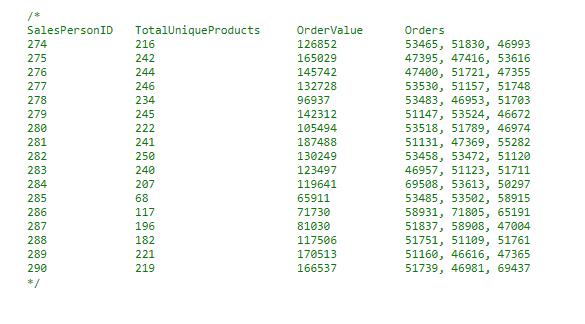
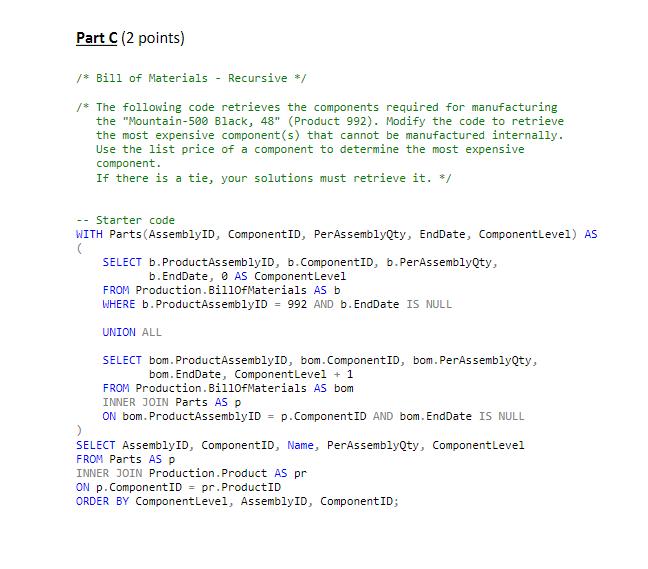
Lab 4 Connection values: Server Type = Database Engine Server Name = boyce.coe.neu.edu Authentication = SQL Server Authentication Login = INF06210 Password = NEUHusky!
Step by Step Solution
There are 3 Steps involved in it
1 Expert Approved Answer
Step: 1 Unlock

Question Has Been Solved by an Expert!
Get step-by-step solutions from verified subject matter experts
Step: 2 Unlock
Step: 3 Unlock
 Study Help