







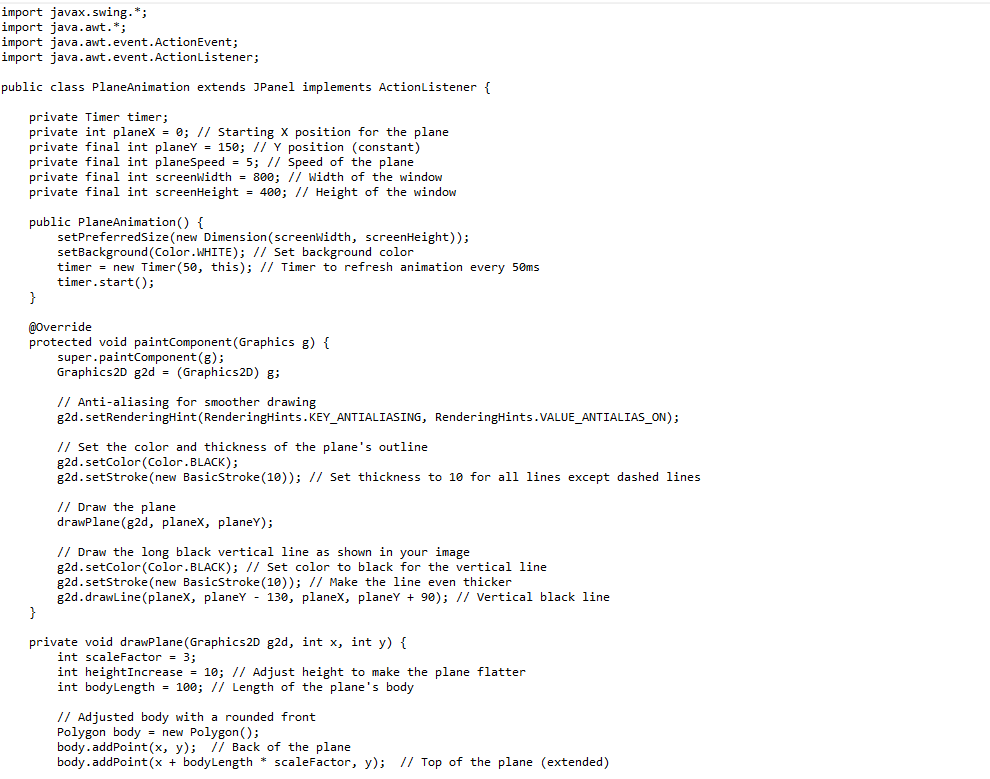
Question: i want plane Adopting appropriate Java code and using shape construction functions along with animation ` ` ` import javax.swing. * ; import java.awt. *
i want plane
Adopting appropriate Java code and using shape construction functions along with animation
import javax.swing.;
import java.awt.;
import java.awt.event.ActionEvent;
import java.awt.event.ActionListener;
public class PlaneAnimation extends JPanel implements ActionListener
private Timer timer;
private int planeX ; Starting X position for the plane
private final int planeY ; Y position constant
private final int planeSpeed ; Speed of the plane
private final int screenWidth ; Width of the window
private final int screenHeight ; Height of the window
public PlaneAnimation
setPreferredSizenew DimensionscreenWidth screenHeight;
setBackgroundColorWHITE; Set background color
timer new Timer this; Timer to refresh animation every ms
timer.start;
@Override
protected void paintComponentGraphics g
super.paintComponentg;
GraphicsD gd GraphicsD g;
Antialiasing for smoother drawing
gdsetRenderingHintRenderingHintsKEYANTIALIASING, RenderingHints.VALUEANTIALIASON;
Set the color and thickness of the plane's outline
gdsetColorColorBLACK;
gdsetStrokenew BasicStroke; Set thickness to for all lines except dashed lines
Draw the plane
drawPlanegd planeX, planeY;
Draw the long black vertical line as shown in your image
gdsetColorColorBLACK; Set color to black for the vertical line
gdsetStrokenew BasicStroke; Make the line even thicker
gddrawLineplaneX planeY planeX, planeY ; Vertical black line
private void drawPlaneGraphicsD gd int x int y
int scaleFactor ;
int heightIncrease ; Adjust height to make the plane flatter
int bodyLength ; Length of the plane's body
Adjusted body with a rounded front
Polygon body new Polygon;
body.addPointx y; Back of the plane
body.addPointx bodyLength scaleFactor, y; Top of the plane extended
Adding more points to create a rounded front
body.addPointx bodyLength scaleFactor, y scaleFactor; Start of the curve
body.addPointx bodyLength scaleFactor, y scaleFactor; Midcurve
body.addPointx bodyLength scaleFactor, y scaleFactor; Rounded middle
body.addPointx bodyLength scaleFactor, y scaleFactor; Midcurve
body.addPointx bodyLength scaleFactor, y scaleFactor; End of the curve
body.addPointx bodyLength scaleFactor, y heightIncrease scaleFactor; Bottom of the plane extended
body.addPointx y heightIncrease scaleFactor; Back of the plane
gddrawPolygonbody;
Front wing, smaller and angled backward
Polygon wingTop new Polygon;
int wingTopPointX x scaleFactor;
int wingTopPointY y; Top of the body
int wingTopPointX x scaleFactor;
int wingTopPointY y scaleFactor; Smaller extension backward and upward
int wingTopPointX x scaleFactor;
int wingTopPointY y; Connecting back to the body
wingTop.addPointwingTopPointX wingTopPointY;
wingTop.addPointwingTopPointX wingTopPointY;
wingTop.addPointwingTopPointX wingTopPointY;
gddrawPolygonwingTop;
Bottom wing, smaller and angled backward
Polygon wingBottom new Polygon;
int wingBottomPointX x scaleFactor;
int wingBottomPointY y heightIncrease scaleFactor; Bottom of the body
int wingBottomPointX x scaleFactor;
int wingBottomPointY y heightIncrease scaleFactor; Smaller extension backward and downward
int wingBottomPointX x scaleFactor;
int wingBottomPointY y heightIncrease scaleFactor; Connecting back to the body
wingBottom.addPointwingBottomPointX wingBottomPointY;
wingBottom.addPointwingBottomPointX wingBottomPointY;
wingBottom.addPointwingBottomPointX wingBottomPointY;
gddrawPolygonwingBottom;
Store original stroke
Stroke originalStroke gdgetStroke;
Set dashed stroke
gdsetStrokenew BasicStrokef BasicStroke.CAPBUTT, BasicStroke.JOINBEVEL, new float;
Draw dashed line along the trailing edge of the top wing
gddrawLinewingTopPointX wingTopPointY wingTopPointX wingTopPointY;
Draw dashed line along the trailing edge of the bottom wing
gddrawLinewingBottomPointX wingBottomPointY wingBottomPointX wingBottomPointY;
Reset to original stroke
gdsetStrokeoriginalStroke;
@Override
public void actionPerformedActionEvent e
planeX planeSpeed;
Loop the plane back to the start if it moves out of the screen
if planeX screenWidth
planeX ; Reset the plane to start from the left
repaint; Redraw the screen
public static void mainString args
JFrame frame new JFrameD Plane Animation with Dashes Aligned to Wings";
PlaneAnimation planeAnimation new PlaneAnimation;
frame.addplaneAnimation;
frame.pack;
frame.setDefaultCloseOperationJFrameEXITONCLOSE;
frame.setL
Step by Step Solution
There are 3 Steps involved in it
1 Expert Approved Answer
Step: 1 Unlock

Question Has Been Solved by an Expert!
Get step-by-step solutions from verified subject matter experts
Step: 2 Unlock
Step: 3 Unlock
 Study Help